When buyers search for a laser cutter for sale, the listing price is usually the least reliable signal. Two machines can look similar in a quote or product gallery, yet deliver very different results once they are asked to cut acrylic cleanly, engrave wood consistently, or run day after day without workflow interruptions. For industrial and commercial buyers, the real question is not simply which laser cutter is available, but which one matches the material mix, quality target, and production rhythm of the shop.
Buying the wrong machine usually shows up in avoidable ways: burnt edges, unstable cut quality, slow cycle times, poor exhaust performance, operator frustration, and downtime caused by weak support or hard-to-source parts. Before you commit, check the machine as a production tool, not just as a specification sheet.
Confirm That Laser Is the Right Process First
The first checkpoint is not wattage, bed size, or quote price. It is process fit.
Laser cutting makes the most sense when your workload benefits from clean contour cutting, detail work, engraving, repeatable decorative processing, and efficient handling of materials such as acrylic, wood, leather, paper-based substrates, fabric, and similar non-metallic materials. It is especially useful when part geometry is more complex than simple straight-line sizing.
If your main workload is high-volume rectangular panel breakdown for furniture production, a laser may not be the best primary investment. In many factories, beam saws, sliding table saws, or CNC nesting workflows are a better fit for panel sizing speed, material throughput, and downstream cabinet production. If you are comparing laser processing against multiple equipment categories in the same investment cycle, the broader Pandaxis product catalog is the best place to map machine fit before narrowing the shortlist.
Start With Materials and Finished Edge Expectations
Many buying mistakes happen because the buyer starts with the machine and only later defines the material reality. Reverse that sequence.
Before evaluating any laser cutter for sale, clarify:
- The Main Materials You Will Process
- The Typical Material Thickness Range
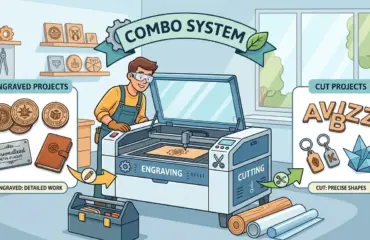
- Whether You Need Cutting, Engraving, Or Both
- The Required Edge Appearance After Cutting
- Whether Parts Go Directly to Assembly, Painting, Packaging, Or Secondary Finishing
For example, a shop cutting acrylic display parts will care heavily about edge clarity and consistency. A workshop engraving wood signage may care more about detail quality, repeatability, and smoke control. A mixed-material shop needs to know where one setup performs reliably and where material changes start to reduce efficiency.
This is also where broad keyword phrases become dangerous. A generic “laser cutter for sale” listing does not tell you whether the machine is well matched to your real substrates, your acceptable edge quality, or your daily production mix.
Decide Whether You Need Cutting, Engraving, or a Balanced Workflow
Some buyers only need contour cutting. Others need frequent logo work, text marking, decorative engraving, or batch personalization. Those are not small differences. They change how the machine will be used, how jobs will be set up, and how productivity should be judged.
If most of your value comes from visual detail, registration consistency, and surface finish, you should evaluate the machine through an engraving lens, not only through cutting speed. If most of your work is part profiling, nesting multiple shapes on sheet stock, and moving cut pieces downstream quickly, cutting performance becomes the center of the evaluation.
A balanced machine can be the right choice when the shop handles both decorative and production work, but buyers should still verify which side of the workload dominates. A machine that is acceptable at both tasks is not always the best long-term answer if one task clearly drives revenue.
Check Working Area Against Real Production, Not Idealized Jobs
Buyers often focus on the maximum working area shown in a brochure without checking whether it matches the actual job mix. That leads to wasted floor space on one side or material handling bottlenecks on the other.
Check the machine against the sheet sizes, part dimensions, and nesting patterns you process most often. Also think about loading and unloading reality, not just the formal work envelope. A machine may technically accept a sheet size, but if clamping, alignment, unloading, or part extraction slows the line, the production advantage disappears.
Questions worth asking at this stage include:
- How Much of Our Daily Work Fits This Working Area Without Extra Repositioning?
- How Much Operator Handling Is Required Between Jobs?
- Does Our Part Mix Favor Small Detail Work, Medium-Batch Sheets, Or Larger Panels?
- Will This Footprint Still Make Sense If Volume Increases?
The right working size is the one that supports throughput with minimal handling friction, not the one that looks most impressive in a quote.
Look Beyond Wattage and Evaluate the Whole Cutting System
Wattage gets attention because it is easy to compare. It is also one of the easiest ways to oversimplify a machine purchase.
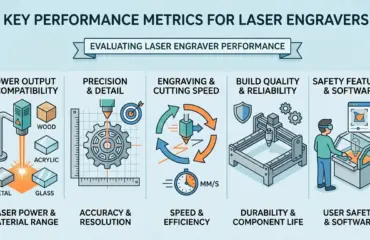
Real cutting quality comes from the full system working together: motion stability, optics condition, cooling consistency, exhaust performance, table design, alignment reliability, and software-to-machine coordination. If those pieces are weak, a higher-power setup may still produce disappointing results.
Instead of asking only “How powerful is the machine?” ask questions that connect to production outcomes:
- How Stable Is Motion During Repeated Jobs?
- How Consistent Is Cut Quality Across the Full Working Area?
- How Well Does the Machine Manage Smoke, Heat, and Residue?
- How Easy Is It to Access Optics, Clean Components, and Maintain Alignment?
- How Repeatable Are Results Over Long Runs, Not Just In a Short Demo?
Industrial buyers should treat wattage as one variable inside a broader quality system. The machine must deliver stable, usable output across normal shop conditions, not only in ideal demo material.
Ask for Production-Proof Samples, Not Just Demo Photos
One of the fastest ways to reduce buying risk is to validate with your own files and your own materials. Marketing images and clean showroom videos do not tell you enough about edge quality, engraving contrast, warping behavior, residue, or part consistency.
Ask the supplier to process representative samples that reflect real production. Good test samples should include:
- Your Actual Material Types
- Your Common Thickness Range
- Shapes With Tight Corners and Fine Detail
- Parts That Reflect Your Daily Tolerance Expectations
- Jobs That Mix Cutting and Engraving If Your Workflow Requires Both
Review the result the way a production team would. Look at edge cleanliness, dimensional consistency, visual finish, cycle stability, and how much cleanup would still be needed before the next step. A useful sample is not the one that merely proves the machine can cut. It is the one that shows whether the machine fits your workflow without hidden rework.
Review Software, File Preparation, and Operator Workflow
Laser performance is not only mechanical. Many problems show up earlier in the digital workflow: file preparation, nesting, import reliability, operator setup, layer control, and job switching.
Before buying, check how the machine fits the way your team already works. A laser cutter that produces good output but slows every file handoff can still become a poor investment.
Focus on practical questions such as:
- How Easy Is It for Operators to Prepare and Send Jobs?
- How Smoothly Does the Workflow Handle Repeated Batch Work?
- How Much Training Will a New Operator Need Before Running Stable Jobs?
- Can the Team Switch Between Materials Without Excessive Trial and Error?
- Is the interface clear enough for daily shop use, not just technical staff?
The best machine is not just capable. It is manageable. Workflow simplicity matters because production efficiency is often lost between jobs, not during the cut itself.
Check Maintenance Access, Parts Availability, and Service Support
This is where many attractive sale prices become expensive. A lower-cost machine can quickly lose its value if routine maintenance is awkward, spare parts are slow to source, or support becomes difficult once installation is complete.
Buyers should evaluate support with the same seriousness they apply to machine hardware. Look at how the supplier handles troubleshooting, consumables, replacement components, and after-sales communication. If the answer is vague before the sale, it usually becomes more difficult after the machine arrives.
Key checkpoints include:
- Ease of Routine Cleaning and Access to Service Points
- Availability of Common Replacement Parts
- Expected Response Process for Technical Questions
- Clarity Around Installation, Setup, and Training Scope
- Whether Support Is Structured Around Real Shop Downtime Risks
In commercial production, support is not a secondary benefit. It is part of the machine’s real operating value.
Compare Total Cost, Not Just the Sale Price
The asking price is only the visible layer of the investment. Buyers should compare the full operating picture, including installation needs, extraction requirements, maintenance effort, training time, expected consumables, and the cost of lost production if the machine is unstable.
This is where two similar offers often separate clearly. A machine with a lower ticket price may create higher cost through slower setup, more cleanup, more rejected parts, or weaker support. A better-supported machine may cost more upfront but return value through smoother production and lower disruption.
Use a practical evaluation lens: which machine is most likely to deliver stable output, acceptable part quality, manageable upkeep, and dependable workflow continuity over time?
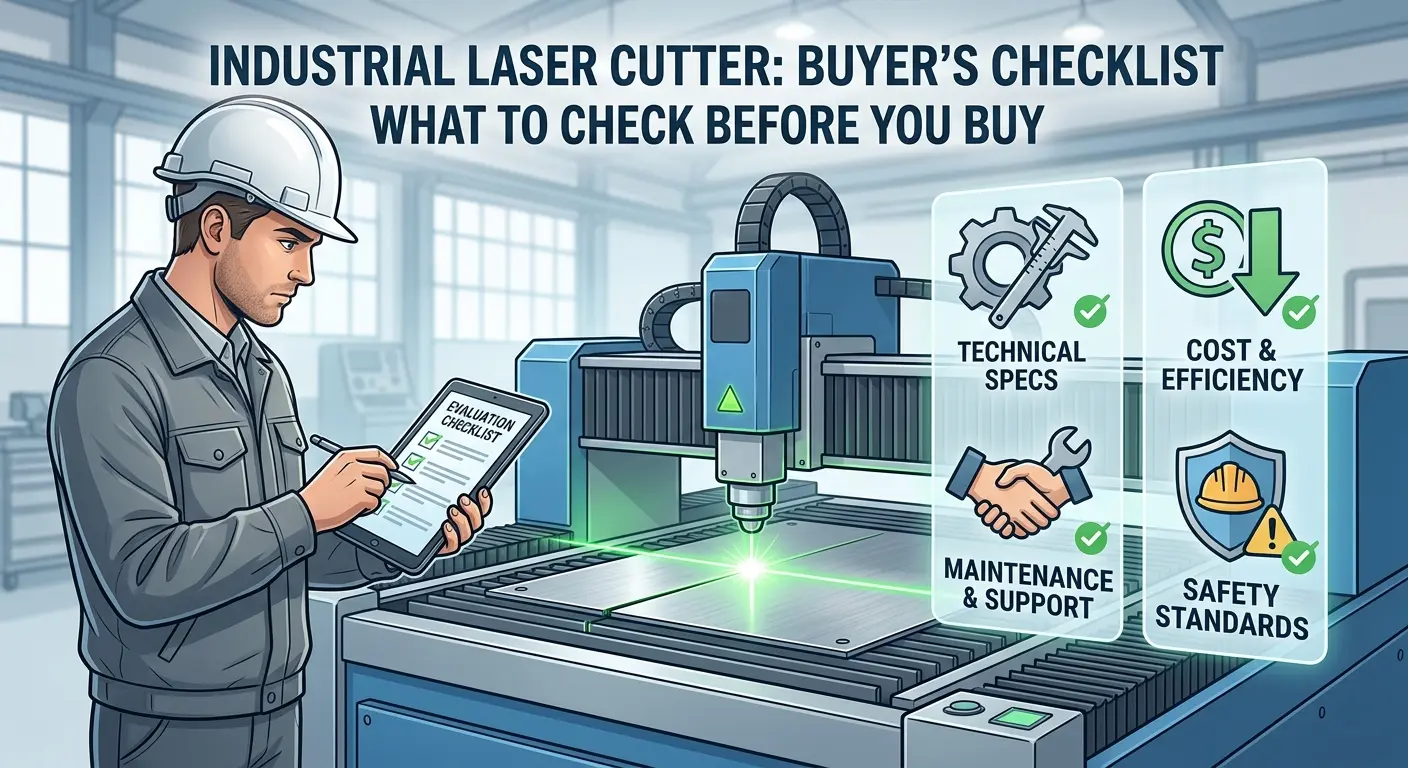
Use This Pre-Buy Checklist Before You Commit
| Checkpoint | Why It Matters | What to Verify |
|---|---|---|
| Process Fit | Prevents buying the wrong machine category | Whether laser is truly the best process for your parts and materials |
| Material Match | Determines cut quality and daily usability | Real materials, real thickness range, and expected finish quality |
| Cutting vs Engraving Balance | Changes machine selection logic | Which task drives most of your revenue and machine hours |
| Working Area | Affects handling efficiency and throughput | Real sheet sizes, nesting behavior, and unloading practicality |
| System Stability | Drives repeatability more than headline specs alone | Motion quality, alignment consistency, cooling, and exhaust |
| Sample Validation | Exposes hidden rework risk | Your own files and your own materials, not generic demos |
| Software and Setup Flow | Impacts operator efficiency between jobs | File prep, job switching, training needs, and control usability |
| Service and Parts | Protects uptime after installation | Spare part access, troubleshooting path, and after-sales support |
| Total Cost | Prevents false savings | Installation, maintenance, training, downtime risk, and cleanup labor |
Know When to Shortlist a Specialist Supplier
Once the buying criteria are clear, the shortlist should be based on category fit and production relevance, not on the loudest sales language. For buyers focused on wood, acrylic, engraving detail, and non-metal workflow applications, the most relevant starting point is the Pandaxis range of laser cutters and engravers.
That category-level view is useful because it keeps the conversation centered on application fit instead of forcing a one-size-fits-all machine narrative. Buyers can then compare workflows, handling needs, and production outcomes with a more realistic baseline.
Final Thoughts
The best laser cutter for sale is not the machine with the most attention-grabbing listing. It is the one that matches your materials, supports the right mix of cutting and engraving, fits your production flow, and can hold quality without creating extra rework or downtime.
Before buying, check process fit, working reality, sample quality, operator workflow, maintenance access, and support discipline. Those are the factors that determine whether the machine becomes a productive asset or a recurring problem.
Industrial buyers usually make better decisions when they evaluate the laser as part of the whole workflow, not as a standalone piece of equipment. That is the checkpoint that matters most.