Brand reputation and polished demo videos will not tell you whether a laser engraver can hold engraving clarity, repeatability, and usable throughput across the wood, acrylic, MDF, or laminated panels your factory actually runs. This article replaces subjective supplier comparisons with a repeatable evaluation method built around material fit, net parts-per-shift output, quality drift over long runs, airflow and extraction control, recipe management, and maintenance accessibility. Before you compare any machine, define the production role it must fill—fine engraving, mixed cutting, high-mix custom jobs, or repeated batches—so you can judge performance by workflow stability and rework rates rather than logo recognition.
Why “Best Laser Engraver” Is the Wrong Question to Ask First
Ask ten suppliers which laser engraver is best and you will get ten different answers, each one tied to what that supplier happens to sell. The phrase itself pushes buyers toward the least useful comparison criteria: brand reputation, polished demo videos, and isolated sample photos that were likely shot under ideal conditions. In a production environment, the real question is whether a machine can hold engraving clarity, repeatability, and usable throughput across the specific materials and job types your factory actually runs.
For buyers evaluating laser cutters and engravers for wood, acrylic, and similar non-metallic applications, performance should be judged by workflow stability rather than logo recognition. A machine becomes “best” only when it matches the real workload, maintains consistent quality over time, and produces more acceptable parts with less operator correction.
Define the Job Before You Compare Suppliers
Brand bias usually enters the buying process too early. Buyers compare supplier names before they define what the machine must do all week, all month, and across changing jobs. That order of operations guarantees a subjective decision.
Start with operational questions instead:
- What materials will consume most of the machine hours?
- Is the main goal fine engraving detail, contour cutting, or both?
- Are surface appearance and edge cleanliness customer-facing?
- How often do jobs change across shifts?
- Is the workflow high-mix custom work or repeated batch production?
- How much output is lost today to setup delay, cleanup, or rework?
Without those answers, buyers often reward the machine that looks fastest in a short demonstration rather than the one that stays productive in daily use. A machine that wins a speed comparison on a simple pattern may lose badly when it has to hold fine detail on a complex logo, switch between materials three times in a shift, or maintain edge quality on a long production run.
Performance Starts With Material Fit
There is no single best laser engraver across every industrial application. A machine that performs well on acrylic signage may not be the most practical fit for engraved wood panels, layered decorative products, or mixed-material short runs. Material behavior changes the importance of airflow, focus stability, recipe control, surface cleanliness, and acceptable thermal effect.
Consider how different materials stress different parts of the machine:
- Hardwood and plywood: Density variation between boards affects engraving depth and contrast. A machine with weak airflow control will leave more residue in the grain, forcing extra cleanup or rework.
- Acrylic: Edge clarity depends on consistent power delivery and focus stability. If the beam drifts even slightly during a long run, edges become frosted instead of polished.
- MDF and coated panels: The resin content in MDF can produce inconsistent burn results. Coated surfaces require precise power control to avoid cutting through the finish layer.
- Layered or laminated materials: These demand repeatable depth control. A machine that cannot hold consistent focus across the bed will produce uneven engraving where the top layer is partially removed in some areas and untouched in others.
That is why material fit should be evaluated before any broader comparison of machine reputation. For non-metallic workflows, the real concern is not whether the machine can produce one good sample. It is whether it can keep results stable when material batches, part geometry, and production pacing start to vary.
If your workload extends beyond non-metallic engraving and cutting, treat that as a separate process-selection question rather than folding it into one vague “best machine” discussion. Metal cutting and engraving involve different laser sources, safety requirements, and auxiliary systems. Mixing those requirements into a single comparison will obscure the evaluation for both applications.
The Performance Criteria That Matter More Than Brand Reputation
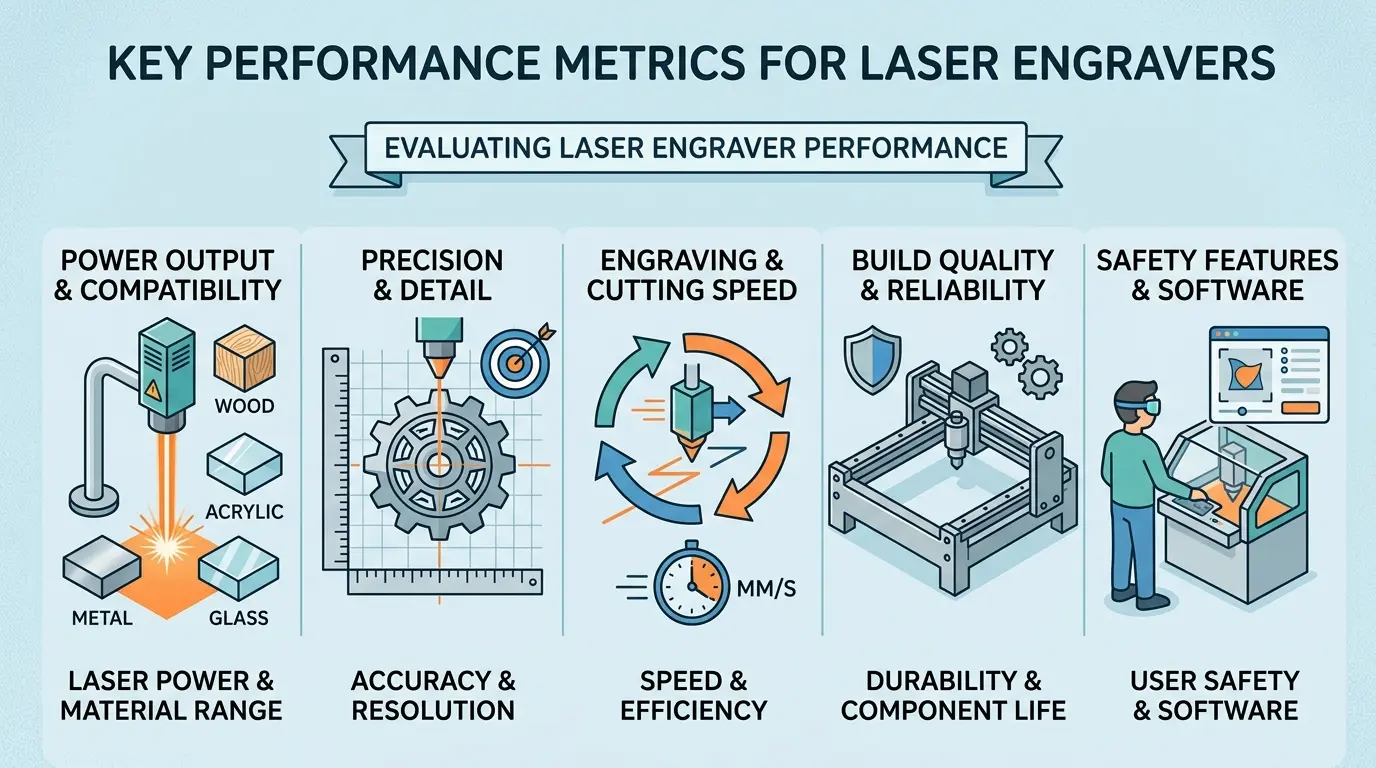
The most useful comparison is not Brand A versus Brand B. It is performance area versus workflow requirement. The table below outlines the evaluation areas that separate a production asset from a showroom piece.
| Evaluation Area | What Buyers Should Inspect | Why It Matters in Production | Common Brand-Bias Mistake |
|---|---|---|---|
| Material Compatibility | Review the actual materials, thickness ranges, coatings, and finish expectations in your queue | A machine that looks strong on one substrate may drift in quality on another | Assuming a strong demo on one sample proves broad application fit |
| Engraving Clarity and Edge Quality | Check line sharpness, filled-area consistency, corner definition, residue, and surrounding surface cleanliness | Finished appearance often determines whether parts ship or go to rework | Judging quality from close-up marketing photos instead of repeated test output |
| Repeatability Across the Bed | Compare parts produced from different locations on the work surface | Inconsistent results across the table reduce usable yield and operator confidence | Accepting one centered sample as proof of full-bed consistency |
| Stable Throughput Under Real Jobs | Measure output across a normal production file, not only short demonstration patterns | Net output depends on fewer pauses, less cleanup, and less intervention | Focusing only on visible head speed |
| Airflow and Extraction Control | Inspect smoke removal, residue buildup, and quality drift during longer runs | Poor extraction affects appearance, maintenance load, and repeatability | Treating extraction as a secondary accessory instead of a production variable |
| Software and Job Recall | Test recipe storage, file handling, repeat-job recall, and operator usability | Better job control shortens changeovers and reduces setup variability | Assuming software is interchangeable because the machine hardware looks similar |
| Maintenance Accessibility | Review how easily daily cleaning and inspection points can be reached | Machines that are harder to maintain often lose consistency faster in real use | Ignoring service practicality until after installation |
| Workflow Fit | Decide whether the machine is mainly engraving, mainly cutting, or handling both in one queue | The right configuration depends on the production mix, not on abstract rankings | Buying the most talked-about machine instead of the most suitable one |
Use a Repeatable Test Method, Not a Showroom Impression
The best way to reduce brand bias is to standardize how you evaluate performance. That means bringing the same logic to every supplier conversation. If you evaluate one machine with a production file and another with a demo pattern, you are not comparing machines—you are comparing test conditions.
A stronger evaluation method usually includes:
- Running a real production file instead of a generic demo pattern
- Testing more than one material family if your workflow requires it
- Repeating the same job in multiple table positions
- Reviewing both first-part appearance and late-run consistency
- Checking cleanup time, not only raw processing time
- Asking how settings are recalled and standardized for repeat work
This approach changes the conversation from “Which supplier sounds strongest?” to “Which machine holds acceptable output with the least instability?” That is a much better buying question.
Evaluate Net Throughput, Not Peak Motion
In laser engraving, buyers often overvalue speed because speed is easy to display. A machine that moves its head quickly across an empty bed looks impressive. But peak motion does not equal real productivity.
Net throughput is shaped by the entire cycle:
- Material loading and positioning
- File setup and recipe selection
- Engraving or cutting stability during the job
- Surface cleanup and inspection
- Scrap handling or part removal
- Preparation for the next batch
The more stable machine often wins the shift even if its headline motion looks less aggressive in a demo. If operators stop less often, adjust less often, and reject fewer parts, the factory gets more usable output. Measure parts per shift, not millimeters per second.
Watch for Quality Drift, Not Just First-Pass Quality
Many machines can produce a clean first result under controlled conditions. The bigger question is where performance starts to drift. A machine that produces an excellent first part but degrades by the tenth or twentieth part is not a production asset—it is a maintenance problem waiting to happen.
During evaluation, buyers should watch for:
- Variation in engraving contrast across repeated parts
- More residue or staining as the run continues
- Edge appearance changing near the outer work area
- Fine details softening on more complex patterns
- Increased need for operator intervention after short production time
Quality drift is one of the clearest signs that a machine may look strong in a sample review but perform less confidently in production. The best laser engraver for an industrial workflow is usually the one that stays predictable longer, not the one that creates the most impressive first piece.
Decide Whether You Need a Dedicated Engraving Workflow or a Mixed One
Another source of buying confusion is treating every laser application as though it needs the same machine behavior. Some factories mainly care about engraving detail and branding consistency. Others need one system to handle both engraved content and shaped cutting in the same queue.
That difference matters because the evaluation priorities change:
- A detail-driven engraving workflow puts more weight on precision, surface appearance, and repeatability
- A mixed engraving-and-cutting workflow puts more weight on versatility, job switching, and stable material handling
- A high-mix custom workflow puts more weight on software simplicity and changeover control
- A repeated batch workflow puts more weight on recipe recall and long-run stability
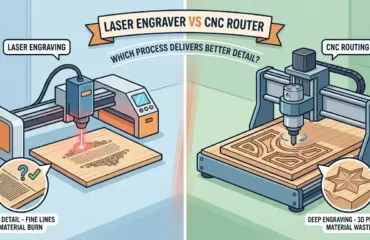
When buyers skip this step, they often compare suppliers on generalized claims instead of comparing machines against the real production role they must fill. A machine that excels at fine engraving may struggle with thick-material cutting, and a versatile cutter may not deliver the surface finish your branding work requires.
Airflow and Extraction: The Overlooked Production Variable
One of the most common mistakes in laser engraver evaluation is treating airflow and extraction as an afterthought. In practice, these systems determine whether a machine can hold quality over a full shift or whether operators spend half their time cleaning residue off parts and optics.
Consider what happens when extraction is weak. Smoke lingers over the work area, depositing residue on the material surface as the beam passes. That residue absorbs energy unevenly, which changes engraving depth and contrast from one pass to the next. By the end of a batch, parts coming off the machine look noticeably different from parts produced at the start.
Airflow control matters just as much. If the air assist is too strong, it can blow debris across the work surface and cause uneven burn patterns. If it is too weak, it leaves charring and discoloration on edges. The right system maintains a stable balance across different materials and thicknesses without requiring constant operator adjustment.
During evaluation, ask to see the machine run a longer job, not just a single sample. Watch how much residue accumulates on the material and on the lens area. Check whether the operator needs to pause mid-run to clean optics or adjust airflow. Those pauses are not minor inconveniences—they are direct reductions in usable throughput.
Software and Recipe Management: Where Changeover Time Is Won or Lost
Hardware differences between laser engravers are often smaller than software differences, yet buyers rarely evaluate software with the same rigor. In a production environment, software determines how quickly operators can switch between jobs, how consistently settings are applied, and how much training new operators need.
A machine with strong recipe management lets operators store parameters for each material and job type. When a repeat order comes in, the operator recalls the saved recipe rather than re-entering settings from memory or a paper log. That shortens changeover time and reduces the risk of one operator using slightly different settings than another.
File handling matters too. If the software requires complex preparation for each file, that time adds up across a shift. If it handles common file formats directly and preserves layer assignments, operators spend less time on prep and more time running parts.
During evaluation, test the software yourself. Import a production file, set parameters, and run a job. Then change materials and see how long it takes to reconfigure. If the software is confusing or requires excessive manual input, that friction will appear in every shift, not just during the demo.
Maintenance Accessibility: The Hidden Cost Driver
Every laser engraver requires regular maintenance. Lenses need cleaning, mirrors need inspection, belts and rails need checking, and extraction filters need replacement. The difference between machines is how easily those tasks can be performed and how much downtime they require.
A machine with accessible maintenance points can be cleaned and inspected during a scheduled break. A machine with cramped or awkward access points may require partial disassembly, turning a ten-minute cleaning into a forty-five-minute job. Over a year, that difference adds up to significant lost production time.
Before purchase, ask to see the maintenance points. Open the access panels, check how easily the lens can be reached, and ask how long a typical cleaning takes. If the supplier hesitates or cannot demonstrate the process, that is a warning sign. Maintenance practicality is not a minor detail—it directly affects how consistently the machine performs over its working life.
The Cost of Rework and Scrap in Laser Engraving
Rework and scrap are the quiet costs in laser engraving. A machine that produces slightly inconsistent results may not fail outright, but it will generate parts that do not meet customer expectations. Those parts either get reworked, which consumes labor and machine time, or scrapped, which wastes material and the processing time already invested.
Consider a shop running engraved panels for architectural projects. If one panel in ten has uneven contrast or visible residue, the operator must either clean it, re-run it, or set it aside for a lower-grade application. Each of those outcomes adds cost without adding revenue. Over a month, the difference between a machine with a 2 percent rework rate and one with a 8 percent rework rate is substantial.
That is why quality drift matters more than first-pass quality. A machine that produces an excellent first part but degrades over a run will generate more rework than a machine that produces a slightly less impressive first part but holds that quality consistently. When evaluating machines, ask to see parts from the end of a longer run, not just the first sample.
Operator Skill and Training Requirements
The best machine on paper will underperform if operators cannot use it effectively. Different machines have different learning curves, and that difference affects both training time and day-to-day consistency.
A machine with intuitive software and clear parameter controls can be operated effectively after a short training period. A machine with complex menus, unclear error messages, or poorly documented settings will require more training and will produce more variation between operators.
During evaluation, consider who will actually run the machine. If you have experienced operators who can adapt to any interface, software usability matters less. If you have high operator turnover or rely on temporary staff during peak periods, a simpler interface becomes a significant advantage.
Long-Term Consistency and Support Considerations
A laser engraver is a long-term investment. The machine you buy today will still be running in five years, and its performance over that period depends on both build quality and the support available when issues arise.
Build quality shows up in how the machine holds alignment and calibration over time. A machine with a rigid frame and quality components will maintain its performance longer than one with a lighter structure that flexes or drifts. During evaluation, ask about the frame construction, the quality of the motion system, and the expected service life of key components.
Support matters when problems occur. Ask about response times, spare parts availability, and whether the supplier offers training or documentation. A machine from a supplier with strong local support may be a better investment than a machine with slightly better specifications but weaker after-sales service.
The Best Machine Is the One That Produces the Least Friction
In practice, the strongest buying logic is not about prestige. It is about friction. Every machine introduces some amount of friction into the workflow—setup time, cleanup burden, operator intervention, quality variation. The best machine minimizes that friction for your specific operation.
Ask which machine creates less friction in the daily workflow:
- Less setup drift
- Less cleanup burden
- Less variation between operators
- Less quality drift across the work area
- Less rework from inconsistent engraving or cutting results
- Less downtime caused by hard-to-access maintenance points
That is how factories move from subjective preference to objective evaluation. A machine that reduces friction usually improves both productivity and output quality, even when its selling story is less dramatic.
Production Takeaway: Best Laser Engraver? How to Evaluate Performance Without Brand Bias
The best laser engraver is not the one with the strongest brand recognition. It is the one that matches your material mix, maintains engraving quality across repeated jobs, supports stable throughput, and fits the real workflow without creating extra cleanup, setup variation, or avoidable rework.
If buyers want to remove brand bias from the decision, the fix is simple: define the production role first, compare performance by repeatable criteria, and judge machines by how reliably they turn everyday jobs into acceptable finished parts. That is the evaluation standard that matters more than any logo.