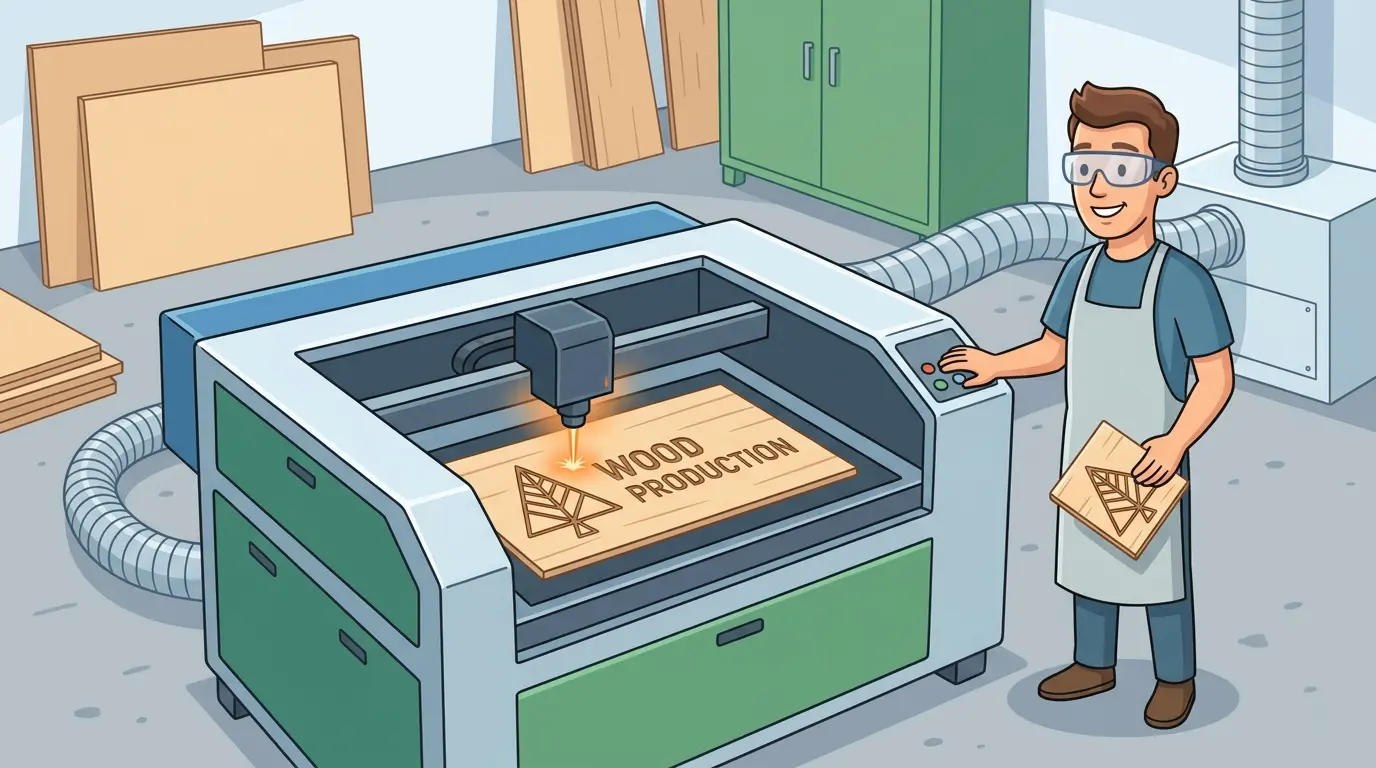
Buying a laser machine for wood is rarely a simple question of whether the machine can cut or engrave the material. Most suppliers can show a clean sample on one sheet, under one set of conditions, with one operator. The harder question is whether the machine will stay productive when real jobs involve plywood one day, MDF the next, and mixed decorative or functional parts across an entire shift.
For manufacturers evaluating laser cutters and engravers for wood and similar non-metallic work, the practical decision is not about the most impressive demo result. It is about which features help the machine hold edge quality, engraving consistency, operator repeatability, and stable throughput in daily production.
Start With the Wood Workflow, Not the Feature List
The right feature set depends on what kind of wood work the machine will actually run. A shop producing decorative panels, signage, craft-style custom pieces, or detailed contour parts usually needs different strengths than a factory using wood-based sheets for larger furniture components.
That is why the first question should be operational:
- Are You Mostly Cutting Thin Decorative Parts?
- Is Engraving Just As Important As Cutting?
- Do Jobs Change Frequently?
- Are Edges Customer-Facing Or Hidden In Assembly?
- Is The Workflow Centered On Detail And Flexibility Or On High-Volume Panel Processing?
These answers determine which machine features have real value. Without that context, buyers often overemphasize abstract specifications and underweight the features that affect usable output.
Wood Materials Change the Importance of Each Feature
Wood is not one uniform material category. Plywood, MDF, veneered boards, laminated panels, and solid wood can all behave differently during laser processing. Glue lines, density shifts, moisture variation, surface finish, and grain direction can all influence how cleanly the part cuts and how stable the process remains.
That is why a useful wood-laser evaluation should consider whether the machine can stay consistent when material conditions change, not just when the sample stock is ideal.
In practice, material variation usually affects:
- Edge Darkening And Surface Cleanliness
- Focus Sensitivity Across the Work Area
- Smoke Extraction Demands
- Recipe Repeatability Between Material Batches
- The Balance Between Speed And Acceptable Finish Quality
If your product mix includes more than one wood family or thickness range, features that improve process stability become more valuable than features that only look good in a short demonstration.
The Features That Usually Matter Most
The best buying conversations focus on what each feature changes in production, not on the feature name alone.
| Feature Area | Why It Matters for Wood Processing | What Buyers Should Check |
|---|---|---|
| Working Area and Sheet Handling | Affects whether the machine fits your real part sizes and how efficiently operators load, align, and unload material | Compare the working envelope to your common sheet sizes and part layouts |
| Motion Stability and Positioning Consistency | Helps keep contours, corners, and repeated cuts more uniform across the job | Inspect repeated parts from different positions on the bed, not only one center sample |
| Focus Stability Across the Work Surface | Supports more consistent edge appearance and engraving clarity when material flatness changes | Check whether quality drifts near the edges of the working area or across uneven sheets |
| Air Assist and Extraction Performance | Helps reduce residue, smoke staining, and process instability during longer runs | Evaluate both edge condition and surrounding surface cleanliness after repeated cutting |
| Bed Design and Material Support | Influences flatness control, part stability, scrap drop behavior, and unloading efficiency | Watch how smaller parts separate and whether sheet support stays practical during nested jobs |
| Software, Job Recall, and Layout Control | Shortens changeovers and reduces operator dependence when jobs repeat frequently | Ask how easily recurring wood jobs can be saved, recalled, and adjusted by material family |
| Maintenance Access | Daily cleaning and inspection strongly affect long-run consistency in wood cutting and engraving | Check how easy it is to access optics, nozzles, and extraction-related cleaning points |
| Engraving and Cutting Workflow Fit | Important when the machine must handle both detailed marking and contour cutting in the same queue | Review whether the machine suits your mix of decorative engraving and shape cutting rather than one task only |
None of these factors should be judged in isolation. A machine with an attractive speed profile can still underperform if extraction is weak, cleaning access is poor, or changeovers are slow enough to reduce net output.
Why Extraction and Airflow Often Matter More Than Buyers Expect
In wood applications, smoke management is not a secondary issue. It directly affects cut quality, engraving readability, cleaning workload, and operator confidence in repeatability.
When airflow is unstable, buyers often see the same pattern:
- More Residue on the Surface
- Darker Or Less Consistent Edges
- Greater Need for Manual Cleanup
- More Frequent Pauses for Inspection or Adjustment
- Lower Confidence in Longer Unattended Runs
That is why extraction and air assist should be treated as production features, not housekeeping features. If the machine cannot clear smoke effectively, quality drift can appear long before the machine reaches its theoretical throughput limit.
Software and Recipe Control Matter More in Mixed Job Environments
Many wood-laser shops do not run one part family all day. They move between custom pieces, repeated production items, test runs, engraved details, and different sheet materials. In that environment, workflow control can matter as much as cutting performance.
Useful software and job-management features usually help by:
- Reducing Repeated Manual Setup
- Making Recipe Recall More Reliable Across Shifts
- Supporting More Efficient Part Layouts
- Shortening the Gap Between One Job and the Next
- Helping Operators Separate Material-Specific Settings More Clearly
If your production mix changes often, a machine that is easy to standardize may outperform one that only shows well in a narrow test case. The real gain is not only in cutting time. It is in reducing changeover friction and operator variability.
Do Not Treat Speed as the Only Productivity Feature
When buyers compare wood laser machines, they often focus first on how fast the machine appears to move. But net productivity is shaped by much more than visible head speed.
A useful production view looks at the full job cycle:
- Material Loading and Alignment
- Job Selection and Recipe Recall
- Stable Cutting or Engraving Without Frequent Intervention
- Part Removal and Scrap Handling
- Inspection and Surface Cleanup
- Preparation for the Next Sheet or Batch
In many real shops, the more productive machine is not the one with the most aggressive visible motion. It is the one that delivers more acceptable parts per shift with fewer interruptions, fewer quality corrections, and less operator rework.
The Better Question Is Often Process Fit, Not Feature Count
Some buyers try to evaluate a laser machine for wood as though every woodworking job should move onto one platform. In practice, laser is strongest when the workflow benefits from non-contact processing, fine contour detail, decorative engraving, and clean handling of shaped parts.
That does not mean it is the best answer for every wood job. For manufacturers comparing laser with broader wood-processing investment such as CNC nesting machines, the real decision should come back to workflow fit.
| Production Need | Wood Laser Machine | CNC Nesting Workflow |
|---|---|---|
| Detailed Contours and Decorative Shapes | Strong Fit | Usually Less Efficient for Fine Detail |
| Integrated Engraving and Cutting | Strong Fit | Limited |
| Non-Contact Processing for Delicate Geometry | Strong Fit | Mechanical Tool Contact Still Matters |
| Large Panel Breakdown With Routing and Drilling | Limited | Strong Fit |
| Furniture Parts Requiring Machined Features Beyond Cutting | Limited | Strong Fit |
| High Mix of Visual-Grade Decorative Work | Strong Fit | Application Dependent |
This comparison matters because the wrong feature discussion often starts after the wrong process assumption. If the shop mainly needs sheet breakdown, routing integration, and drilled furniture components, laser features may be less important than the choice of process itself. If the shop depends on contour complexity, engraving detail, and non-contact wood processing, laser features become much more relevant.
A Practical Buying Checklist for Wood Applications
Before selecting a laser machine for wood, buyers should be able to answer a few practical questions clearly:
- Which Wood Materials Will Consume Most of the Machine Hours?
- Are Finished Edges Visible to the End Customer Or Hidden Later?
- How Often Will Jobs Shift Between Cutting and Engraving?
- How Much Output Is Lost Today to Cleanup, Rework, or Setup Delay Rather Than to Cutting Time?
- Can Operators Standardize Recipes by Material Family?
- Does the Machine Stay Consistent Across the Whole Working Area?
- Is Daily Maintenance Simple Enough To Protect Stability Over Time?
These questions help separate a feature list from a buying decision. They keep the evaluation anchored to the real workflow instead of to generalized machinery language.
Practical Summary
The most important features in a laser machine for wood are usually the ones that protect repeatable output: stable motion, consistent focus, effective airflow and extraction, practical sheet handling, manageable maintenance, and software control that reduces setup drift. Those features matter because they directly influence edge quality, engraving clarity, operator repeatability, and usable throughput.
In other words, the best wood-laser machine is not simply the one with the most attractive demo. It is the one whose features match the actual production mix, hold quality across real materials, and keep the workflow stable enough to produce more good parts with less intervention.