Pandaxis

  • Products
    • CNC Nesting Machines
    • Panel Saws (Beam Saws)
    • Sliding Table Saws
    • Edgebanders
    • Boring & Drilling Machines
    • Wide Belt Sanders
    • Laser Cutters and Engravers
    • Stone CNC Machines
  • About Us
  • Contact Us
  • EnglishEnglish
    • Español Español
    • Italiano Italiano
    • Deutsch Deutsch
    • Français Français
    • Português Português
    • العربية العربية
    • Türkçe Türkçe
    • Русский Русский
    • Tiếng Việt Tiếng Việt
    • 한국어 한국어
    • 日本語 日本語
    • 简体中文 简体中文
  • Home
  • Blog
  • Blog
  • Small Laser Cutter vs Large-Format Laser Cutting Machine: Which Fits Your Production Workflow?

Small Laser Cutter vs Large-Format Laser Cutting Machine: Which Fits Your Production Workflow?

by pandaxis / Saturday, 18 April 2026 / Published in Blog
Small Laser Cutter vs Large-Format Laser Cutting Machine

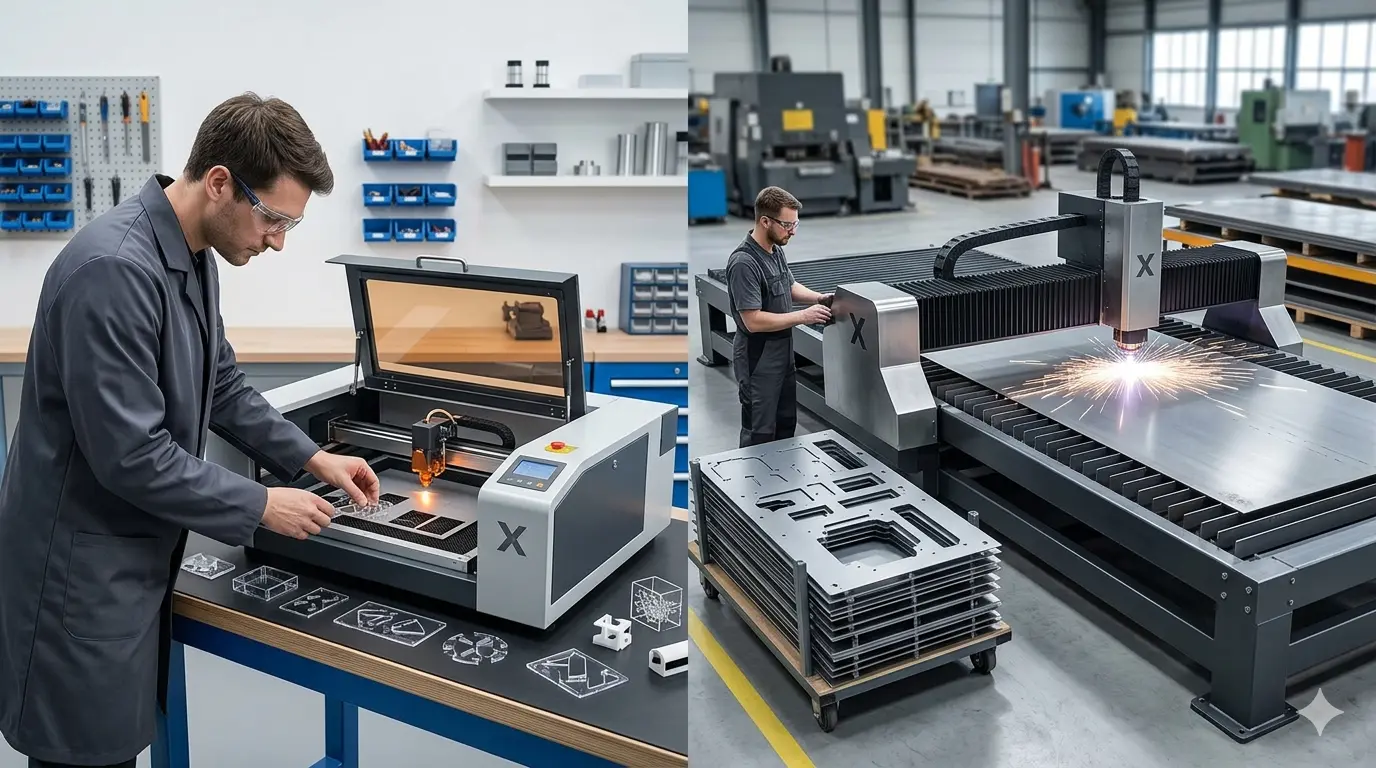
Choosing between a small laser cutter and a large-format machine is a workflow bottleneck decision, not a power specification. Before you compare bed sizes, measure where your production line actually loses time: operators standing idle during sheet re-staging, jobs delayed because a machine is occupied, or parts requiring multiple setups that introduce alignment risk. A compact unit suits flexible, short-run shops, while a larger bed eliminates pre-cutting labor and unlocks denser nesting for batch work. The wrong format, in either direction, quietly consumes labor hours, creates offcuts, and caps throughput.

Start With the Bottleneck, Not the Bed Size

The choice between a small laser cutter and a large-format laser cutting machine rarely comes down to which unit is more powerful or more advanced. It comes down to how material moves through your shop, the size of parts you actually process, how you nest those parts, and the order mix that drives your daily schedule.

A compact machine can be the disciplined choice for a custom shop that values flexibility over raw throughput. A large-format platform can change the economics of batch production by reducing sheet handling and letting more parts cut in a single cycle. The right answer depends on where your production line loses the most time today.

Before comparing specifications, walk the floor during a typical shift. Watch where operators stand idle, where material stacks up between processes, and which jobs get delayed because a machine is occupied or a sheet needs to be re-staged. That observation will tell you more about the correct laser format than any brochure comparison.

Format Affects More Than Maximum Part Size

It is tempting to reduce this comparison to a single specification: small machines cut small parts, large machines cut large sheets. That framing misses the operational reality.

Machine format influences how material enters the cell, how often operators re-stage sheets, how densely parts can be nested, how much manual repositioning happens between cuts, and how well the laser fits the rest of your material flow. A machine that seems oversized on paper can be the correct choice once you account for labor, material movement, and the value of completing a full job in one setup.

The practical question is straightforward: are you processing compact components and mixed custom jobs, or are you trying to move larger panels and higher daily output through a more stable workflow?

Consider also how the laser cell interacts with upstream and downstream equipment. A small machine positioned near a panel saw might work well if the saw pre-cuts blanks. But if the saw is already a bottleneck, adding a laser that depends on pre-cut blanks only shifts the constraint. A large-format machine that accepts full sheets can bypass that dependency entirely, letting the saw focus on other work.

When a Small Laser Cutter Is the Right Fit

A small laser cutter earns its place when production is driven by flexibility rather than full-sheet throughput. That is typically the case when most jobs involve small components, custom decorative work, engraving-heavy batches, samples, or short runs that change frequently.

In those conditions, a smaller machine is easier to integrate. Material loading is simpler, operator reach is shorter, and the machine supports frequent job changes without feeling like underused capacity. It also demands less from the surrounding layout, which matters in a crowded workshop where floor space is already committed to other equipment.

Small-format laser systems are a strong fit when:

  • The majority of parts are compact and do not require large-sheet nesting.
  • Orders are short-run, custom, or design-driven rather than batch-heavy.
  • Engraving and cutting are mixed within the same workflow.
  • Floor space is limited and the laser cell must fit into an already crowded workshop.
  • Operators need a practical machine for quick setup, prototyping, or diverse daily job changes.

A smaller unit can also be a sensible entry point for businesses that want laser capability without restructuring the entire production area around larger-sheet handling. If you are adding laser processing for the first time, a compact machine lets your team develop cutting parameters, material libraries, and workflow habits before committing to a larger footprint.

There is also a maintenance consideration. Smaller machines typically have shorter optical paths and simpler motion systems, which can mean fewer alignment checks and less time spent on routine calibration. For a shop that cannot dedicate a full-time technician to the laser cell, that simplicity has real value.

However, be honest about the limits. If you regularly receive full sheets of acrylic or plywood and your order volume is growing, a small machine will force you to pre-cut material before it reaches the laser. That step adds labor, creates offcuts, and introduces alignment risk every time a piece is re-positioned on the bed.

Where Large-Format Laser Cutting Changes the Workflow

A large-format laser cutting machine becomes valuable when the material itself is large, when part count per cycle matters, or when repeated repositioning is already costing time and accuracy.

If your shop regularly processes full sheets of acrylic, wood-based panels, or other non-metallic substrates, a larger working envelope can eliminate the need to pre-cut material before it reaches the laser. That changes more than convenience. It removes an upstream handling step, reduces alignment errors introduced by multiple setups, and allows more parts to be nested in one run.

That is where large-format equipment produces real operational gains:

  • More usable nesting area for batch jobs.
  • Fewer interruptions caused by reloading or indexing material.
  • Better support for oversized pieces, signage elements, display parts, and panel-based components.
  • Lower dependence on manual pre-cutting before laser processing.
  • More stable output when production demand grows beyond small-batch work.

Large format also changes how you think about nesting software. With a bigger bed, you can group multiple jobs into a single sheet layout, cutting parts for several orders in one cycle. That reduces per-job setup time and lets you batch material purchasing more effectively. Instead of buying pre-cut blanks from a supplier, you can buy standard sheets and cut what you need when you need it.

There is a quality angle as well. When a part is cut in one pass from a single sheet, the dimensional relationship between features is locked by the machine’s motion system. When you cut a part in sections across multiple setups, each repositioning introduces potential error. For parts that must fit together in an assembly, that consistency matters.

Large format does not automatically mean faster cycle times for every job. If orders are small, highly varied, and constantly changing, the extra size may simply create more machine area than the business actually uses. But when the workflow is constrained by sheet size, part count, or handling effort, the difference can be substantial.

Small Laser Cutter vs Large-Format Laser Cutting Machine

Decision Factor Small Laser Cutter Large-Format Laser Cutting Machine
Typical Workflow Fit Short runs, custom orders, mixed engraving and cutting Batch processing, larger sheets, higher part count per cycle
Material Handling Easier for compact blanks and smaller pieces Better for full sheets and oversized workpieces
Nesting Efficiency Good for smaller layouts and lower part volume Stronger when maximizing sheet usage across many parts
Operator Intervention Often acceptable in flexible, lower-volume work Reduced repositioning becomes more valuable in larger runs
Floor Space Demand Lower Higher
Production Scaling Best when flexibility matters more than raw throughput Better when the shop is growing into larger, more repeatable output
Risk If Undersized Or Oversized Can become a bottleneck if large sheets must be split constantly Can be underused if the workload rarely needs the larger bed
Setup Time Per Job Shorter for small, frequent job changes Longer initially, but amortized across more parts per cycle
Utility Consumption Lower power draw and extraction demand Higher power draw and more robust extraction may be required
Operator Skill Required Lower barrier for entry-level staff More attention to material handling and nesting strategy

The Hidden Cost of Choosing Too Small

The most common mistake is assuming a smaller machine is more economical simply because the machine footprint and initial spend are lower. That view ignores the production penalties that appear when the format no longer matches the material.

If your team has to cut down full sheets before laser processing, reposition larger pieces during jobs, or break one job into multiple setups because the working area is too limited, the savings on machine size can be offset by labor, wasted material, slower throughput, and greater risk of dimensional inconsistency between sections.

This problem becomes especially noticeable when the order mix shifts from decorative one-offs toward recurring production. At that point, the issue is no longer whether the smaller machine can do the job. The issue is how efficiently it can do it without creating extra work around the machine.

Consider the labor math. Every time an operator has to pre-cut a sheet to fit a smaller bed, that is time spent away from the laser. Every time a part must be cut in two passes because it exceeds the working area, that is an extra setup, an extra alignment check, and a potential seam mismatch. Over a week of production, those minutes accumulate into hours. Over a month, they can represent a meaningful portion of a full-time employee’s schedule.

Material waste is another factor that is easy to underestimate. When you pre-cut sheets to fit a smaller bed, you create offcuts that may not be usable for anything else. If those offcuts cannot be repurposed, you are paying for material that never becomes a sellable part. A larger machine that accepts full sheets lets you nest more efficiently and reduce that waste stream.

There is also a throughput ceiling to consider. A small machine can only process what fits on its bed. If demand grows and your order sizes increase, you will hit that ceiling quickly. At that point, you face a choice: run the laser for longer hours, add a second machine, or upgrade to a larger format. All three options cost more than buying the right size initially.

The Hidden Cost of Going Too Large

The opposite mistake also happens. Some buyers choose large-format equipment because it feels more future-proof, even though their current workflow is built around small parts, mixed materials, frequent design changes, and shorter runs.

When that happens, the machine may offer plenty of theoretical capacity without delivering practical productivity. The business ties up floor space and capital in a format that does not solve its immediate bottleneck. In real production, underused capacity is not the same thing as strategic capacity.

A large-format machine demands more from the surrounding infrastructure. It needs more floor space, a more robust extraction system, and often a dedicated operator who understands how to handle large sheets safely. If your shop does not have that infrastructure in place, the total cost of ownership rises well beyond the machine purchase price.

There is also a subtle operational risk. When a machine is oversized for the workload, there is a tendency to fill the bed with parts that do not need to be cut together. That can lead to longer cycle times for individual jobs, because the machine is processing a full sheet when a smaller bed would have finished the job faster. The machine becomes a source of delay rather than a source of efficiency.

That is why the better question is not, “Which machine is more powerful?” It is, “Which machine format removes the most friction from our current and near-future workflow?”

How to Match Format to Your Order Mix

To make the right call, segment your orders by part size and batch quantity. A simple spreadsheet can help. List every job from the last three months, note the largest part dimension in each job, the number of parts per order, and the material type. Then look at the distribution.

If most of your parts are under a certain size and your batch quantities are small, a compact machine will handle the workload comfortably. If a meaningful percentage of your jobs involve parts that approach or exceed the working area of a small machine, you have a strong argument for a larger format.

Also consider how often you run the same job more than once. Recurring production benefits from a stable, repeatable setup. A large-format machine that can hold an entire sheet layout in memory and reproduce it consistently is valuable for that kind of work. A small machine that requires frequent re-nesting and re-alignment will add time to every repeat run.

Think about the material itself. Acrylic sheets, plywood panels, and MDF boards come in standard sizes. If your supplier delivers full sheets and you are cutting them down before laser processing, you are paying for handling labor that a larger machine would eliminate. If you are already buying pre-cut blanks from a supplier, compare the cost of that service against the cost of cutting those blanks in-house on a larger machine.

Key Questions to Ask Before You Decide

Before choosing machine format, decision-makers should look at actual production patterns rather than isolated sample jobs.

Ask these questions first:

  1. What is the largest sheet or part size we expect to process routinely, not occasionally?
  2. Are we currently pre-cutting material before laser processing because the laser bed is too limited?
  3. Do we win more work from custom flexibility, or from batch efficiency and faster output?
  4. How much operator time is spent repositioning, staging, or reloading material during a typical day?
  5. Are we mainly cutting compact pieces, or are we nesting many parts from larger sheets?
  6. Will the machine support today’s order profile only, or the next stage of production growth as well?
  7. What is our tolerance for material waste from offcuts created by pre-cutting?
  8. Do we have the floor space, extraction capacity, and material handling equipment for a larger machine?
  9. How quickly do our jobs change? Are we running the same layouts repeatedly, or is every job different?
  10. What is the cost of a missed delivery date caused by a machine that is too small to handle a rush order?

These questions usually make the right direction clearer than a specification comparison by itself.

Planning for Growth Without Overbuying

The best time to think about machine format is before you need it. If your order volume is growing steadily, project your part sizes and batch quantities twelve months out. If the trend points toward larger sheets or higher part counts per cycle, factor that into your decision now.

That does not mean buying the largest machine available. It means choosing a format that can handle your expected workload without forcing you to add a second machine or replace the first one within a few years. A machine that is slightly larger than your current average job gives you headroom for growth without committing to a footprint you cannot use.

Consider also how the laser fits into a broader production plan. If you are adding a laser alongside other equipment, the layout of the entire cell matters. A large-format machine may require a dedicated material staging area, a different extraction setup, and more space for finished parts. Those requirements should be part of the planning conversation from the start.

Where Pandaxis Fits In This Decision

For manufacturers evaluating non-metal processing workflows in wood, acrylic, and similar materials, the relevant decision is not only machine size but how the machine supports the real mix of cutting, engraving, part layout, and material movement inside the workshop.

Pandaxis offers laser cutters and engravers within that broader production context, which is why format selection should be treated as a workflow decision rather than a purely equipment-size decision. If the laser purchase is part of a broader factory planning project, the wider Pandaxis machinery lineup can also help buyers evaluate where laser processing fits alongside other production equipment.

Make the Final Small Laser Cutter vs Large-Format Laser Cutting Machine Call

A small laser cutter is usually the right choice when flexibility, compact part handling, and mixed short-run work define the business. A large-format laser cutting machine is usually the stronger choice when sheet size, nesting efficiency, and reduced handling are central to daily output.

Neither format is universally better. The better machine is the one that removes unnecessary steps, supports the material sizes you actually process, and keeps the laser cell aligned with the way your production floor operates.

Start with the bottleneck. Measure the time your team spends on material handling, pre-cutting, repositioning, and rework. Compare that against the cost of a larger bed. If the numbers point toward a larger machine, the investment will pay for itself in labor savings and throughput gains. If the numbers show that your jobs are small and varied, a compact machine will serve you well without tying up capital and floor space.

If the goal is cleaner workflow design rather than just a larger machine bed, the format decision becomes much easier and much more profitable over time.
What you can read next

What DIY Laser Cutter Projects Reveal About the Limits of Entry-Level Laser Machines
What Is a CNC Drag Chain?
Beam Saws for Batch Processing
Beam Saws for Batch Processing: Throughput, Accuracy, and Labor Savings

Recent Posts

  • CNC Machine Plans When Plans Save Money and When They Create Rework

    CNC Machine Plans: When Plans Save Money and When They Create Rework

    CNC machine plans promise a lower purchase bill...
  • CNC Simulator Tools

    CNC Simulator Tools: When Virtual Testing Saves Time and Scrap

    Every CNC program that reaches the floor with a...
  • Laser Engraver for Wood

    Laser Engraver for Wood: Best Use Cases in Commercial Production

    Commercial wood shops routinely face a bottlene...
  • What Is a CNC Slicer

    What Is a CNC Slicer? Common Meanings and Use Cases

    When a purchasing team or production engineer s...
  • Big CNC Machine vs Small CNC Machine

    Big CNC Machine vs Small CNC Machine: How Size Changes Cost and Capability

    Production teams comparing CNC platforms often ...
  • Automatic Edgebander vs. Manual Edge Banding: Which One Delivers Better ROI?

    When edge finishing becomes the bottleneck, the...
  • Wall Saw

    Wall Saw Safety, Blade Selection, And Cutting Strategy For Controlled Structural Cuts

    Wall sawing fails most often before the blade e...
  • Metal Engraving: How To Choose the Right Machine for the Job

    Metal engraving decisions fail not at the demo ...
  • What Are CNC Bushings Used For?

    When an axis develops a vague roughness or surf...
  • Root CNC, RS CNC, and PrintNC-Style Open Builds

    Root CNC, RS CNC, and PrintNC-Style Open Builds: Which DIY Community Platform Fits You?

    Community CNC names like Root CNC, RS CNC, and ...
  • Laser Glass Cutter

    Laser Glass Cutter: Where It Fits in Production and Where It Does Not

    The production question comes before comparing ...
  • CNC Stone Cutting for Quartz, Granite, and Marble: How Material Differences Shape Machine Choice

    Quartz, granite, and marble share a fabrication...
  • Small CNC Mill vs Industrial CNC Mill

    Small CNC Mill vs Industrial CNC Mill: How Capacity Changes the Decision

    Shops comparing small CNC mills against industr...
  • Sheet Metal Laser Cutter

    Sheet Metal Laser Cutter Best Practices for Clean, Accurate Cuts

    Laser-cut defects rarely surface at the cutting...
  • What Is a Spiral Milling Cutter

    What Is a Spiral Milling Cutter?

    Buying a “spiral milling cutter” by...

Search for posts

Recent Posts

  • CNC Machine Plans When Plans Save Money and When They Create Rework

    CNC Machine Plans: When Plans Save Money and When They Create Rework

    0 comments
  • CNC Simulator Tools

    CNC Simulator Tools: When Virtual Testing Saves Time and Scrap

    0 comments
  • Laser Engraver for Wood

    Laser Engraver for Wood: Best Use Cases in Commercial Production

    0 comments

Recent Comments

    Support

    • About Us
    • Contact Us
    • Company Blog
    • Terms of Service
    • Privacy Policy
    • Sitemap

    Newsletter

    Subscribe for Pandaxis product updates, application insights, and practical news on CNC woodworking, stone fabrication, and laser processing solutions.

    GET IN TOUCH

    Email: info@pandaxis.com

    Whether you are looking to integrate a high-speed CNC woodworking line or deploy a heavy-duty stone cutting center, our technical engineers are ready to optimize your production. Reach out today to bring precision to every axis of your facility.

    • GET SOCIAL

    © 2026 Pandaxis. All Right Reserved.

    TOP