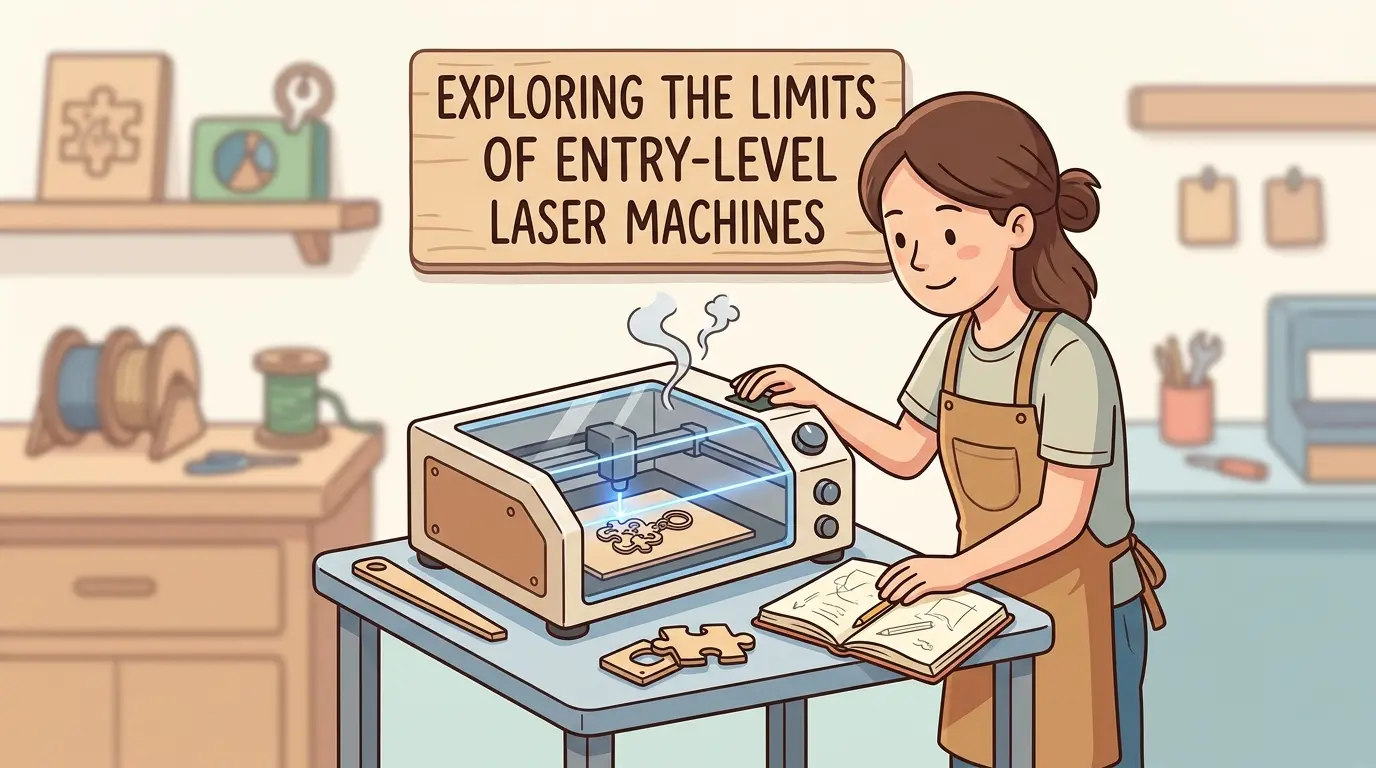
DIY laser cutter projects are often where a buyer first learns what laser processing can do. Layered wood signs, tab-and-slot boxes, acrylic display pieces, custom tags, and decorative prototypes all make the technology feel accessible. That early experience is useful, but it can also hide an important distinction: finishing a one-off project is not the same as supporting a repeatable production workflow.
An entry-level laser machine can be completely appropriate for learning, prototyping, and low-volume customization. The problem starts when a shop assumes that successful DIY-style output automatically translates into reliable commercial throughput. Once the work shifts from occasional projects to repeat orders, fixed delivery dates, customer-visible finish standards, and longer daily runtime, the real limits of entry-level equipment become much easier to see.
Why DIY Projects Are Still a Useful Starting Point
DIY projects are not a waste of time. In many cases, they are the fastest way to understand whether laser processing belongs in a workflow at all.
They force the operator to learn practical basics such as:
- File Preparation And Vector Cleanup
- Material Response To Heat And Smoke
- Kerf Compensation And Assembly Fit
- Edge Cleanup Requirements
- Part Orientation And Nesting Logic
- The Real Difference Between Cutting Time And Total Job Time
That learning has real value. A shop exploring custom decor, packaging inserts, display parts, templates, or short-run branded items can learn a lot from entry-level output before committing to a more production-oriented investment.
The mistake is not starting with DIY-scale work. The mistake is assuming that because a machine can finish a prototype, it can also protect schedule, quality, and labor efficiency once the same job must run again and again.
Which DIY Projects Expose Limits the Fastest
Some project types reveal entry-level machine limits almost immediately because they demand consistent fit, clean edges, or repeat positioning.
| DIY-Style Project | What It Teaches | Where Entry-Level Machines Often Struggle | Workflow Consequence |
|---|---|---|---|
| Layered Wood Signs | Edge quality, char control, and assembly fit | More residue, more sanding, and more variation between sheets | Finishing time rises quickly |
| Tab-And-Slot Boxes | Kerf consistency and slot accuracy | Small dimensional shifts can change fit from tight to loose | More hand fitting and rework |
| Acrylic Display Pieces | Heat control and edge appearance | Melt-back, haze, or cosmetic edge defects become more visible | Higher reject risk on customer-facing parts |
| Personalized Tags Or Gift Items | Placement repeatability and cycle time | Manual alignment and manual focus slow batch work | Lower throughput and less consistent layout |
| Jigs And Templates | Geometry stability across repeat runs | Acceptable first parts do not always match later parts closely enough | Less reliable downstream drilling, routing, or assembly |
One successful project often reflects patience and operator involvement more than machine stability. That matters because production buyers are rarely paying for a machine that can eventually make one acceptable part. They are paying for a machine that can make acceptable parts repeatedly without forcing constant operator rescue.
Where Entry-Level Machines Usually Reach Their Limit
The main limit is usually not whether the laser can cut or engrave at all. The real limit is whether the machine can do it consistently enough to support a business workflow.
In practice, entry-level machines most often run into constraints in the following areas:
- Runtime Stability: Short jobs may run well, but longer sessions often expose weaknesses in cooling, thermal stability, or general process consistency.
- Extraction And Smoke Control: A project can still be acceptable after manual cleanup, but batch work suffers when residue, odor, and smoke contamination become part of every order.
- Motion Stability And Repeatability: Decorative one-offs can tolerate minor variation more easily than repeat orders, fitted assemblies, or multi-part batches.
- Bed Size And Material Handling: Smaller working areas create more trimming, more repositioning, and more operator dependence when actual part sizes begin to grow.
- Setup And Job Recall: Manual focus, manual positioning, and limited repeat setup control are manageable in hobby use but become expensive in mixed production.
- Maintenance Burden: Frequent cleaning, alignment correction, and trial-and-error troubleshooting may be acceptable during experimentation but disruptive in scheduled work.
None of these issues automatically make an entry-level machine a bad purchase. They simply define the boundary between a project machine and a workflow machine.
A Project Machine and a Workflow Machine Solve Different Problems
This is the distinction many buyers miss.
A project machine helps a user make a part.
A workflow machine helps a shop make the same part repeatedly, at acceptable quality, with predictable labor, on a schedule that other departments or customers can trust.
That difference shows up in everyday questions:
- Can The Same File Be Run Tomorrow With Comparable Results?
- Can A Second Operator Set Up The Job Without Relearning It?
- Does Cleanup Stay Reasonable When The Order Size Increases?
- Can The Machine Hold Quality When The Shop Is Busy Rather Than Patient?
- Does The Laser Fit Into A Broader Process Instead Of Acting As A Standalone Craft Station?
If the answer to those questions starts to become uncertain, the shop is usually looking at the limit of entry-level suitability.
When Entry-Level Machines Still Make Sense
It would be wrong to dismiss entry-level lasers entirely. They still fit several legitimate use cases.
They are often well suited to:
- Prototyping New Product Ideas Before A Larger Rollout
- Low-Volume Personalization With Flexible Lead Times
- Design Validation For Wood, Acrylic, And Similar Non-Metal Materials
- Occasional Secondary Processing In A Broader Workshop
- Education, Operator Familiarity, And Material Testing
For a small business or workshop that processes limited quantities, runs forgiving schedules, and accepts more manual setup, entry-level equipment can still be a rational step. The return comes from learning, experimentation, and selective commercial use rather than from high-volume, tightly controlled output.
The important point is to match expectations to workload. Entry-level machines perform best when the workflow can tolerate more hands-on intervention and a narrower production window.
Signs a Shop Has Outgrown Entry-Level Capacity
The transition away from entry-level equipment usually happens because the workflow changes, not because the operator suddenly wants a larger machine for its own sake.
The most common signals are straightforward:
- Daily Runtime Is No Longer Occasional.
- Finished Parts Must Meet Customer-Visible Cosmetic Standards Repeatedly.
- Material Size And Nesting Efficiency Now Affect Margin.
- Multiple Operators Need To Run The Same Jobs Reliably.
- Downtime Now Delays Customer Orders Or Downstream Assembly.
- Cleanup, Adjustment, And Rework Are Consuming More Time Than The Machine Saved Upfront.
Once those pressures appear, the lowest purchase price stops being the most useful buying metric. A cheaper machine may still function, but the surrounding labor cost, scrap risk, and scheduling friction begin to outweigh the original savings.
What Buyers Should Evaluate Before Moving Up
When a shop reaches that threshold, the next step should not be a vague search for a more powerful machine. It should be a tighter review of the actual production requirement.
The most useful questions are usually these:
- What Materials Generate Most Of The Revenue?
- Is The Work Primarily Cutting, Primarily Engraving, Or A Balanced Mix?
- What Sheet Sizes Or Part Sizes Need To Be Handled Without Constant Repositioning?
- How Sensitive Are Customers To Burn Marks, Residue, Or Edge Variation?
- How Many Hours Per Day Must The Machine Run Predictably?
- How Important Are Job Recall, Changeover Speed, And Multi-Operator Consistency?
- What Level Of Service, Spare Parts Access, And Maintenance Predictability Does The Business Need?
For shops comparing more production-oriented laser cutters and engravers for wood, acrylic, and similar non-metal workflows, the stronger buying decision is usually the one that reduces operating friction rather than simply raising headline specifications.
That means looking beyond the laser source alone and paying attention to how the full system supports cleaner output, more stable part positioning, lower cleanup burden, and more predictable day-to-day use.
DIY Success Is Useful, but It Is Not Proof of Production Readiness
This is the core takeaway. Many DIY projects look impressive because they showcase what laser processing can achieve in a controlled, patient, one-off environment. That does not automatically mean the same machine can support quoting discipline, batch repeatability, customer deadlines, or multi-step workshop coordination.
In fact, DIY success often does something more valuable: it reveals exactly where the next investment should go.
If the main issue is edge cleanup, the next machine decision should focus on cleaner process control and better extraction support. If the main issue is part fit from one batch to the next, repeatability becomes the real buying priority. If the problem is manual handling and slow setup, then bed size, job recall, and workflow stability matter more than simply claiming more laser power.
Used that way, DIY projects are not a detour from industrial thinking. They are an early diagnostic tool.
Practical Summary
DIY laser cutter projects are valuable because they teach material behavior, file preparation, and the basic logic of laser processing at relatively low risk. They are also valuable because they expose where entry-level machines stop being efficient once the work becomes repeatable, customer-facing, or schedule-sensitive.
An entry-level laser can still be the right choice for prototyping, low-volume customization, and controlled short-run work. It becomes the wrong choice when a shop needs longer runtime, cleaner and more repeatable results, larger-format handling, faster changeovers, or more predictable multi-operator use.
The practical question is not whether an entry-level machine can complete a project. It is whether it can support the workflow that comes after the project stage. That is usually where the real equipment decision begins.