Many buyers start with the phrase “acrylic cutting machine” when what they really need to decide is the process. That matters because an acrylic cutting machine can mean several different kinds of equipment, while an acrylic laser cutting machine points to one specific method with its own strengths, limits, and workflow consequences.
In production, this is usually not a naming question. It is a decision about edge quality, contour complexity, changeover speed, downstream finishing, and how much manual correction your team can tolerate after the cut.
Why This Comparison Often Starts Too Broadly
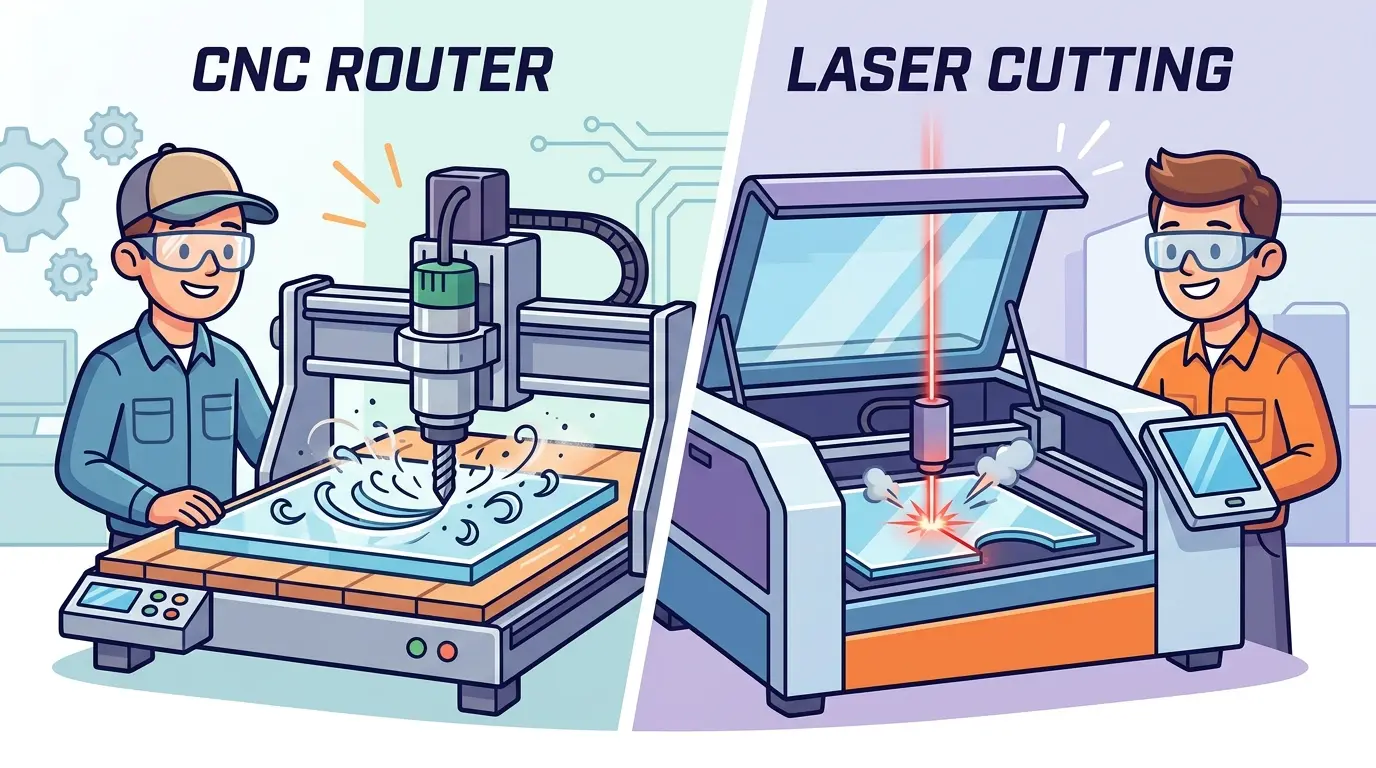
“Acrylic cutting machine” is a broad buying term. Depending on the shop, it may refer to a saw-based setup, a router-style process, or a laser system. An acrylic laser cutting machine is more specific: it is chosen when non-contact cutting, fine detail, and finished-looking edges matter enough to shape the investment decision.
That distinction matters because two machines can both cut acrylic and still serve very different production goals.
If your factory mainly breaks down sheets into simple parts, the best answer may not be laser. If your work includes display pieces, signage elements, shaped parts, and short-run jobs where appearance matters, laser often becomes much more attractive.
What Changes When You Move to Laser Processing
The biggest difference is not that laser can cut acrylic. Many processes can do that. The real difference is how the cut fits the rest of the workflow.
An acrylic laser cutting machine is commonly chosen because it helps with:
- Cleaner-looking edges on many decorative or visual-grade parts
- Fine contours, internal features, and shape flexibility
- Faster switching between part geometries without physical tooling changes
- More consistent output on short runs and mixed batches
- Reduced dependence on secondary contour-finishing steps for some applications
But laser also changes the production discipline. Instead of thinking mainly about blade condition or cutter wear, the team has to think about recipe stability, extraction, optics cleanliness, and whether the selected settings stay consistent across the real acrylic mix being processed.
In other words, laser can simplify part geometry and finishing in the right applications, but it does not remove the need for process control.
Where a General Acrylic Cutting Machine Often Fits Better
If the term “acrylic cutting machine” is being used in the broader mechanical sense, those systems usually make more sense when the job is less about visual refinement and more about straightforward material processing.
That kind of setup is often a better fit when your work looks like this:
- Large volumes of simple straight cuts or rectangular blanks
- Parts that will be drilled, routed, polished, or machined again anyway
- Production lines where decorative edge appearance is not the main acceptance standard
- Workflows that prioritize basic material breakdown over contour complexity
- Operations that already have strong downstream finishing capacity
In those cases, the question is not whether laser is more advanced. The question is whether laser solves a real bottleneck. If the current workflow already handles simple acrylic blanks efficiently and the downstream process is unchanged, a broader mechanical cutting setup may remain the more practical option.
This is especially true when the cut itself is only one step in a larger fabrication sequence rather than the moment that determines finished-part appearance.
Where an Acrylic Laser Cutting Machine Usually Fits Better
An acrylic laser cutting machine becomes more compelling when the cut edge, the geometry, or the job mix adds pressure that simple mechanical cutting does not handle as well.
For buyers evaluating laser cutters and engravers for acrylic and other non-metallic materials, laser is commonly well suited to workflows such as:
- Signage and display fabrication
- Branded acrylic parts with visible edges
- Small detailed components with complex contours
- Short-run custom orders with frequent design changes
- Mixed batches where quick file-to-part transitions matter
- Production environments trying to reduce contour rework or secondary shaping
This is where laser shifts from being a cutting method to being a workflow tool. The value comes from how it helps the shop move from design change to finished part with fewer manual interruptions.
That does not mean laser is always the better acrylic process. It means laser tends to earn its place when appearance, detail, and flexibility create more cost than basic sheet separation.
Acrylic Cutting Machine vs Acrylic Laser Cutting Machine at a Glance
| Production Priority | General Acrylic Cutting Machine | Acrylic Laser Cutting Machine |
|---|---|---|
| Simple Straight Cuts and Basic Sheet Breakdown | Often A Strong Fit | Often More Than the Job Requires |
| Complex Contours and Internal Features | Application Dependent | Often A Strong Fit |
| Visually Important Edge Quality | Often Requires More Downstream Work | Often Better Suited |
| Frequent Design Changes | Can Be Slower to Adapt Depending on Setup | Often Better Suited |
| Parts That Will Be Machined Again Later | Often A Strong Fit | Application Dependent |
| Short-Run Custom Work | Application Dependent | Often A Strong Fit |
| Heavy Dependence on Secondary Finishing | Common | Often Reduced for Some Jobs |
| Integrated Mechanical Processing Needs | Often Better Suited | More Limited |
The key point is that the better machine is the one that reduces total production friction, not the one that looks best in isolation.
The Real Decision Is Usually About Downstream Work
One of the most expensive mistakes in acrylic processing is evaluating only the cut and ignoring everything that happens after it.
If a mechanical acrylic cutting setup produces acceptable blanks but still leaves the team doing extra shaping, polishing, inspection, or part sorting, then the true process cost may be higher than it first appears.
If a laser process produces better-looking parts but slows the workflow because settings are unstable, maintenance routines are weak, or the shop is using it for jobs that do not benefit from laser, then the laser investment may also disappoint.
That is why the most useful comparison is not machine against machine. It is workflow against workflow:
- How Much Manual Edge Cleanup Happens After the Cut?
- How Often Do Part Shapes Change?
- How Much of the Product Mix Is Visually Inspected?
- How Often Are Operators Switching between job types?
- Which step actually causes delay, waste, or rework today?
Once those questions are answered honestly, the equipment choice usually becomes much clearer.
Questions Buyers Should Settle Before Choosing
Before deciding between a broader acrylic cutting machine and an acrylic laser cutting machine, it helps to define the production target more precisely.
Use these questions as a filter:
- Are most acrylic parts simple blanks or shaped finished parts?
- Is edge appearance part of the sellable result or only a functional requirement?
- Will parts move into drilling, routing, polishing, or assembly immediately after cutting?
- How often does the design library change from one order to the next?
- Is the bigger cost driver cut speed, changeover time, or rework after cutting?
- Does the team need contour flexibility more than basic sheet breakdown efficiency?
- Are you buying for your most common production mix or for a one-time ideal sample?
These questions prevent a common mistake: buying laser for jobs that do not need it, or avoiding laser when the current process is quietly losing money through finishing labor and inconsistent output.
When the Search Term and the Buying Decision Are Not the Same
Many search queries make the comparison sound simpler than it really is. A buyer types “acrylic cutting machine” because it is a natural broad phrase, but the actual investment decision is often narrower.
The shop may really be deciding between:
- Basic acrylic sheet cutting versus finished-part cutting
- Mechanical processing versus non-contact contour cutting
- Throughput on simple parts versus flexibility on mixed jobs
- Lower initial process complexity versus better visual output on selected applications
That is why the right comparison should be built around production outcomes rather than keyword wording.
Practical Summary
An acrylic cutting machine and an acrylic laser cutting machine are not interchangeable labels. The first is a broad category term that can include several process routes. The second is a specific solution that is commonly chosen when contour detail, visual edge quality, and job flexibility matter enough to justify laser processing.
If your workflow is built around simple blanks, downstream machining, and straightforward sheet breakdown, a broader mechanical acrylic cutting setup may still be the right answer. If your business depends on shaped acrylic parts, cleaner presentation, and frequent design changes, an acrylic laser cutting machine will often make more sense.
The better choice is the one that reduces total production friction across cutting, finishing, handling, and repeatability, not just the one that cuts acrylic in a demo.