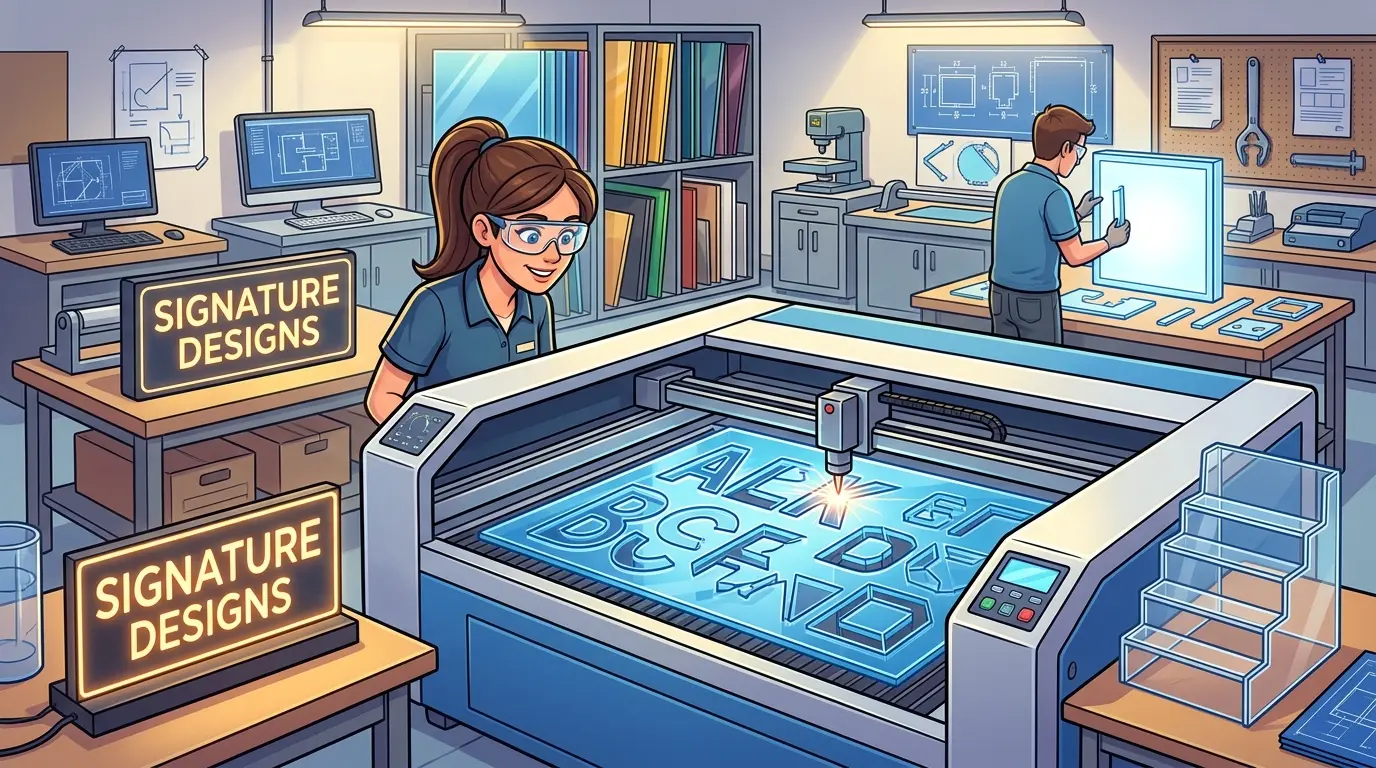
Sign shops and display fabricators often approve a laser cutter around one polished demo part, then discover that the real weekly mix—illuminated faces, clear risers, branded inserts, short-run revisions—stresses the machine in ways the sample never revealed. The decision hinges on whether the system holds visible edge quality, dimensional repeatability, engraving clarity, and fast changeovers across the jobs that generate margin. Cast versus extruded acrylic, sheet thickness, air assist capacity, focus consistency across the bed, and part unloading all shift the outcome. Buyers must match the machine to their dominant workflow, not to the most impressive showcase cut.
Why Acrylic Laser Cutting Gets Complicated After the Demo
A clean sample part is easy to produce. Any well-tuned laser cutter can make one perfect acrylic letter or display riser when the operator has time to adjust focus, airflow, and power settings. The real test begins when the weekly schedule mixes illuminated sign faces, clear display shelves, branded inserts, brochure holders, and short-run revisions that all need to leave the machine looking consistent and fitting correctly.
For shops evaluating laser cutters and engravers for acrylic and similar non-metallic materials, the practical decision is not whether the machine can cut acrylic once. It is whether the system can hold visible edge quality, small-feature accuracy, engraving clarity, and predictable changeovers across the jobs that actually generate margin.
Sign Making and Display Fabrication Push the Same Machine Differently
Sign makers and display fabricators often buy from the same machine category, but they do not judge output in the same way. A sign shop may reject parts that are dimensionally fine but visually inconsistent. A display fabricator may accept a less decorative finish if the parts still move into assembly without slowing the next stage.
| Workflow Type | Usually Cares Most About | What Creates Expensive Problems |
|---|---|---|
| Sign Making | Clean visible edges, crisp text and logos, repeatable branding details, fast file changes | Haze, residue, inconsistent engraving, delays when artwork revisions pile up |
| Display Fabrication | Stable dimensions, repeatable slots and holes, neat edges on customer-facing parts, efficient sheet usage | Assembly drift, extra cleanup, operator-dependent setup, too much sorting after cutting |
| Mixed Shops | Balance of cosmetic quality and part accuracy across different acrylic jobs | Buying a machine tuned for one showcase workload while the real schedule keeps changing |
The best machine decision is driven by the dominant workflow, not by the best-looking sample. A sign shop that runs mostly illuminated letters will prioritize edge appearance and engraving depth consistency. A display fabricator running shelves and risers will care more about slot fit and dimensional repeatability across full sheets.
Define the Job Mix Before Comparing Suppliers
Before evaluating machine specifications, define which acrylic jobs will occupy the machine most often. That exercise usually reveals more than a long feature list.
- Lettering, logos, and wayfinding panels
- Illuminated sign faces and branded inserts
- Clear risers, shelves, and brochure holders
- POP and POS display components
- Short-run custom acrylic parts with frequent artwork changes
- Functional covers, dividers, and fixture components
These jobs all fall under acrylic cutting, but they do not stress the machine in the same way. Visible sign parts put more pressure on edge appearance and engraving clarity. Display components put more pressure on dimensional repeatability, slot fit, and how quickly operators can move from one sheet layout to the next.
If buyers skip this step, the machine is often approved around one attractive demo rather than around the workload that will determine quality, throughput, and rework every week.
Why Laser Fits Acrylic Work Well
Acrylic is frequently selected because the cut edge is part of the finished product. The contour may stay visible in a retail display. The engraved surface may carry branding, directions, or pricing information. The part may also need fine internal features that are tedious to reproduce with tooling-dependent methods.
Laser is commonly a strong fit for acrylic sign and display work when the workflow depends on:
- Fine contours and small internal features
- Cut-and-engrave output in one setup
- Customer-facing parts with visible edges
- Fast design changes without physical tool swaps
- Repeatable output across short runs and mixed batches
That does not make acrylic a one-setting material. Sheet grade, thickness, surface finish, protective film, and part density on the bed all influence how stable the process feels over a full shift. Good acrylic production depends on recipe discipline, stable airflow, and repeatable focus control, not just on a strong first sample.
Understanding Acrylic Grades and How They Affect Laser Output
One of the most common mistakes in acrylic laser production is treating all sheets as identical. Cast acrylic and extruded acrylic behave differently under the beam, and the difference shows up in edge quality, cutting speed, and fume generation.
Cast acrylic is produced by polymerizing liquid monomer between plates. It tends to produce a cleaner, more polished edge when laser cut, with less haze and fewer micro-cracks at the cut line. It also engraves with a brighter, whiter contrast, which matters for sign faces and branded display panels where the engraved area is part of the design. The tradeoff is cost and speed. Cast material is generally more expensive, and it may require slightly different power and speed settings to avoid excessive heat buildup.
Extruded acrylic is produced by forcing polymer through a die and cooling it into continuous sheets. It is usually less expensive and more consistent in thickness, which can simplify focus settings across a full bed. However, extruded acrylic tends to produce a slightly frostier edge and can be more prone to stress cracking near the cut line if the laser settings are too aggressive. For display components where edges are hidden or where the part will be painted or covered, extruded material is often perfectly acceptable. For clear, customer-facing edges, cast material usually wins.
Shops that run both grades need to store separate parameter sets and label sheets clearly. A machine that handles one grade well will not automatically handle the other without adjustment. The practical implication for buyers is to test the machine with the actual sheet grades they plan to run, not with whatever sample material the supplier happens to have on hand.
Sheet Thickness and the Limits of Single-Pass Cutting
Acrylic thickness changes the cutting strategy more than most buyers expect. Thin material, in the 2 mm to 5 mm range, cuts quickly and cleanly with a single pass at moderate power. The edge quality is usually good, and the main concern is preventing the part from shifting as the beam passes through.
Medium material, roughly 6 mm to 12 mm, often requires a slower feed rate and higher power. Some shops use two passes to achieve a cleaner edge, especially on cast acrylic. The second pass removes any residual haze and produces a more polished appearance. The tradeoff is cycle time. A two-pass strategy can nearly double the cutting time for thick parts, which directly affects throughput on high-volume display runs.
Thick material, above 12 mm, pushes the limits of many laser systems. The beam must maintain focus through the full thickness, and the cut edge can develop a slight taper if the focal point drifts. Air assist becomes critical at these thicknesses because the assist gas must clear molten material from the kerf to prevent re-deposition and edge discoloration. Some shops find that thick acrylic is better handled by a CNC router with a polished edge bit, especially when the part requires a perfectly vertical edge or a specific edge profile.
The buying lesson is to match the machine’s power and focal depth to the thickest material you actually run, not to the thickest material you might theoretically cut someday. A machine that handles 25 mm acrylic impressively in a demo may still struggle with consistent quality across a full sheet of 12 mm material if the optics and airflow are not tuned for that range.
Machine Factors That Protect Daily Output
The most useful buying discussion is not about isolated features. It is about which machine conditions keep output stable when jobs become repetitive, cosmetic, or time-sensitive.
| Buying Factor | Why It Matters in Sign and Display Work | What Buyers Should Inspect |
|---|---|---|
| Motion Stability and Positioning | Helps keep letters, slots, holes, and repeated graphics consistent across the sheet | Compare repeated parts from different bed positions, not just one center sample |
| Focus Consistency Across the Work Area | Supports more uniform edge appearance and engraving quality over full sheets | Check whether visible quality changes near the edges of the table |
| Air Assist and Extraction Stability | Helps reduce residue, smoke staining, and cosmetic drift on customer-facing acrylic | Inspect both the cut edge and the nearby surface after repeated jobs |
| Bed Format and Sheet Handling | Affects nesting efficiency, operator movement, and real sheet-to-sheet turnover | Compare the table layout with the actual acrylic sizes and part mix you run |
| Software and Job Recall | Reduces setup dependence when branded jobs repeat or artwork changes quickly | Confirm whether approved jobs can be saved, recalled, and adjusted clearly |
| Maintenance Access | Daily cleaning strongly affects process stability over time | Check how practical it is to reach the cleaning points without disrupting production |
| Part Unloading and Sorting | Small acrylic parts can reduce net throughput even when cut time looks fast | Watch how operators separate good parts, scrap, and the next sheet in a realistic cycle |
What matters here is the downstream result. Stable motion helps protect fit. Better extraction helps protect visible quality. Faster job recall helps recover time lost between short-run sign orders and display changes.
Air Assist and Extraction: The Difference Between Clean and Marginal Edges
Air assist is often treated as a standard feature, but its real-world performance varies significantly between machines. The purpose of air assist is to direct a focused stream of compressed air at the cut point, clearing molten acrylic from the kerf and preventing the beam from re-heating material it has already passed through. Without adequate air assist, the cut edge develops a rough, frosted appearance, and the surrounding surface can pick up a hazy residue that is difficult to remove without additional polishing.
The pressure and flow rate of the air assist matter more than the presence of the feature. A machine with a weak compressor or poorly designed nozzle may produce acceptable edges on thin material but fail on thicker sheets where the molten material has more time to accumulate. Buyers should ask about the air assist system’s capacity and whether it can be adjusted per job. Some machines allow operators to set different air pressures for cutting versus engraving, which is useful because engraving typically benefits from lower airflow to avoid blowing fine debris across the surface.
Extraction is the other half of the equation. Acrylic produces a significant volume of fumes and particulate when cut, and that material needs to be pulled away from the cutting area quickly. If extraction is weak, the fumes can settle on the surface of the sheet, creating a fine film that shows up as discoloration on clear parts. The film is often invisible immediately after cutting but becomes apparent when the part is backlit or viewed at an angle.
The practical test is to run a full sheet of clear acrylic with a dense part layout and inspect the surface after the job finishes. Look for any haze or residue near the cut lines, and check whether the extraction system keeps the viewing window clear throughout the cycle. A machine that looks clean in a short demo may behave differently over a 20-minute production run.
Focus Control and Its Effect on Edge Appearance
Focus control is the most underappreciated factor in acrylic laser quality. The laser beam must be focused at the correct depth relative to the material surface to produce a clean, vertical cut. If the focus is too high, the beam spreads before reaching the material, producing a wider kerf and a rougher edge. If the focus is too low, the beam converges inside the material, which can cause excessive melting and a charred appearance on thicker sheets.
Manual focus systems require the operator to set the focal height for each material thickness. This is workable for shops that run one or two standard thicknesses, but it introduces a setup step that can be skipped or done incorrectly under time pressure. Automatic focus systems measure the material surface and adjust the lens height automatically, which reduces operator dependence and improves consistency across different sheet thicknesses.
The more subtle issue is focus consistency across the bed. Some machines have a slight variation in the distance between the lens and the material surface at different positions on the table, often due to minor mechanical tolerances or a bed that is not perfectly flat. This variation can produce parts that look excellent in the center of the bed but show a visible quality drop near the edges. Buyers should ask to see parts cut from multiple positions on the bed, not just from the center where the demo operator has already dialed in the settings.
Nesting Software and Sheet Utilization
For display fabricators, material cost is often the largest single expense in a job. Acrylic sheets are not cheap, and scrap is pure loss. Nesting software that arranges parts efficiently on the sheet can reduce waste by several percentage points, which adds up quickly on high-volume runs.
The nesting capability is not always built into the laser machine’s control software. Some shops use standalone nesting programs that export optimized layouts, while others rely on the machine’s native software to arrange parts. The key question is whether the software can handle the specific part mix the shop runs. A sign shop that cuts mostly letters and simple shapes may not need advanced nesting, but a display fabricator that runs shelves, risers, and brackets with different dimensions will benefit from a system that can pack parts tightly and rotate them intelligently.
Another consideration is how the software handles common lines. When two parts share a boundary, the laser can cut along that line once instead of twice, saving time and reducing the heat affected zone. Not all nesting software supports common-line cutting, and the feature can be difficult to implement reliably on acrylic because the shared edge must be clean for both parts. Shops that run dense layouts should ask whether the machine’s software supports this feature and how it handles the edge quality on shared boundaries.
Job Recall and Changeover Speed
Sign shops and display fabricators rarely run the same job all day. The typical schedule involves multiple orders with different artwork, different material thicknesses, and different cutting requirements. Each changeover is an opportunity for errors and lost time.
The machine’s job recall capability directly affects changeover speed. A system that stores approved job files with their associated parameters—power, speed, focus, air assist, and material grade—allows the operator to reload a previous job with a few keystrokes. This eliminates the need to re-enter settings from memory or to search through paper notes for the correct parameters.
The quality of the job recall interface matters as much as the feature’s existence. A system that stores jobs in a flat list with cryptic file names is not much better than manual setup. A system that organizes jobs by customer, material, or product family and allows the operator to preview the layout before cutting is significantly more useful. Buyers should ask to see how the machine handles a typical changeover scenario, including loading a new sheet, recalling a saved job, and verifying that the parameters are correct before starting the cut.
Maintenance Realities for Acrylic Laser Production
Laser machines require regular cleaning to maintain consistent output, and acrylic is one of the more demanding materials in this regard. The cutting process produces a fine particulate that accumulates on the lens, the mirrors, and the interior surfaces of the machine. Over time, this buildup reduces beam power and degrades edge quality, even if the machine settings have not changed.
The frequency of cleaning depends on the machine design and the volume of production. Some machines have sealed optics that require less frequent cleaning, while others expose the lens and mirrors to the cutting environment. The practical question is not how often the manufacturer recommends cleaning, but how difficult the cleaning process is in practice. A machine that requires removing multiple panels and carefully aligning components after each cleaning will be cleaned less often than it should be, and output quality will suffer accordingly.
Buyers should also consider the cost and availability of consumables. Laser tubes have a finite lifespan and will eventually need replacement. The cost of a replacement tube and the downtime required to install it should be part of the total cost of ownership calculation. Similarly, lenses and mirrors wear over time and may need periodic replacement. Shops that run high volumes of acrylic should budget for these consumables and confirm that replacement parts are readily available from the supplier.
Part Unloading and Sorting: The Hidden Throughput Killer
The cut time for a sheet of acrylic is only part of the total cycle. After the laser finishes, the operator must remove the finished parts, separate them from the scrap skeleton, and prepare the next sheet. For small parts, this unloading and sorting process can take longer than the cutting itself.
The machine’s bed design affects how quickly parts can be removed. A bed with a honeycomb or slat surface allows the operator to push parts up from below, which is faster than reaching into the machine to lift each part individually. Some machines have a pass-through design that allows the operator to load and unload from either side, which can be useful in a production cell where the machine is positioned between two workstations.
The part layout also affects unloading efficiency. Dense layouts with many small parts create a complex skeleton that is time-consuming to break apart. Some shops intentionally leave more space between parts to make unloading faster, accepting slightly lower material utilization in exchange for higher net throughput. The right balance depends on the shop’s labor costs and material costs, but it is a decision that should be made deliberately rather than by default.
Where Laser Fits Best and Where Another Process Still Belongs
Laser is often a strong answer for acrylic work, but it is not a universal replacement for every fabrication step. Some shops still need other processes when the job includes heavier edge shaping, secondary machining, or a broader mixed-material conversion workflow.
| Production Need | Acrylic Laser Cutter | Other Mechanical Process |
|---|---|---|
| Decorative lettering and branded panels | Often a strong fit | Often more setup-heavy for intricate contours |
| Clear display parts with visible edges | Often a strong fit when the process is stable | Application dependent |
| Cutting and engraving in one workflow | Often a strong fit | Usually requires separate operations |
| Parts requiring additional edge profiling or secondary machining | More limited | Often a stronger fit |
| Utility blanks where cosmetics matter less | Application dependent | Often practical |
| Mixed-material display work beyond rigid acrylic | Application dependent | May be stronger depending on the material mix |
For teams comparing laser investment with the rest of the production line, the better question is not whether laser can solve every acrylic-related task. It is how many downstream steps the laser cell removes, how many it leaves in place, and whether that matches the way the shop actually makes money.
Edge Finishing and Secondary Operations
Laser-cut acrylic edges are often acceptable as-is, especially on thin material and when the part will be mounted against another surface. But some applications require additional finishing. A clear display shelf with a visible front edge may need flame polishing to achieve a glass-like finish. A sign face with a thick profile may need a routed edge with a specific radius.
The need for secondary operations changes the equipment decision. If most parts require flame polishing, the shop needs a polishing station and the labor to run it. If most parts require routed edges, a CNC router may be a better primary investment than a laser, with the laser reserved for engraving and fine detail work.
Shops that run a mix of laser-cut and routed parts need to think about workflow integration. Parts that move from the laser to the router to the polishing station need to be tracked and handled carefully to avoid scratches and damage. The equipment decision is not just about the laser machine itself, but about the entire production cell and how parts flow through it.
Questions Buyers Should Answer Before Ordering
Before placing the order, buyers should be able to answer a few operational questions clearly.
- Are most high-value acrylic parts judged by edge appearance, by dimensional fit, or by both?
- How often does the team switch between signage, display components, and functional acrylic parts?
- Does the workflow need engraving to sit naturally inside the same cycle as cutting?
- How much time is lost today to cleanup, inspection, part sorting, or setup drift rather than to the cut itself?
- Will the machine spend most of its hours on repeated product families or on constantly changing custom jobs?
- Are visible clear parts common enough that cosmetic stability becomes a core buying criterion?
- Does the shop need a dedicated acrylic cell or a broader process that still includes routing, profiling, or other secondary operations?
- What is the thickest acrylic material the shop actually runs, and how does the machine’s focal depth and air assist handle that thickness across a full sheet?
- How much time does the shop currently spend on edge finishing, and would a laser that produces a cleaner edge reduce that labor meaningfully?
- What is the shop’s tolerance for scrap on expensive cast acrylic sheets, and does the nesting software support the part mix well enough to keep waste under control?
These questions expose the real buying criteria faster than a longer technical checklist. They keep the decision anchored to the production model of the business instead of to whichever sample happened to look best in a demonstration.
Production Takeaway: Acrylic Laser Cutter for Sign Making and Display Fabrication
The best acrylic laser cutter for sign making and display fabrication is rarely the one with the most dramatic demo. It is the one whose motion stability, focus control, airflow, job recall, maintenance access, and sheet handling match the real part mix the shop runs every day.
When the workflow depends on visible edges, fine contours, integrated engraving, and frequent design changes, laser is often a strong fit for acrylic production. When the job also requires broader machining, edge profiling, or mixed-material conversion, the laser should be evaluated as one process inside a larger production cell rather than as a universal answer.
In practice, the right machine is the one that helps the shop produce more acceptable parts with less cleanup, less rework, and fewer surprises between one order and the next. The machine that looks best in a controlled demo is not necessarily the machine that performs best on a Tuesday afternoon when the schedule is full, the material is a different grade than usual, and the customer is waiting on a revised proof. The machine that wins in production is the one that holds its settings, keeps its optics clean, and lets the operator focus on running parts instead of fighting the equipment.