For a small business, an affordable laser engraver is not simply the machine with the lowest quote. It is the machine that fits the material mix, order volume, and finish expectations closely enough to generate usable output without constant adjustment, missed deadlines, or avoidable rework.
That distinction matters because small shops usually feel equipment mistakes faster than large factories do. A poor-fit machine does not just reduce throughput. It can tie up cash, consume operator time, create inconsistent parts, and slow delivery at exactly the stage when a business needs clean execution to win repeat orders.
The first buying question is not, “What is the cheapest laser I can buy?” It is, “What type of work must this machine complete reliably every day?”
What Affordable Really Means in a Production Setting
In real production, affordability sits at the intersection of purchase cost, useful output, and operating friction. A machine that looks inexpensive on paper can become expensive if it needs constant alignment, has weak extraction support, struggles with your main materials, or forces jobs into multiple manual steps.
For small-business buyers, the practical cost picture usually includes:
- Machine Price And Payment Terms
- Installation And Ventilation Requirements
- Optics, Consumables, And Routine Maintenance
- Software Workflow And Operator Learning Time
- Sample Quality On Real Customer Parts
- Local Or Remote Service Support
- Downtime Risk During Busy Order Periods
That is why the best affordable option is usually the one that matches the business model most closely, not the one with the most aggressive entry price.
The Most Practical Option Types for Small Businesses
The table below helps separate common buying paths by workflow rather than by marketing language.
| Option Type | Best Fit | Main Advantages | Main Tradeoffs |
|---|---|---|---|
| Compact CO2 Engraving System | Wood, acrylic, leather, coated non-metal products, light customization work | Accessible entry point, strong material fit for non-metal applications, good detail capability, manageable for smaller batches | Limited if the business later needs larger-format cutting or specialized metal marking |
| CO2 Cut-And-Engrave Combo System | Sign shops, display work, packaging inserts, decorative panels, mixed engraving and contour cutting | Combines product decoration and shape cutting in one workflow, reduces handoffs, improves job versatility | Higher space, extraction, and workflow demands than a pure engraving setup |
| Service-Backed Used Or Refurbished Machine | Buyers with tight capital limits but clear production demand | Lower upfront spend, potentially stronger build quality than unsupported low-end imports, faster path to commercial output | Support quality varies sharply, and hidden wear can create downtime if the seller is weak |
| Metal-Marking-Specific Laser System | Part identification, nameplates, traceability, industrial component marking | Better fit when revenue depends on permanent marks on metal surfaces | Different buying logic, different process fit, and usually not the right choice for shops focused on wood or acrylic engraving |
When a Compact CO2 System Is Usually the Best First Step
For many small businesses, a compact CO2 platform is the most practical first purchase because it aligns well with the kinds of orders that actually fund early growth: branded goods, signage, display pieces, wood panels, acrylic parts, packaging inserts, short-run customized products, and light decorative production.
If your business mainly processes wood, acrylic, leather, paper-based substrates, and similar non-metal materials, reviewing laser cutters and engravers is a logical starting point because that category lines up with the most common non-metal commercial workflows.
In small-business use, the value of a compact CO2 system is not just that it engraves. It can help simplify order flow by keeping several tasks in one cell:
- Branding Or Decorative Surface Work
- Short-Run Personalization
- Light Profile Cutting On Suitable Non-Metal Materials
- Prototype Iteration Before Larger Batch Release
- Small-Lot Production Without Tooling Change Costs
That combination often matters more than raw speed. A shop that can move from artwork setup to finished small-batch output with fewer manual handoffs usually protects margins better than a shop chasing headline specifications it rarely uses.
When a Combo Cut-and-Engrave Machine Offers Better Value Than a Pure Engraver
Some buyers start by searching for an “engraver” when the business actually needs a wider production tool. That usually happens in sign making, branded display production, decorative panel work, and custom product manufacturing, where contour cutting is tied closely to engraving.
In those cases, a combo system often creates better value than a pure engraving machine because it supports a broader job mix without pushing work into another process step. Instead of engraving one machine-made blank after another, the shop can move closer to a finished part in one station.
The workflow gains are practical:
- Fewer Transfers Between Machines
- Cleaner Scheduling for Short Mixed Batches
- Easier Quoting for Jobs That Combine Surface Detail and Shape Cutting
- Better Use of Limited Floor Space Than Separate Entry-Level Units
The tradeoff is that combo systems ask more from the shop. Extraction, material handling, fixture planning, and operator setup discipline matter more. If the business only engraves logos, serial identifiers, or decorative fills on pre-cut parts, that extra flexibility may not pay back quickly enough.
When Metal Marking Requires a Different Buying Decision
Small-business buyers sometimes assume that any affordable laser engraver can cover both decorative non-metal work and permanent metal marking. In practice, that assumption often causes the most expensive mis-buy.
If your revenue depends on direct marking of metal parts, industrial identification, nameplates, traceability codes, or durable product labeling, you should evaluate marking-specific systems on their own logic rather than forcing a general-purpose non-metal engraving workflow into the job.
This is less about prestige and more about process fit. Metal marking jobs typically care about permanence, contrast consistency, repeatable part positioning, and stable results across production runs. Decorative engraving shops, by contrast, often care more about visual detail, mixed-material versatility, and short-run order flexibility.
For a small business, the practical lesson is simple: if metal marking is the core revenue stream, buy for that workflow first. If wood, acrylic, and similar non-metal customization drive the business, do not overbuy for a metal-focused process you may not need.
Why the Cheapest Machine Often Creates the Highest Production Risk
There is a meaningful difference between affordable and simply cheap. Low-price offers become risky when the cost reduction comes from weak motion stability, poor software support, inconsistent optical performance, unclear spare-parts access, or minimal after-sales help.
In a small shop, those weaknesses show up quickly:
- Setup Takes Too Long Between Orders
- Output Quality Changes From One Batch to the Next
- Operators Spend Time Troubleshooting Instead of Producing
- Samples Look Acceptable but Repeat Production Does Not
- Minor Failures Stop the Machine During Peak Order Windows
That does not mean every low-priced offer is automatically wrong. It means the quote only becomes useful once you test how the machine behaves in your actual workflow.
A Five-Question Filter for Comparing Quotes
When small-business buyers compare laser engraver options, these five questions usually reveal more than a specification sheet alone:
- Which Materials Generate Most of Our Revenue Today?
- Are We Primarily Engraving, Primarily Cutting, Or Reliably Doing Both?
- What Part Size, Batch Size, And Daily Runtime Do We Actually Need?
- What Maintenance Tasks Will The Operator Handle Without Outside Help?
- Can The Supplier Show Sample Results On Our Own Files And Materials?
Those questions push the conversation away from generic promise language and toward repeatable output. That is where small-business buying decisions become safer.
A Smarter Budget Strategy for First-Time Buyers
A first machine does not need to solve every future need. It needs to solve the first stable revenue problem without boxing the business into a dead-end workflow.
For most small businesses, that means:
- Buying for the current material mix, not a hypothetical future product line
- Leaving budget room for extraction, fixtures, training, and sample validation
- Prioritizing support and repeatability over the broadest possible feature list
- Planning how the machine will fit into quoting, scheduling, and part finishing
This wider planning matters if the laser is only one step in a growing workshop. If expansion into panel processing, drilling, or finishing is already on the roadmap, reviewing the broader Pandaxis product catalog early can help keep floor planning and future equipment decisions coherent.
Practical Summary
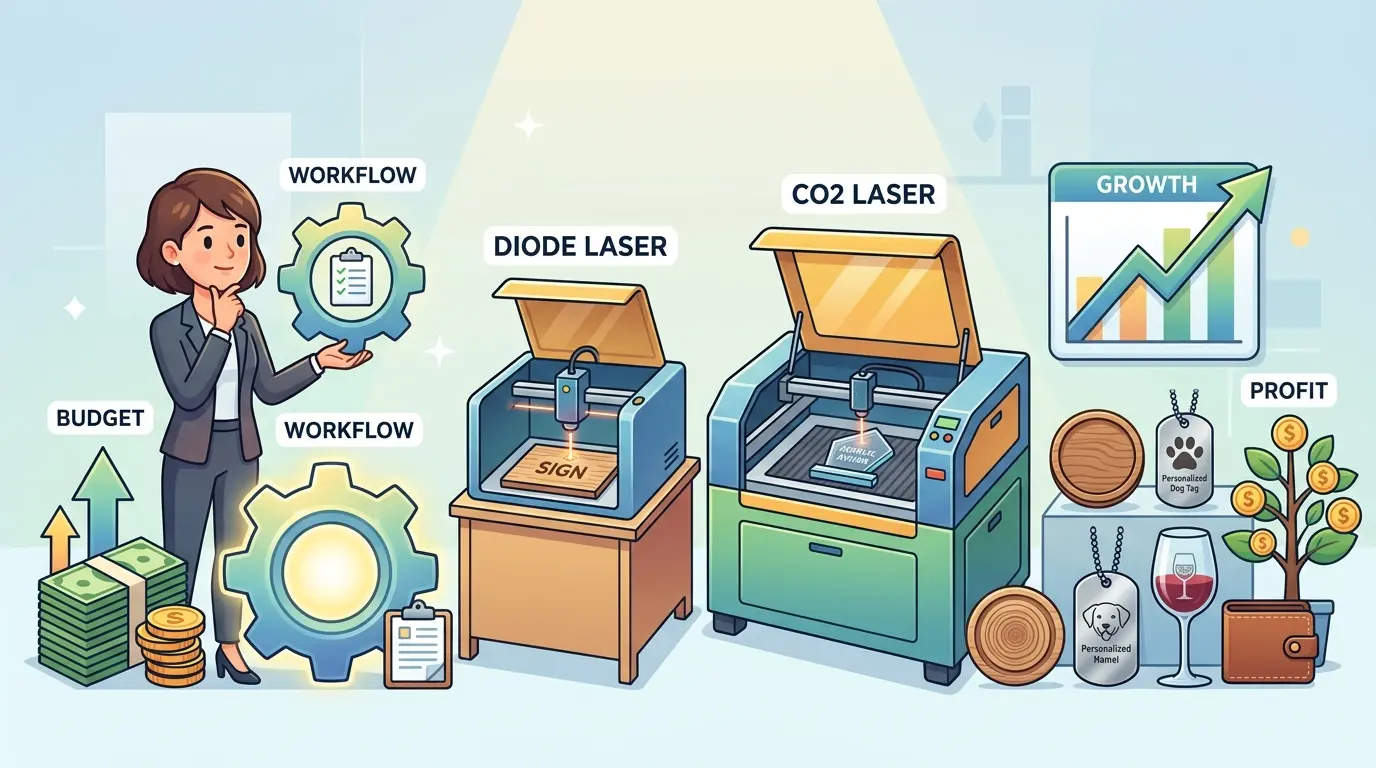
Affordable laser engraver options make the most sense when they are matched to the real order mix of the business. For many small shops, a CO2-based engraving or cut-and-engrave workflow is the strongest starting point because it supports wood, acrylic, and similar non-metal applications that commonly appear in commercial customization, signage, display, and short-run product work.
If the business depends on permanent metal marking, the decision should shift toward marking-specific equipment instead of a general engraving platform. If capital is tight, a service-backed used machine can sometimes be a smarter option than an unsupported bargain unit. In every case, the buying decision should be driven by workflow reliability, material fit, and repeatable output rather than the lowest headline price.
For small-business buyers, the right affordable machine is usually not the cheapest one. It is the one that helps the shop ship clean work, protect lead times, and grow without replacing the first purchase too soon.