Pandaxis

  • Products
    • CNC Nesting Machines
    • Panel Saws (Beam Saws)
    • Sliding Table Saws
    • Edgebanders
    • Boring & Drilling Machines
    • Wide Belt Sanders
    • Laser Cutters and Engravers
    • Stone CNC Machines
  • About Us
  • Contact Us
  • EnglishEnglish
    • Español Español
    • Italiano Italiano
    • Deutsch Deutsch
    • Français Français
    • Português Português
    • العربية العربية
    • Türkçe Türkçe
    • Русский Русский
    • Tiếng Việt Tiếng Việt
    • 한국어 한국어
    • 日本語 日本語
    • 简体中文 简体中文
  • Home
  • Blog
  • Blog
  • CNC Drilling Machine Configuration Guide For Furniture Factories

CNC Drilling Machine Configuration Guide For Furniture Factories

by pandaxis / Tuesday, 07 April 2026 / Published in Blog
CNC Drilling Machine Configuration Guide For Furniture Factories

When cabinet sides reach assembly with mirrored connector holes, drifting shelf-pin rows, or hardware that refuses to seat, the fault rarely lies in spindle accuracy—it lies in how the drilling program encodes your product logic. This guide confronts the configuration decisions that turn a CNC drill from a fast producer of repeatable errors into a stable link between cutting, edgebanding, and assembly. You will see why datum conventions, part-family libraries, material thickness rules, and batch identification matter more than raw positioning tolerance, and how mismatched referencing across departments quietly generates rework that no machine upgrade can fix.

Why Drilling Problems Are Usually Configuration Problems

When cabinets reach assembly with mismatched connector holes, shelf-pin lines that drift between batches, or drawer parts mirrored the wrong way, the root cause is rarely machine accuracy. A CNC drill can position a hole within tight tolerances all day long. The problem is that the machine is often programmed around generic functions rather than the factory’s actual product logic.

The result is predictable: hardware fitting turns into manual correction, and hole processing becomes a bottleneck for rework instead of a stable step in the workflow. A CNC drilling machine can standardize hole processing, but only when the configuration is built around how the factory actually builds its products. This guide covers the setup decisions that matter most, where plants commonly go wrong, and how to configure drilling so it supports repeatable production instead of repeating the same errors faster.

What Configuration Should Actually Control

Machine configuration in a furniture factory should do more than tell the drill where to move. It should define how the factory translates product rules into repeatable hole patterns. That includes decisions such as:

  • Part orientation and reference conventions
  • Hole libraries for different product families
  • Hardware and joinery standards
  • Material thickness rules
  • Left-hand and right-hand part logic
  • Batch identification and program matching
  • Inspection points before parts move to assembly

If these decisions are unclear, even a capable drilling setup becomes a reliable way to produce the wrong result at scale. The machine will execute its program faithfully, but the program itself encodes assumptions that may not match the realities of your panel stock, your edgebanding workflow, or your assembly jigs. Configuration is not a one-time setup task; it is an ongoing discipline that links machining to the rest of the factory.

Start With The Product System, Not The Machine Menu

Many weak drilling configurations start from available machine functions instead of actual furniture construction logic. A stronger approach is to begin with the products the factory builds every day.

For panel furniture, that means mapping the real part families first: cabinet sides, shelves, tops, bottoms, stretchers, drawer parts, and hardware-related panels. If the factory works around a 32 mm system, the drilling strategy should reflect that consistently across the product range rather than relying on ad hoc operator judgment from job to job.

Configuration Input Why It Matters What The Factory Should Clarify
Cabinet Construction Standard Determines the base logic behind line boring, connector placement, and assembly repeatability Is the factory using one dominant construction method or several competing ones?
Part Families Prevents one generic setup from being stretched across panels with different hole requirements Which panels repeat across most orders, and which are exceptions?
Hardware Families Keeps drilling aligned with the connectors, slides, hinges, and fittings actually used in production Which hardware changes are standard, and which create special cases?
Material Thickness Groups Affects edge distance, hole depth planning, and fit at assembly Are thickness changes tightly controlled or frequent across orders?
Finished-Part Rules Prevents confusion between raw cut size and finished assembly dimensions Are panels drilled before or after certain finishing steps in the workflow?

The more standardized the product system is before configuration begins, the easier it becomes to keep drilling stable across shifts and order mixes. A factory that builds frameless cabinets with cam-and-dowel joinery has a fundamentally different drilling logic than one that builds face-frame cabinets with pocket screws or one that produces RTA flat-pack furniture with pre-installed hardware. Trying to serve all three from a single configuration usually means none of them get the attention they need.

Consider how the 32 mm system interacts with your hardware choices. If you use European concealed hinges, the hinge cup bore depth and the screw hole positions follow established standards, but the distance from the panel edge to the hinge cup center can vary by hinge brand and by whether the door is inset or overlay. If you use drawer slides, the hole pattern for the slide mounting bracket must align with the drawer side height and the cabinet side reference. These are not generic machining questions; they are product-specific rules that belong in the drilling configuration.

Set A Clear Datum And Part Orientation Strategy

In furniture drilling, some of the most expensive mistakes come from inconsistent referencing rather than inaccurate motion. If one operator treats the front edge as primary and another treats the back edge as primary, the machine may still drill accurately while the factory still produces unusable parts.

Every drilling configuration should define a consistent answer to questions such as:

  • Which face is the reference face?
  • Which edge is the primary datum?
  • How are left-hand and right-hand parts distinguished?
  • How is part rotation controlled between cutting, drilling, and assembly?
  • How are labels or part IDs matched to orientation rules?

This matters because drilling is downstream-sensitive. If the datum strategy shifts between panel cutting, edge processing, and hole preparation, the error shows up later as poor fit, uneven reveals, or connector positions that force manual correction.

A practical example: a cabinet side panel is typically 16 mm or 18 mm thick, and the shelf-pin holes must align with the holes on the opposite side panel. If the cutting department references the bottom edge and the drilling department references the top edge, a panel that is cut slightly oversized or undersized will produce shelf-pin rows that do not match across the cabinet. The machine did not make the error; the reference convention did.

The same logic applies to face selection. If a panel has a decorative laminate on one face and a balancing layer on the other, drilling from the wrong face can produce visible chip-out or tear-out on the finished surface. The configuration should encode which face is the reference face for each part family, and the operator should be able to verify this quickly from the label or work order.

For mirrored parts, the configuration must define whether the mirror is across the width, across the length, or across the thickness. A left-side cabinet panel and a right-side cabinet panel are often identical in size but mirrored in hole pattern. If the configuration treats them as the same part, the assembly line will discover the problem when the connector holes face the wrong direction. The fix is to build mirrored-part logic into the program library, not to rely on the operator to remember to flip the part.

Configure By Part Family, Not With One Universal Program

Furniture factories often create unnecessary instability when they try to force too many panel types into one overly broad drilling routine. That usually saves time at setup and loses time everywhere else.

A better configuration groups recurring parts into clear drilling families, such as:

  • Cabinet side panels
  • Shelf and adjustable shelf components
  • Tops, bottoms, and fixed shelves
  • Drawer-related components
  • Hardware-specific panels
  • Special panels that need separate validation

This approach improves repeatability because each family can follow its own logic for edge referencing, hole spacing, part orientation, and inspection. It also reduces the risk that a small rule change for one product line quietly breaks another.

For example, a cabinet side panel typically requires line boring for shelf pins, holes for cam locks and dowels at the top and bottom, and possibly holes for drawer slide mounting. A drawer side, by contrast, requires holes for the drawer bottom, holes for the drawer front attachment, and holes for the slide mounting on the outside face. These are completely different hole patterns with different reference logic. Forcing them into one program means the operator must manually select the right subprogram or the machine must guess from the part geometry, which is a recipe for errors.

The part-family approach also simplifies changeovers. When the factory switches from a run of base cabinets to a run of wall cabinets, the operator does not need to rebuild the program from scratch. The base cabinet side program and the wall cabinet side program are already in the library, with their own datum rules, hole patterns, and inspection points. The changeover becomes a matter of selecting the right family and loading the right panels, not rethinking the machining logic.

Match The Drilling Configuration To The Production Workflow

Not every factory should configure drilling the same way, because not every factory uses drilling in the same production role. Some plants need dedicated hole-processing capacity. Others need drilling integrated into a broader cut-and-machine workflow.

Workflow Option Best Fit Main Configuration Priority Main Tradeoff
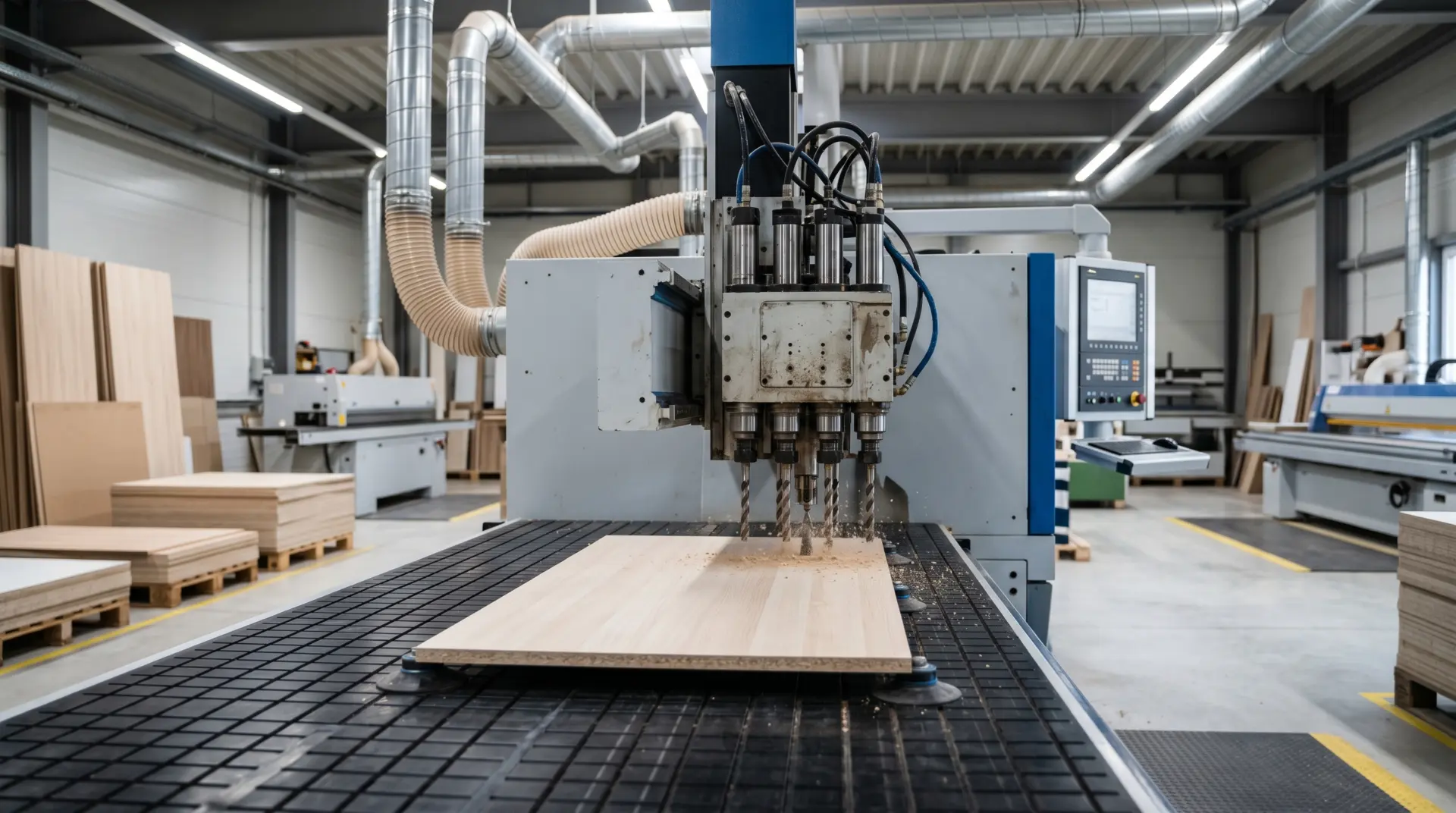
Dedicated boring and drilling machines Repeated cabinet and panel-furniture work with high hole volume Stable part-family programs, batching discipline, and fast repeatable setup Requires clean handoff from upstream cutting and labeling
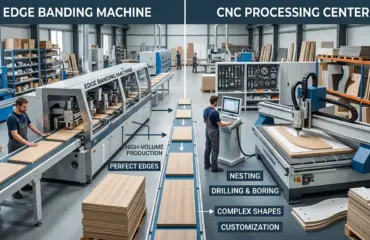
Integrated CNC nesting machines Higher-mix work where cutting, routing, and drilling are handled in one programmed flow Strong job data control and part-level program accuracy One machine must balance more operations, which changes scheduling logic

The best configuration is the one that supports the factory’s real bottleneck. If the plant already cuts panels efficiently and mainly struggles with hole-processing consistency, a dedicated drilling workflow may make more sense. If the product mix is more variable and drilling is tightly tied to routing and part shape, an integrated workflow may fit better.

Consider the material flow in a typical cabinet factory. Panels are cut on a panel saw or beam saw, then edgebanded, then drilled, then sent to assembly. If the drilling machine is a dedicated through-feed machine, the panels arrive in a batch, and the operator must match each panel to its program. This works well when the batch is homogeneous, such as a run of identical cabinet sides. But if the batch contains a mix of different part families, the operator must sort and sequence the panels carefully, which introduces a potential source of error.

An integrated nesting workflow, by contrast, cuts each part from a sheet and can drill the holes in the same setup, using the same program that defined the part geometry. This eliminates the handoff problem, but it also means the nesting machine must handle both cutting and drilling, which can slow down the cutting cycle if the hole pattern is complex. The configuration must balance the need for throughput against the need for hole accuracy.

For factories that produce a high volume of standard cabinets, a dedicated drilling machine with a well-organized part-family library is often the most reliable choice. For factories that produce custom or semi-custom work with frequent design changes, an integrated workflow may offer more flexibility, even if it requires more careful job data management.

Tooling And Boring Patterns Should Reflect Recurring Work, Not Every Possible Job

Factories sometimes over-configure drilling by trying to prepare for every possible panel variation in one setup. In practice, that often makes changeovers harder and program discipline weaker.

It is usually better to configure tooling and drilling logic around recurring operations such as:

  • Shelf-pin and line-boring work
  • Connector and joinery preparation
  • Hardware mounting patterns
  • Drawer-part drilling routines
  • Face and edge drilling rules for standard components

The objective is not maximum theoretical flexibility. It is daily repeatability with manageable changeovers. A setup that covers the factory’s common work cleanly is often more valuable than one that tries to cover every rare exception without structure.

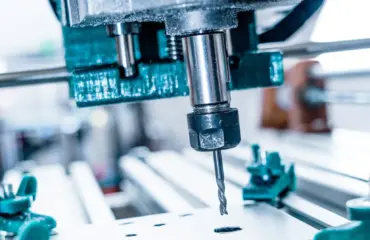
Tooling selection follows the same logic. A line-boring head with a fixed pitch is ideal for shelf-pin holes, but it cannot handle the variable spacing required for some hardware patterns. A multi-spindle drill head can handle a wider range of patterns, but it may be slower to set up and more sensitive to tool wear. The configuration should match the tooling to the recurring work, not to the theoretical maximum number of hole patterns the machine could produce.

For example, if the factory uses cam-and-dowel joinery for all cabinet construction, the drilling configuration should include a standard cam hole pattern and a standard dowel hole pattern, with the depth and diameter set to match the specific cam and dowel hardware in stock. If the factory occasionally uses a different connector for a special product, that pattern should be a separate program, not a modification of the standard one. This keeps the standard programs stable and makes the exceptions visible.

Material Thickness And Finished-Part Rules Need Their Own Logic

Hole quality in furniture production is not only about position. It is also about how the hole pattern relates to finished part conditions.

Different panel thicknesses, edge treatments, laminates, veneers, and finishing stages can all affect whether a drilling pattern still makes sense once the part reaches assembly. If the factory treats all panels as interchangeable at configuration level, it can create recurring fit issues even when the machine performs consistently.

Configuration rules should account for factors such as:

  • Thickness families that change joinery or hardware positioning
  • Panels with different finished faces
  • Parts that are drilled before versus after edge processing
  • Mirrored components that need separate orientation control
  • Special materials that require more conservative hole planning

This is one of the main reasons drilling should be configured from production logic rather than copied from a generic template.

A common example is the difference between 16 mm and 18 mm panels. A cam lock designed for 16 mm panels may not seat correctly in an 18 mm panel, and a dowel that fits snugly in 16 mm material may be loose in 18 mm material. The drilling configuration must account for these differences, either by adjusting the hole depth, the hole diameter, or the position of the hole relative to the panel face. If the factory runs both thicknesses, the configuration should have separate part families for each, with their own hole libraries and depth rules.

Edge treatment also matters. A panel that is edgebanded after drilling will have a different finished dimension than a panel that is drilled after edgebanding. If the drilling program assumes the panel is at its finished size, but the panel is actually delivered to the drill at its raw size, the hole positions will be off by the thickness of the edgebanding. The configuration must define whether the part is drilled before or after edge processing, and the program must use the correct reference dimension.

Batch Identification Matters As Much As Hole Accuracy

In larger furniture factories, the drilling program is only one part of the control system. The other part is making sure the right program is tied to the right part, in the right orientation, at the right time.

Whether the factory relies on printed labels, barcode-based job control, or simpler work-order discipline, the configuration should reduce opportunities for part mixing. If similar panels with different hole patterns can be confused easily, the drilling cell may become a source of repeatable sorting errors.

That means the setup should support:

  • Clear part naming conventions
  • Distinct rules for mirrored parts
  • Stable job and batch identification
  • First-part validation after setup changes
  • Simple traceability when a drilling error appears downstream

Factories often focus on machining precision and overlook identification discipline. In practice, both matter equally if the goal is clean assembly flow.

A practical situation: a factory produces a run of 100 cabinet sides, but the run includes 50 left-side panels and 50 right-side panels. The panels are identical in size, and the only difference is the hole pattern. If the labels are not clear, or if the operator loads the panels without checking the orientation, the machine will drill the left-side pattern on the right-side panels, and the entire batch will be unusable. The configuration should include a clear labeling rule, such as printing “L” or “R” on the panel face, and the operator should be trained to verify the label before loading.

First-part validation is another critical control point. After any setup change, the operator should drill a test part, measure the hole positions, and compare them to the drawing before running the full batch. This catches errors early, when they are cheap to fix, rather than after the batch is complete. The configuration should include a standard validation procedure, with clear pass/fail criteria for hole position, depth, and diameter.

Common Configuration Mistakes In Furniture Factories

Most drilling problems in furniture plants are not mysterious. They come from a short list of repeated configuration mistakes.

  • Using one master program for too many part types
  • Allowing different datum rules across cutting and drilling
  • Ignoring mirrored-part logic until assembly problems appear
  • Treating material thickness changes as minor when they affect hardware fit
  • Letting operators override standard naming or orientation conventions too freely
  • Validating the first part at setup but not watching for drift after batch changes

These mistakes usually create the same operational result: hole processing becomes technically fast but organizationally unstable.

The first mistake, using one master program for too many part types, is the most common. It often starts with good intentions: the programmer wants to minimize the number of programs to maintain, so they create a single program that handles all cabinet sides, regardless of width, height, or hole pattern. The program uses variables for the panel dimensions, and the operator enters the values at the machine. This works for simple cases, but it breaks down when the hole pattern depends on the panel dimensions in ways that are not captured by the variables. For example, the number of shelf-pin holes may depend on the panel height, and the position of the connector holes may depend on the panel width. If the program does not handle these dependencies correctly, the operator must manually adjust the program, which introduces the risk of error.

The second mistake, inconsistent datum rules, is often invisible until assembly. The cutting department references the panel from the left edge, the drilling department references it from the right edge, and the assembly department discovers that the holes are offset by a few millimeters. The fix is to standardize the datum across all departments and to document it clearly in the work order.

The third mistake, ignoring mirrored parts, is a classic source of rework. The factory produces left and right cabinet sides, but the drilling program treats them as identical. The assembly line discovers the problem when the connector holes face the wrong direction. The fix is to build mirrored-part logic into the program library, with clear rules for how the mirror is applied.

What A Good Drilling Configuration Should Improve Downstream

The point of a well-configured drilling machine is not only to make accurate holes. It is to make the rest of the factory easier to run.

When configuration is strong, the benefits usually appear as workflow outcomes such as:

  • Better joinery fit at assembly
  • More reliable hardware installation
  • Less manual checking between departments
  • Fewer mixed or misidentified panels in batches
  • Lower rework caused by orientation or referencing errors
  • Smoother coordination between cutting, edge processing, drilling, and assembly

That is the real test. If the drilling cell is fast but downstream teams still spend time correcting, sorting, or rechecking parts, the configuration is not finished yet.

Consider the assembly department. When a cabinet side arrives with correctly positioned shelf-pin holes, the assembler can install the shelf pins quickly and move on to the next step. When the holes are slightly off, the assembler must either adjust the shelf pin position, which may not be possible if the holes are fixed, or send the part back for rework, which stops the assembly line. The cost of a poorly configured drilling machine is not just the rework time; it is the disruption to the entire production flow.

The same logic applies to hardware installation. A drawer slide that is mounted with screws that do not align with the pre-drilled holes will bind or wobble, and the assembler must either re-drill the holes or adjust the slide position. This is slow, frustrating work, and it is entirely avoidable if the drilling configuration is correct.

Selection Focus: CNC Drilling Machine Configuration Guide For Furniture Factories

A CNC drilling machine configuration for furniture factories should be built around product structure, datum discipline, part-family logic, and clean batch control. The strongest setups are not the ones with the most options turned on. They are the ones that make daily hole processing predictable across repeated cabinet and panel-furniture workflows.

If a factory wants drilling to support throughput, repeatability, and easier assembly, it should configure the machine around how parts are built, identified, oriented, and handed off, not just how holes are machined. That is what turns drilling from a technical function into a stable production process.
Start by mapping your product families and your hardware standards. Define your datum rules and your mirrored-part logic. Build your program library around the recurring work, not the exceptions. Set up clear batch identification and first-part validation procedures. And review the configuration regularly, especially when you introduce a new product line or change your hardware suppliers. The machine will do what you tell it to do; the configuration determines whether what you tell it to do is what the factory actually needs.

What you can read next

Laser Machine for Wood
Laser Machine for Wood: Which Features Actually Matter in Production?
CNC Router Machine Explained: Best Uses in Woodworking and Panel Processing
4x8 CNC Machine Guide: Router, Plasma, or Hybrid Table?
4×8 CNC Machine Guide: Router, Plasma, or Hybrid Table?

Recent Posts

  • CNC Machine Plans When Plans Save Money and When They Create Rework

    CNC Machine Plans: When Plans Save Money and When They Create Rework

    CNC machine plans promise a lower purchase bill...
  • CNC Simulator Tools

    CNC Simulator Tools: When Virtual Testing Saves Time and Scrap

    Every CNC program that reaches the floor with a...
  • Laser Engraver for Wood

    Laser Engraver for Wood: Best Use Cases in Commercial Production

    Commercial wood shops routinely face a bottlene...
  • What Is a CNC Slicer

    What Is a CNC Slicer? Common Meanings and Use Cases

    When a purchasing team or production engineer s...
  • Big CNC Machine vs Small CNC Machine

    Big CNC Machine vs Small CNC Machine: How Size Changes Cost and Capability

    Production teams comparing CNC platforms often ...
  • Automatic Edgebander vs. Manual Edge Banding: Which One Delivers Better ROI?

    When edge finishing becomes the bottleneck, the...
  • Wall Saw

    Wall Saw Safety, Blade Selection, And Cutting Strategy For Controlled Structural Cuts

    Wall sawing fails most often before the blade e...
  • Metal Engraving: How To Choose the Right Machine for the Job

    Metal engraving decisions fail not at the demo ...
  • What Are CNC Bushings Used For?

    When an axis develops a vague roughness or surf...
  • Root CNC, RS CNC, and PrintNC-Style Open Builds

    Root CNC, RS CNC, and PrintNC-Style Open Builds: Which DIY Community Platform Fits You?

    Community CNC names like Root CNC, RS CNC, and ...
  • Laser Glass Cutter

    Laser Glass Cutter: Where It Fits in Production and Where It Does Not

    The production question comes before comparing ...
  • CNC Stone Cutting for Quartz, Granite, and Marble: How Material Differences Shape Machine Choice

    Quartz, granite, and marble share a fabrication...
  • Small CNC Mill vs Industrial CNC Mill

    Small CNC Mill vs Industrial CNC Mill: How Capacity Changes the Decision

    Shops comparing small CNC mills against industr...
  • Sheet Metal Laser Cutter

    Sheet Metal Laser Cutter Best Practices for Clean, Accurate Cuts

    Laser-cut defects rarely surface at the cutting...
  • What Is a Spiral Milling Cutter

    What Is a Spiral Milling Cutter?

    Buying a “spiral milling cutter” by...

Search for posts

Recent Posts

  • CNC Machine Plans When Plans Save Money and When They Create Rework

    CNC Machine Plans: When Plans Save Money and When They Create Rework

    0 comments
  • CNC Simulator Tools

    CNC Simulator Tools: When Virtual Testing Saves Time and Scrap

    0 comments
  • Laser Engraver for Wood

    Laser Engraver for Wood: Best Use Cases in Commercial Production

    0 comments

Recent Comments

    Support

    • About Us
    • Contact Us
    • Company Blog
    • Terms of Service
    • Privacy Policy
    • Sitemap

    Newsletter

    Subscribe for Pandaxis product updates, application insights, and practical news on CNC woodworking, stone fabrication, and laser processing solutions.

    GET IN TOUCH

    Email: info@pandaxis.com

    Whether you are looking to integrate a high-speed CNC woodworking line or deploy a heavy-duty stone cutting center, our technical engineers are ready to optimize your production. Reach out today to bring precision to every axis of your facility.

    • GET SOCIAL

    © 2026 Pandaxis. All Right Reserved.

    TOP