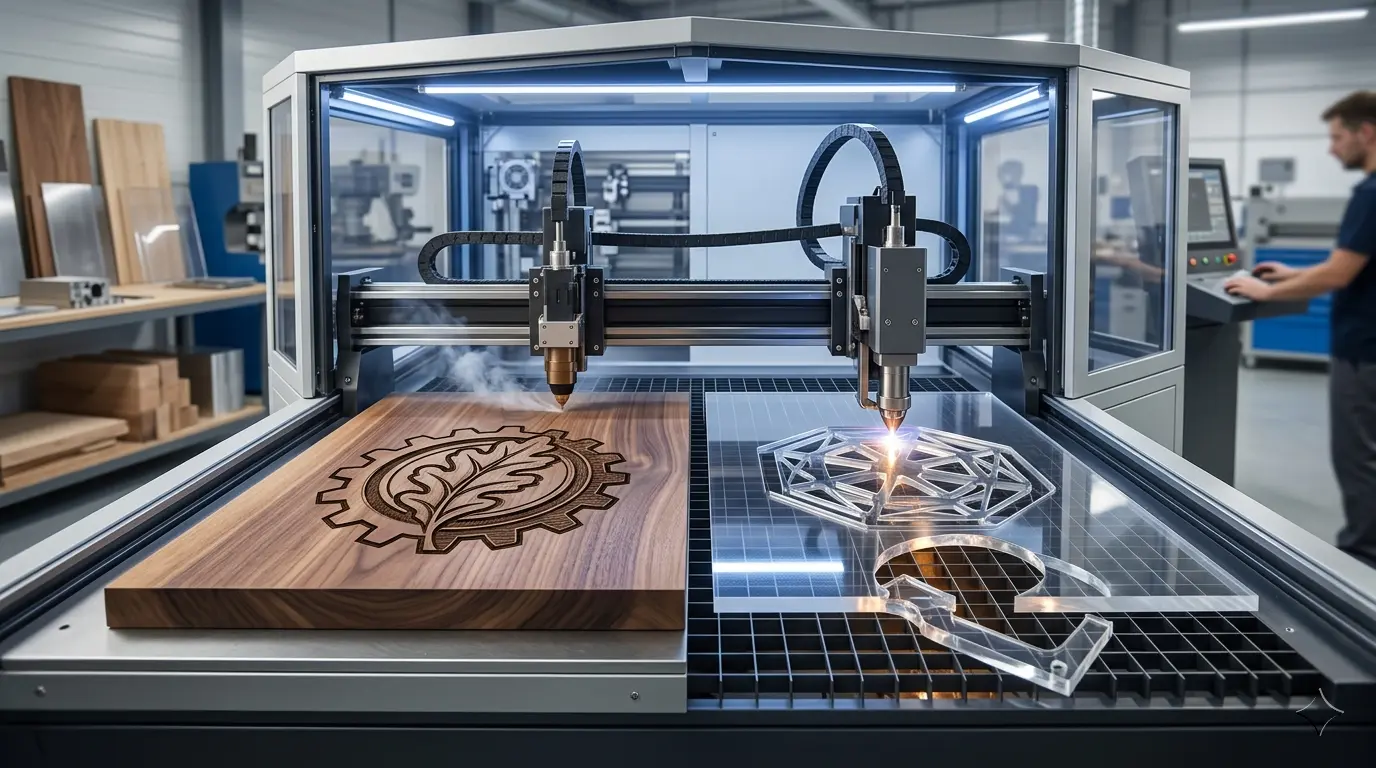
Most buyers assume a CO2 laser engraver and a CO2 laser cutter differ only by label, but the real distinction emerges only when the machine runs a full shift on your actual job mix. An engraving-led workflow is bottlenecked by artwork registration, mark consistency, and rapid changeovers, while a cutting-led workflow is bottlenecked by incomplete cuts, edge char, and sheet yield. These failure modes are not interchangeable, and choosing the wrong orientation forces daily rework, hidden operator labor, and downstream cleanup costs. Before comparing specs, audit your last month of production hours to determine which task drives value.
Start With the Job, Not the Label
Most buyers begin with a simple assumption: a CO2 laser engraver marks surfaces, a CO2 laser cutter separates material, and the difference is mostly a matter of branding. In practice, the distinction runs deeper. Once a machine moves from demo samples into daily production, the evaluation criteria shift dramatically depending on which task dominates the schedule.
The more useful question is not what the beam can do. It is what the machine must deliver repeatedly, at an acceptable quality level, across a full shift. For shops working with wood, acrylic, and other non-metallic materials, that distinction determines which machine earns its floor space and which one becomes a source of daily frustration.
Consider two shops running the same model of CO2 platform. One produces personalized cutting boards and awards, where the customer pays for crisp logos, readable text, and consistent fill shading. The other produces acrylic display stands and wooden signage blanks, where the customer pays for clean edges, accurate dimensions, and parts that drop out of the sheet without chisel work. Both shops run lasers for eight hours a day. Both would describe their machine as essential. But if you swapped their machines, both would struggle. The engraving shop would lose time to edge cleanup and sheet handling. The cutting shop would lose time to alignment checks and cosmetic rejects. Same beam source, completely different production logic.
Why Workflow Reveals the Real Difference
A single CO2 platform can often handle both engraving and cutting. But real-use performance depends on which task drives the schedule most of the time. The two workflows create different bottlenecks, different quality failures, and different operator priorities.
When engraving dominates, the workflow revolves around:
- Surface detail quality and mark consistency
- Artwork alignment and positioning accuracy
- Fast changeovers between small or customized orders
- Minimal heat effect outside the engraved area
When cutting dominates, the workflow revolves around:
- Full separation of the part from the sheet
- Edge cleanliness and reduced burning
- Stable cutting across material batches
- Efficient sheet layout and material utilization
- Predictable unloading with less manual rework
That difference matters because the same machine can feel highly efficient in one workflow and frustrating in the other when production priorities are mismatched. The failure modes are not interchangeable. An engraving shop that buys a machine optimized for cutting speed will discover that its real bottleneck is job changeover and artwork registration, not beam speed. A cutting shop that buys a machine optimized for fine detail will discover that its real bottleneck is incomplete cuts and edge charring on thicker stock, not resolution.
What Changes When the Work Is Mostly Engraving
An engraving-oriented CO2 workflow is evaluated by visual quality before it is evaluated by raw output. The operator is typically trying to hold fine detail, readable text, smooth fill areas, or consistent decorative results on wood, acrylic, coated surfaces, and similar non-metallic materials.
In that environment, the practical concerns shift toward control and repeatability at the surface level:
- Consistent mark appearance across the batch
- Clean registration on repeated layouts
- Reliable handling of small, varied orders
- Limited heat effect outside the target area
- Faster artwork changes without long setup loops
This also changes how downtime appears. In an engraving-heavy shop, the main productivity loss is not usually failed cutting. It is time lost to re-alignment, test marking, artwork changes, inconsistent contrast, or cosmetic rejects that are technically usable but no longer saleable at the required finish standard.
Take a shop that engraves serial numbers and logos onto wooden tool handles. The material is consistent, the artwork is fixed, and the batch size is moderate. The operator’s real challenge is holding the same mark depth and contrast from the first handle to the five-hundredth. If the machine drifts, the first fifty pieces look fine and the next fifty look washed out. The operator catches the drift only by spot-checking, which costs time, and the rejected pieces cannot be reworked because re-engraving over an existing mark makes it worse. That is the engraving bottleneck: not speed, but consistency over time.
Another common engraving situation is the custom awards shop. Orders arrive in small batches, often one to five pieces, and each order has different artwork. The operator spends more time positioning the workpiece, importing the file, and confirming the layout than actually running the beam. A machine with a visible work area, reliable homing, and straightforward software integration saves more hours per week than a machine with a marginally faster engraving speed. The production math favors setup reduction, not raw beam performance.
Engraving-heavy work is commonly a good fit when the value of the part comes from detail, branding, customization, or decorative surface treatment rather than simple part separation.
What Changes When the Work Is Mostly Cutting
A cutting-oriented CO2 workflow is judged less by how the surface looks and more by whether parts come out cleanly, on time, and with limited secondary handling. The machine is expected to separate contours reliably, keep edge quality within an acceptable standard, and support a steady flow of usable parts.
That changes the operating focus:
- Cut-through reliability matters more than fine surface texture
- Edge quality matters because it affects finishing and assembly
- Smoke removal and process stability matter more over long runs
- Sheet nesting and layout efficiency have a direct effect on throughput
- Material variation becomes more expensive because incomplete cuts slow the whole job
In real use, cutting-heavy operations usually discover that visible cutting speed is only part of the productivity story. Net throughput depends on how often parts release cleanly, how much edge cleanup is required, and whether the next downstream step can accept the part without extra intervention.
Consider a shop that cuts acrylic display stands for retail clients. The parts are simple rectangles with a slot and a small logo engraving. The material is 5 mm cast acrylic, which cuts cleanly when the parameters are right. The shop runs the laser for six hours a day, cutting dozens of sheets per week. The operator’s real challenge is not beam speed. It is holding the cut quality across the full sheet, especially near the edges where the lens may be slightly out of focus or where the extraction airflow is weaker. If the cut does not fully separate, the operator must either re-run the contour or break the part out by hand, which risks chipping the edge. Both outcomes cost time and material.
Another cutting-heavy situation is the wooden sign shop that produces dimensional letters and shapes from plywood or MDF. The parts go to a finishing station where they are sanded, painted, or laminated. If the laser leaves heavy char on the cut edge, the finishing station must spend extra time cleaning each piece. That hidden labor cost is often larger than the laser operating cost. A machine that cuts with a cleaner edge, even at a slightly slower speed, can reduce total cost per part because it eliminates downstream cleanup.
That is why a CO2 laser cutter in daily production is often managed more like a part-making station than a graphics tool. The value comes from stable output, cleaner edges, and less rework, not just from the ability to trace a contour.
Comparing Engraver-Led and Cutter-Led Priorities
| Real-Use Factor | CO2 Laser Engraver Priority | CO2 Laser Cutter Priority | Why It Changes the Buying Decision |
|---|---|---|---|
| Main Production Goal | Clear surface marking, decorative detail, readable text, consistent graphics | Reliable part separation, acceptable edge quality, repeatable contour cutting | The quality standard is different even when the beam source is similar |
| Typical Bottleneck | Alignment, artwork setup, frequent job changes, cosmetic consistency | Sheet handling, incomplete cuts, edge cleanup, part release | Throughput is lost in different places |
| Material Concern | Surface reaction and appearance | Thickness consistency, cut stability, edge condition | One workflow protects appearance, the other protects usable output |
| Quality Failure That Hurts Most | Uneven marking, poor contrast, blurred detail, off-position graphics | Unfinished cuts, excessive burning, rough edges, fused corners | Rejects show up differently and require different corrections |
| Best Fit for Order Mix | Customized, branded, decorative, or short-run detail work | Repeated shape cutting, blanks, inserts, signage parts, and production contour work | The machine earns value in different business models |
| Daily Operator Focus | Positioning, design changes, mark appearance, repeat jobs | Recipe stability, extraction, sheet yield, unloading, downstream readiness | The skill set and attention points are not identical |
| Maintenance Pressure | Quality drift that affects appearance | Smoke, residue, and process drift that affect cut reliability over time | A cutting-led machine is often punished faster by unstable process conditions |
The key takeaway is straightforward: the label should follow the production role. If surface quality and customization drive the workload, buyers usually care more about engraving behavior. If parts must come off the sheet cleanly and repeatedly, cutting behavior should lead the evaluation.
When a Combo Machine Makes Sense
Many buyers do not actually need a strict either-or answer. A combined CO2 system can make sense when the product mix includes both decorative engraving and light-to-moderate contour cutting on the same general family of non-metallic materials.
That is often practical when:
- One shop handles small batches with mixed job types
- The same product needs surface marking and contour cutting
- Flexibility matters more than peak output in one single task
- The business is still defining its dominant product mix
But combo ownership is not the same as optimization. In real use, one machine doing both jobs usually means the operator is managing more tradeoffs between marking quality, cutting stability, changeover rhythm, and material scheduling.
A typical mixed-use scenario is the small shop that produces branded wooden boxes. Each box needs a logo engraved on the lid and the box sides cut from sheet stock. The engraving takes about a minute per lid. The cutting takes about three minutes per box. The shop runs maybe twenty boxes per day. A single machine handles both tasks comfortably, and the operator switches between engraving and cutting modes several times per shift. The machine is not optimized for either task, but it is fully utilized, and the alternative would be two machines with significant idle time.
Another mixed-use scenario is the architectural model shop. The team cuts thin acrylic and basswood sheets for walls, floors, and furniture pieces, then engraves window grids, door details, and surface textures. The batch sizes are small, the material thickness is limited, and the job mix changes daily. A combo machine is the practical choice because no single task justifies a dedicated machine. The operator accepts that cutting speed on 6 mm acrylic will be moderate and that engraving detail on textured wood will require occasional test passes. The tradeoff is acceptable because the alternative is slower manual fabrication.
But combo ownership is not the same as optimization. That shared use also changes scheduling: every cutting job competes with marking work for the same bed and extraction setup. The operator must also maintain two parameter libraries, keep the lens clean enough for both tasks, and adjust focus when switching between engraving depth and cut-through requirements. That is manageable, but it is not free.
If engraving dominates strongly, a cutter-capable machine may still be underused in the cutting role. If cutting dominates strongly, the engraving function may remain useful but no longer defines the machine’s economic value. That is why buyers should separate capability from daily production priority.
How To Choose for Your Product Mix
The most reliable way to choose is to start with the finished product and work backward through the workflow.
An engraving-led choice usually makes more sense when:
- Most jobs are logos, text, patterns, decorative panels, branded items, or customized short runs
- Surface presentation drives the value of the part
- Changeover frequency is high and batch sizes are small
- Cosmetic consistency matters more than cut-through output
A cutting-led choice usually makes more sense when:
- Most jobs involve repeated contours, blanks, inserts, acrylic shapes, or production parts cut from sheet stock
- Downstream assembly or finishing depends on consistent edge quality
- Material utilization and predictable job timing matter every day
- The line loses money when parts do not separate cleanly on the first pass
If the answer is still unclear, review the queue from the last several weeks instead of the most memorable sample job. The right machine role is usually revealed by repeated workflow pressure, not by occasional special orders.
Walk through a concrete example. A shop produces wooden coasters with engraved logos. The coasters are cut from 6 mm plywood, and the logo is engraved on the top surface. The shop runs two hundred coasters per week. The cutting time per coaster is about twenty seconds. The engraving time is about forty-five seconds. The engraving step takes more machine time, and the quality standard is driven by the logo appearance. That shop should evaluate the machine primarily as an engraver that can also cut the coaster outline. The cutting task is simple and short. The engraving task is where the shop wins or loses the job.
Now consider a shop that produces acrylic shelf dividers for retail displays. Each divider is a rectangle with two slots, cut from 4 mm acrylic. The edges must be clean because they are visible in the final product. The shop runs five hundred dividers per week. The cutting time per divider is about thirty seconds, and there is no engraving at all. That shop should evaluate the machine primarily as a cutter. The edge quality, the cut-through reliability, and the sheet yield are the factors that determine profitability.
These two examples use the same beam source and the same general material family, but the machine requirements are different. The coaster shop needs consistent mark depth and fast artwork changes. The divider shop needs clean edges and stable cut parameters across long runs.
What Buyers Often Miss During Evaluation
The most common buying mistake is comparing engraving samples and cutting samples as if they represent the same production reality. They do not.
A sample engraving on a flat, clean piece of birch plywood tells you almost nothing about how the machine will handle a production run of two hundred pieces with slightly varying moisture content. A sample cut on a fresh sheet of 3 mm acrylic tells you almost nothing about how the machine will handle a full sheet with nested parts and limited extraction airflow.
Before making the decision, buyers should ask:
- Which job type actually occupies most machine hours?
- Where does rework happen today: cosmetic correction or edge cleanup?
- Does the business win more work through customization or through stable part output?
- Is the operation more constrained by artwork changes or by sheet processing efficiency?
- Will the machine mostly support short-run variety or repeated production batches?
Those questions usually clarify whether the machine should be evaluated first as an engraver that can cut, as a cutter that can engrave, or as a balanced mixed-use system. For shops that need to compare available configurations side by side, reviewing the specifications across laser cutters and engravers can help translate those priorities into concrete machine choices.
Another common miss is underestimating the cost of operator time during job changes. In an engraving-heavy shop, the operator may spend ten minutes per job on file import, positioning, and test marking. If the shop runs thirty jobs per day, that is five hours of non-cutting time. A machine with a camera-based positioning system or a visible red-dot pointer can cut that setup time in half. The purchase price difference between two machines may be less than the labor savings over six months.
In a cutting-heavy shop, the equivalent miss is underestimating the cost of incomplete cuts. If one part in twenty requires a second pass or manual breakout, the operator loses time on each occurrence, and the part may need edge cleanup before it can move downstream. Over a week, that hidden rework can consume more hours than the visible cutting time. A machine with a more rigid gantry, better focus control, or more consistent beam delivery may reduce that failure rate enough to justify a higher purchase price.
Buyers should also consider how the machine handles material variation. Wood is never perfectly uniform. Knots, grain density changes, and moisture pockets can affect both engraving contrast and cut speed. Acrylic can vary by manufacturer, with cast material cutting differently than extruded material. A machine that allows the operator to store and recall parameter sets for specific materials and thicknesses reduces the risk of running a job with the wrong settings. That is a practical feature that matters more in daily production than in a demo.
Production Fit: CO2 Laser Engraver vs CO2 Laser Cutter
In real production use, the difference between a CO2 laser engraver and a CO2 laser cutter is not just whether the beam marks a surface or cuts through material. The real difference is what the machine is expected to deliver all day without creating bottlenecks elsewhere in the workflow.
An engraving-led workflow prioritizes surface detail, visual consistency, alignment, and fast job changes. The operator is protecting appearance, and the machine must hold mark quality across batches and job types. A cutting-led workflow prioritizes clean part separation, edge quality, repeatable output, and less downstream rework. The operator is protecting usable output, and the machine must cut through reliably without excessive char or incomplete contours.
Many CO2 systems can do both, but buyers get better results when they choose based on the dominant production role rather than the broadest feature list. A combo machine is a reasonable choice when the job mix is genuinely balanced and no single task justifies a dedicated machine. But even then, the operator should know which task is the primary value driver and evaluate the machine against that standard first.
If most of your value comes from customization and decorative detail, engraver behavior should lead the evaluation. If most of your value comes from stable sheet processing and usable part output, cutter behavior should lead it. That distinction is what changes machine fit in real use.
The practical takeaway for any production manager is to audit the last month of jobs before comparing machines. Count the hours spent on engraving versus cutting. Note where rework occurs. Track how much time goes to setup and job changes versus actual beam time. That data will tell you which machine role you actually need, and it will make the comparison between engraver-led and cutter-led systems far more concrete than any spec sheet.