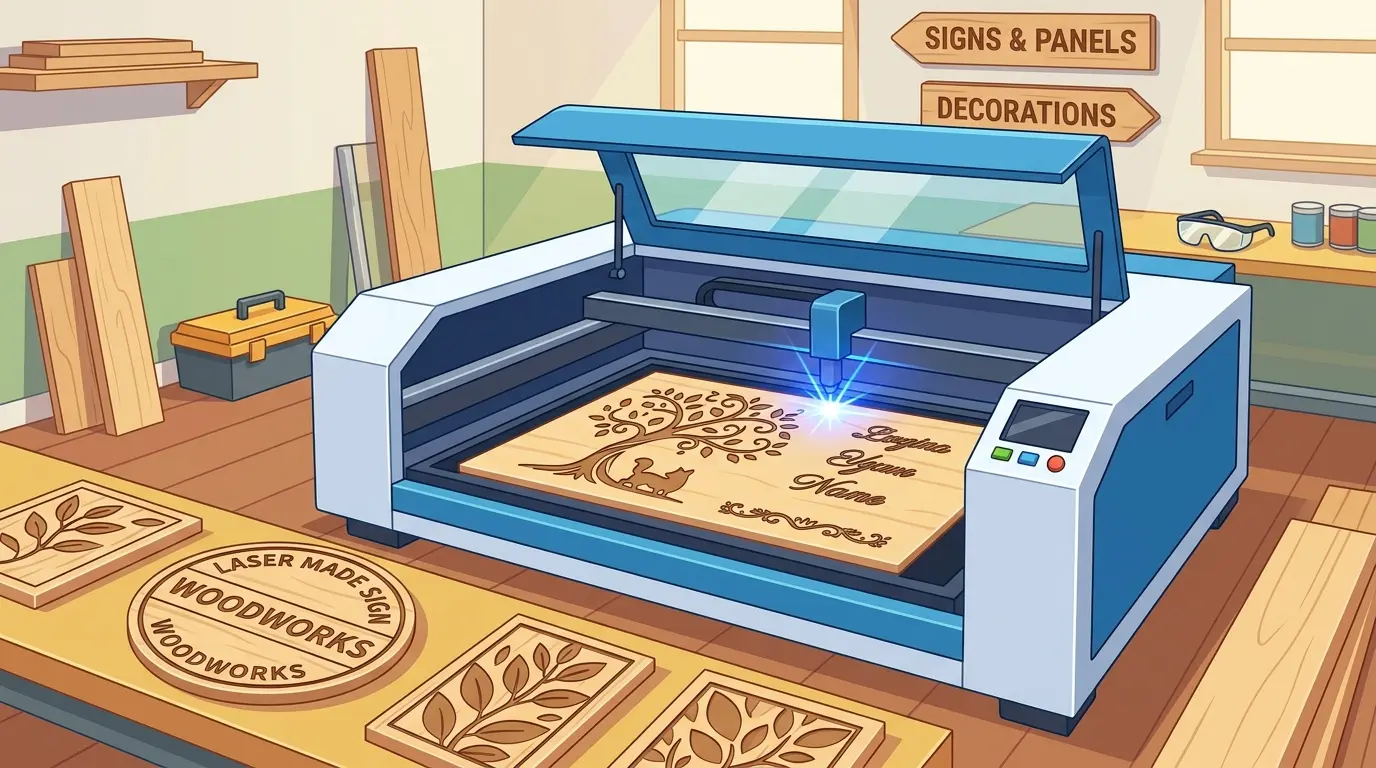
Shops that produce engraved wood signs, branded panels, menu boards, decorative wall pieces, and shaped ornament parts usually face the same problem: the machine has to do more than make one good-looking sample. It has to keep text readable, graphics consistent, and changeovers manageable when the queue shifts from plywood signs to veneered panels to small decorative parts.
For buyers evaluating laser cutters and engravers for wood and similar non-metallic materials, the real decision is not whether the machine can engrave wood at all. The better question is whether it can hold visual quality, placement accuracy, and repeatable output across the kinds of products your workflow actually ships.
Start With the Product Mix, Not the Demo Sample
Signs, decorative panels, and small ornamental parts may all fall under the same “wood engraving” label, but they do not reward the same machine strengths.
| Product Type | What Usually Matters Most | What Commonly Causes Trouble | What the Machine Needs To Do Well |
|---|---|---|---|
| Wood Signs | Readable text, even logo fill, repeatable branding | Smoke residue, uneven contrast, inconsistent placement | Hold engraving consistency and support quick recipe recall |
| Decorative Panels | Uniform appearance across a larger face area | Surface staining, flatness variation, visible inconsistencies from one section to another | Maintain stable focus, airflow, and coverage across the work area |
| Decorative Parts and Inserts | Fine detail, edge cleanliness, and cut-to-engrave alignment | Small-part movement, setup drift, rework after contour cutting | Keep motion stable and support reliable cut-and-engrave sequencing |
That is why a useful buying conversation should start with product flow rather than with isolated feature claims. If the shop mainly runs surface engraving on pre-cut blanks, the priority may be contrast consistency and fast batch changes. If the workflow combines engraving and contour cutting on the same sheet, positioning stability and part-handling logic become much more important.
Before comparing machines, it helps to answer a few operational questions clearly:
- Are Most Jobs Surface Engraving Only, Or Do They Also Need Cut-Out Shapes?
- Are The Finished Faces Customer-Visible At Close Range?
- Do Jobs Change Several Times Per Shift?
- Are Parts Large Panels, Small Decorative Pieces, Or A Mix Of Both?
- Is The Business Built Around Short-Run Custom Work, Or Repeated Production Batches?
Those answers determine which features protect real throughput and which ones only look impressive in a short demonstration.
Wood Materials Change the Engraving Result Faster Than Many Buyers Expect
Wood is not a single engraving material. Solid wood, plywood, MDF, veneered boards, laminated decorative panels, and coated substrates can all react differently to heat, smoke, and airflow.
In production, that difference usually shows up in four areas:
- Contrast Stability Across the Surface
- Amount of Smoke Residue Around the Engraved Area
- Consistency of Cut Quality When Contour Cutting Is Added
- Setup Repeatability From One Material Batch To the Next
For example, plywood may introduce glue-line variation that changes edge appearance and tone. MDF often gives a more uniform panel structure, but it can generate heavier residue and place more pressure on extraction discipline. Veneered or coated decorative panels usually raise the visual standard because even minor surface staining becomes much more obvious to the end customer.
That is why buyers should not judge a wood laser engraving machine on one generic sample. The better test is whether the system can stay usable when materials shift inside the actual production mix.
The Machine Factors That Usually Decide Usable Output
The features that matter most in wood sign and decorative-part production are usually the ones that protect repeatability, not the ones that sound most dramatic in a sales summary.
| Feature Area | Why It Matters in Daily Production | What Buyers Should Check |
|---|---|---|
| Working Area and Material Support | Affects whether panels sit flat enough for consistent engraving and whether part layouts match real job sizes | Compare the usable work area to your common sign blanks, panel sizes, and nested decorative layouts |
| Motion Stability and Positioning Accuracy | Helps keep text, borders, logos, and repeated decorative geometry aligned from part to part | Review repeated samples from different positions on the bed, not only one center-area sample |
| Focus Consistency | Supports clearer engraving tone and more stable contour cutting when material flatness changes | Check whether the result stays even across larger panels or only looks clean in one test zone |
| Air Assist and Smoke Extraction | Helps reduce staining, residue, and process drift on wood-based materials | Look at surrounding surface cleanliness, not just the engraved line itself |
| Software and Job Recall | Shortens changeovers when the queue includes several wood types, artwork files, and repeat orders | Ask how easily operators can save, recall, and separate recipes by material family |
| Maintenance Access | Daily cleaning strongly affects consistency in wood engraving and cutting | Check how easy it is to access cleaning points tied to optics, nozzles, and extraction-heavy work |
| Cut-and-Engrave Workflow Control | Important when finished parts need both surface detail and shaped outlines | Review whether the machine supports a repeatable process instead of relying on operator improvisation |
None of these areas should be judged alone. A machine can look fast in motion and still lose net output if residue control is weak, recipe recall is inconsistent, or the operator has to stop repeatedly to protect surface quality.
When Cutting and Engraving Need To Work as One Process
Many sign and decorative-part workflows do not stop at surface marking. The part may need text, logos, texture, border detail, and an outer contour in the same job. That changes the buying logic.
If engraving and cutting share one workflow, buyers should think about more than engraving appearance alone. They should also consider:
- Whether Placement Remains Consistent Between Engraving and Cut Operations
- Whether Smaller Decorative Parts Stay Stable as the Sheet Opens Up
- Whether Operators Can Repeat the Same Process Order Across Shifts
- Whether Cleanup and Removal Slow the Next Job More Than the Engraving Time Itself
In practice, a combined cut-and-engrave workflow often succeeds or fails on process discipline. Shops lose time when operators must keep rechecking placement, cleaning soot from visible faces, or separating small cut parts that did not release cleanly. That is why the most productive machine is often the one that makes the full sequence easier to standardize, not merely the one that engraves one area quickly.
Where Laser Fits Better Than Mechanical Processing
Wood laser engraving is commonly well suited to visual-detail work, non-contact marking, shaped decorative parts, and jobs where cutting and surface graphics need to live close together. But it is not the best answer for every wood-panel task.
If the shop is also comparing laser with broader sheet-processing investment such as CNC nesting machines, the decision should come back to workflow fit rather than machine-category preference.
| Production Need | Wood Laser Engraving Workflow | CNC Nesting or Mechanical Panel Workflow |
|---|---|---|
| Fine Text, Logos, and Decorative Surface Detail | Strong Fit | Usually Secondary |
| Combined Engraving and Shaped Sign Production | Strong Fit | Application Dependent |
| Non-Contact Processing on Finished Faces | Strong Fit | Mechanical Tool Contact May Require Different Surface Strategy |
| Large Panel Breakdown With Routing and Drilling | Limited | Strong Fit |
| Deep Material Removal or Structural Machining | Limited | Strong Fit |
| Decorative Small-Batch and High-Mix Work | Strong Fit | Application Dependent |
This comparison matters because many buyers try to make one process handle every wood job in the plant. In reality, laser processing is strongest where visual precision, contour detail, and surface presentation drive value. If the workflow is dominated by large-sheet routing, drilling, joinery preparation, and furniture-part processing, a mechanical panel workflow may carry more of the production load.
A Practical Buying Checklist Before You Compare Quotes
Before narrowing the shortlist, buyers should be able to answer these questions with confidence:
- Which Product Family Will Consume the Most Machine Hours: Signs, Panels, Or Decorative Parts?
- Is Surface Cleanliness More Important Than Maximum Headline Speed?
- How Often Will the Shop Switch Between Solid Wood, Plywood, MDF, Or Veneered Panels?
- Do Most Jobs Need Engraving Only, Or Engraving Plus Contour Cutting?
- Are Operators Expected To Run Repeat Jobs From Saved Recipes?
- Is the Visual Standard High Enough That Minor Smoke Staining Creates Rejects?
- Would Some Larger Panel Jobs Be Better Routed to a Different Machine Category?
These questions matter because quote comparison alone rarely reveals workflow risk. A wood laser engraving machine is not only a beam source and a worktable. It is part of a production system that has to protect finish quality, reduce changeover friction, and keep good parts moving downstream.
Practical Summary
The right wood laser engraving machine for signs, panels, and decorative parts is usually the one that stays stable under real production conditions: changing materials, visible-face quality standards, repeated artwork files, and mixed cut-and-engrave work. Stable motion, consistent focus, effective extraction, manageable maintenance, and repeatable job control matter more than a one-piece demo result.
If your workload depends on crisp branding, decorative surface detail, and shaped non-metallic parts with customer-visible finish quality, laser engraving can be a practical production fit. If the main demand is structural panel processing, routed features, drilling, and large-sheet throughput, another workflow may deserve more investment. The strongest buying decision comes from matching the machine to the product mix, then judging every feature by the workflow outcome it improves.