Industrial engraving purchases routinely fail because buyers compare machines before defining the output standard. The article addresses this directly: decorative acrylic signage, wood branding, metal traceability marks, deep tooling cuts, and stone carving each demand distinct process families, tooling strategies, and acceptance criteria. A laser system that excels on acrylic panels will not deliver permanent identification on aluminum housings, and a general-purpose engraver cannot survive sustained granite work. Before evaluating any equipment, you must write a specification covering material mix, mark permanence, depth requirements, and full-cycle throughput—including loading, cleanup, and inspection—because these factors determine whether the machine holds quality across an entire shift, not just on a polished demo sample.
Start With the Output Specification, Not the Machine
Most engraving machine purchases start with the wrong question. Buyers ask which machine is best before defining what the machine must actually accomplish on the shop floor. In industrial settings, engraving covers several distinct operations: decorative surface work on acrylic, branding on wood panels, permanent identification on metal components, deep material removal for tooling or plaques, and carved detailing on stone. These jobs demand different machine behavior, different tooling strategies, and different process controls. Treating them as one interchangeable category leads to equipment that underperforms on the jobs that matter most.
The practical starting point is a written output specification. Define the material mix that will consume the majority of machine hours. Determine whether the acceptance standard is surface contrast, dimensional depth, or mark permanence. Identify whether the same cell must handle both cutting and engraving. Establish whether the work is repeated batches with stable parameters or high-mix custom orders with frequent changeovers. Quantify current losses from setup delay, positioning errors, cleanup time, and rejects. These answers determine the machine class, not the other way around.
For example, a shop that engraves acrylic display panels for retail clients has a fundamentally different requirement than a factory that marks serial numbers on machined components for traceability. The first job is judged by visual appearance under showroom lighting. The second is judged by readability under factory conditions, often after the part has been through additional handling. A machine that excels at one of these tasks may be entirely unsuitable for the other, even though both are commonly described as engraving work.
Write the specification down and circulate it among the operators who will run the machine daily. Their input on material handling, setup routines, and inspection practices will surface requirements that a purchasing manager might miss. A machine that looks ideal on paper but requires awkward loading or frequent parameter adjustments will lose its advantage within the first month of production.
Process Families and Their Real-World Tradeoffs
Industrial engraving splits into a handful of process families. Each has a legitimate place in production, but they are not interchangeable. Understanding the tradeoffs between these families is the foundation of a sound purchasing decision.
| Machine Type | Typical Applications | Primary Strength | Primary Tradeoff |
|---|---|---|---|
| Non-Metallic Laser Engraving System | Wood, acrylic, leather, plastics, decorative panels, signage, branded parts | Non-contact processing, fine detail, clean graphics, integration with cut-and-engrave jobs | Heat response, residue control, and cosmetic consistency vary significantly by material |
| Metal Marking or Engraving System | Serial numbers, industrial identification, permanent logos, nameplates, traceability | Permanent identification on metal parts with consistent readability | Assess as a separate process track, not as an extension of wood-and-acrylic capability |
| Mechanical or CNC Engraving Machine | Deep engraving, routed lettering, relief patterns, molds, thicker substrates | Controlled physical material removal with repeatable depth | Tool wear, chip evacuation, fixturing, and maintenance become critical factors |
| Stone Machining or Engraving Cell | Granite, marble, quartz, countertop detailing, carved hard-material work | Practical processing of hard materials in fabrication workflows | Different tooling, handling, and production logic than lightweight decorative engraving |
For wood, acrylic, and similar non-metallic applications, laser cutters and engravers are commonly the most relevant starting point. For hard-material decorative carving, a stone CNC machine workflow is usually more realistic than stretching a general engraving purchase into a job it was not designed to handle.
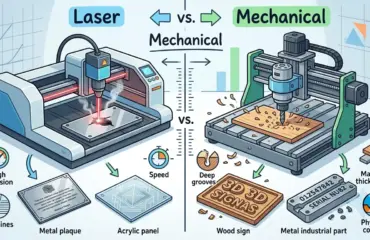
The laser process works by directing a focused beam onto the material surface, vaporizing or burning the top layer to create the desired mark. Because there is no physical contact, there is no tool wear to manage and no cutting force to deflect the workpiece. This makes laser engraving particularly strong for thin or delicate materials that would deform under mechanical pressure. The tradeoff appears in the heat-affected zone: different materials respond differently to the same laser settings, and operators must understand how each substrate reacts to achieve consistent results.
Mechanical engraving, by contrast, uses a rotating cutter to physically remove material. This approach provides precise depth control and works well on thicker substrates where a visible groove or relief is required. The tradeoff is that tooling wears, chips must be evacuated, and fixturing must hold the part rigidly against cutting forces. A mechanical engraver that is well maintained and properly tooled can produce exceptional results, but it demands more attention from operators than a non-contact process.
Stone engraving sits in its own category because the material properties are so different. Granite, marble, and quartz are hard, brittle, and abrasive. They require specialized tooling, robust machine construction, and careful handling to prevent chipping or cracking. A machine designed for lightweight decorative engraving on wood or acrylic will not survive sustained stone work, regardless of how versatile its control software appears to be.
Mapping Applications to the Correct Process
The fastest way to narrow the decision is to map each application family to its best-fit process direction before evaluating specific machines. This step prevents the common mistake of comparing machines across incompatible process families.
| Application | Best-Fit Process Direction | Rationale |
|---|---|---|
| Acrylic signs, display parts, decorative panels | Non-metallic laser engraving | Fine graphics, clean edge potential, strong fit for visually inspected work |
| Wood branding, furniture decor, panel surface graphics | Laser or CNC engraving depending on desired depth | Laser suits surface detail and branding; CNC suits deeper routed effects and carved geometry |
| Metal part identification and traceability | Dedicated metal marking or engraving track | Permanent identification requirements should be evaluated around metal process needs |
| Deep plates, dies, tooling, heavier material removal | Mechanical or CNC engraving | Controlled depth and physical removal matter more than non-contact surface treatment |
| Granite, marble, quartz, similar hard materials | Stone machining or stone engraving cell | Hard-material processing requires a different machine class and handling logic |
| Mixed-material short runs | Separate the queue by material family first | Too many unrelated materials in one cell creates setup drift and quality inconsistency |
The expensive mistake happens when a buyer sees one impressive sample and assumes the same machine will carry every future job. The right process depends on whether the factory needs fine surface detail, controlled depth, hard-material carving, or durable industrial identification. These are different production problems with different machine solutions.
Consider a furniture manufacturer that wants to add branding to cabinet doors. If the branding is a shallow logo on the surface, a laser system will produce crisp, consistent results with minimal setup time. If the design calls for a deep carved effect that customers can feel when they run their fingers across the panel, a CNC router with an appropriate bit will deliver the required depth and texture. Choosing the wrong process for either job means either shallow, unsatisfying marks or unnecessary processing time on jobs that only need surface detail.
Similarly, a job shop that receives occasional requests for engraved stone plaques should not buy a stone machine based on that volume alone. The more practical approach is to evaluate whether the stone work justifies a dedicated cell or whether it should be outsourced until the volume supports the investment. Forcing occasional stone jobs through a machine designed for lighter materials will damage the equipment and produce poor results.
Evaluation Criteria That Predict Shift-Level Performance
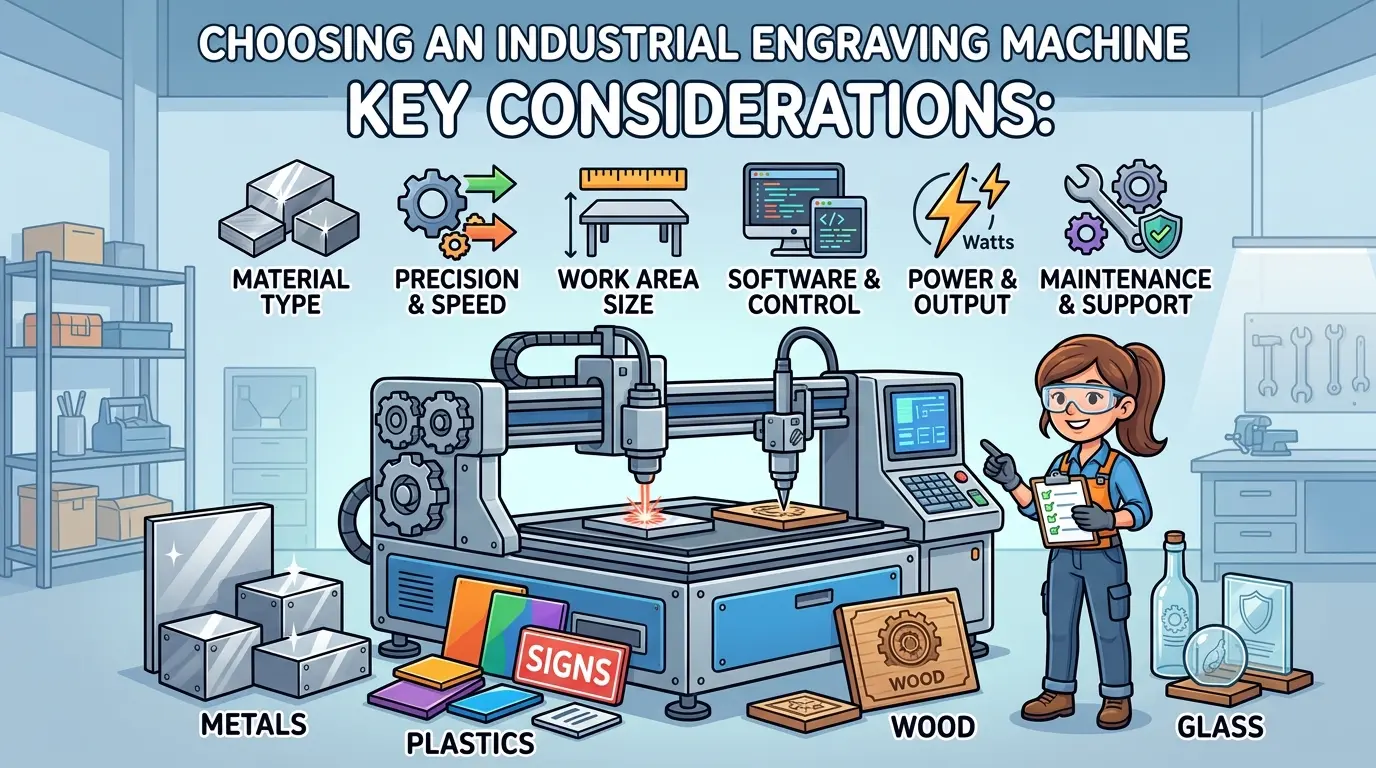
Demo samples show what a machine can do under ideal conditions. They do not reveal whether the machine stays productive across a full shift with real materials, real operators, and real production pressure. Industrial buyers should compare the factors that affect usable output, not just the first attractive result.
| Evaluation Area | What Buyers Should Check | Why It Matters |
|---|---|---|
| Material fit | Run the actual substrates, coatings, finishes, and part sizes used in production | A machine that performs well on one sample may become unstable on the weekly material mix |
| Mark quality or engraving depth | Inspect clarity, edge definition, contrast, consistency, and acceptable depth | The buying decision should be driven by shipping quality, not by whether one sample looks impressive |
| Repeatability | Compare results across multiple runs and multiple positions on the work area | Good first-part quality is not enough if later parts drift |
| Job recall and software practicality | Test recipe storage, file handling, positioning routines, and operator usability | High-mix work fails when stable jobs cannot be recalled quickly |
| Fixturing and part handling | Review how materials are referenced, held, and unloaded | Positioning errors and handling delays often cost more than raw processing time |
| Extraction, dust, smoke, or chip control | Evaluate the cleanup burden during longer runs | Cosmetic quality and maintenance stability depend on waste management, not only on head movement |
| Maintenance access | Check daily cleaning points, tool changes, and inspection access | Machines that are harder to maintain drift sooner in real production |
| Net throughput | Measure the whole cycle including loading, setup, processing, cleanup, and inspection | A slightly slower but more stable machine often delivers more usable parts per shift |
The more industrial the workflow becomes, the more buyers should prioritize process stability over headline speed. Net throughput is shaped by the entire cell, not by one line in a brochure.
Take the material fit test seriously. Bring the actual materials that will run through the machine on a typical week, not just the cleanest sample available. If the shop works with MDF panels that have a light coating, test that exact combination. If the acrylic arrives with protective film on both sides, find out whether the film must be removed before engraving or whether the machine can process through it. If the wood stock has variable grain density, check whether the engraving depth remains consistent across different boards. These variables determine whether the machine will hold quality across the production week.
Repeatability testing deserves particular attention. Run the same job five times in a row and measure the results. Then run it again after the machine has been running continuously for several hours. Thermal drift, mechanical wear, and software inconsistencies can all cause results to shift over time. A machine that produces a perfect first part but drifts on the tenth part will create rework and scrap that erode the apparent productivity advantage.
Job recall and software practicality are often underestimated until the machine is in daily use. In a high-mix environment, operators need to recall stable job parameters quickly and confidently. If the software requires rebuilding the job setup from scratch each time, or if file handling is awkward, the machine will spend more time waiting than processing. Ask for a demonstration of how a previously completed job is recalled and rerun. Time that operation and compare it across the machines under consideration.
Fixturing and part handling determine how much of the shift is spent on loading and unloading. A machine with a large work area may seem attractive, but if the operator must climb into the machine to secure each part, the handling time will eat into the throughput advantage. Look for practical workholding solutions that match the part sizes and shapes the shop actually processes. Consider how the machine handles variations in material thickness and whether the referencing system makes setup straightforward or error-prone.
Extraction and waste management are production issues, not housekeeping concerns. Laser engraving produces smoke and residue that can settle on the workpiece and affect cosmetic quality. Mechanical engraving produces chips that must be evacuated to prevent recutting and tool damage. Stone work produces abrasive dust that can damage unprotected machine components. Evaluate the extraction system as part of the machine purchase, not as an afterthought. A machine with inadequate extraction will require constant cleaning, which reduces available production time and increases maintenance costs.
Maintenance access determines how easily the machine can be kept in good operating condition. Check where the daily cleaning points are located and how long routine maintenance takes. Ask about the expected service intervals for consumable components such as laser tubes, lenses, cutters, or spindle bearings. A machine that requires an hour of disassembly to reach a routine maintenance point will be neglected, and neglected machines drift out of specification.
When a Single Machine Works and When It Becomes a Bottleneck
One-machine buying logic looks efficient on paper. In some cases, it is the right move. If the factory mainly engraves and cuts non-metallic parts in one queue, a single laser system can be a practical and efficient choice. The workflow stays consistent, parameters remain stable, and operators develop reliable routines.
The problem starts when buyers combine unrelated process demands in the same purchase. A machine that works well for decorative wood panels may not be the right answer for permanent metal identification. A cell chosen for acrylic surface appearance may not be the right tool for deep engraved plates. A general engraving purchase is also the wrong place to solve hard-material carving.
In those cases, one machine becomes a bottleneck because it carries several different jobs with different acceptance standards:
- Decorative work judged by surface appearance
- Identification work judged by permanence and readability
- Deep engraving work judged by material removal
- Hard-material work judged by tooling fit and handling stability
When those requirements diverge, separate the purchase decision by process rather than forcing one machine class to cover every application.
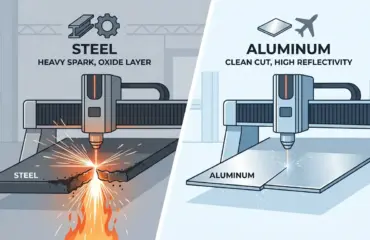
A real production example illustrates the point. A manufacturer of control panels needed both decorative engraving on acrylic faceplates and permanent identification on aluminum housings. The acrylic work required fine detail and clean edges, which a laser system handled well. The aluminum identification required a mark that would survive handling, cleaning, and years of service. The laser system that produced beautiful results on acrylic could not deliver the required permanence on aluminum. The manufacturer had to either add a separate metal marking process or compromise on the identification quality. The correct decision was to treat the two requirements as separate process tracks from the start.
Another common scenario involves shops that want to add deep engraving capability to an existing laser operation. The laser handles surface detail well, but deep engraving requires multiple passes that are slow and may produce inconsistent depth. A mechanical engraver with a properly selected cutter will remove material in a single pass with controlled depth. The two machines complement each other, but neither replaces the other. Trying to force deep engraving through a laser system because it is already on the floor will produce slow cycles and marginal quality.
Common Buying Mistakes in Industrial Engraving Projects
The recurring failures in engraving machine procurement follow a consistent pattern:
- Buying from a generic product label instead of a defined process requirement
- Treating metal, wood, acrylic, and stone work as if they belong in the same evaluation track
- Judging performance by a single demo sample instead of repeated production trials
- Overvaluing headline speed while ignoring loading, cleanup, and inspection time
- Assuming a decorative engraving setup will also solve traceability or deep-engraving jobs
- Ignoring maintenance burden until after installation
- Trying to solve hard-material engraving with a machine class better suited to lighter decorative work
These are workflow mistakes, not just machine mistakes. The equipment may function correctly, but the factory still loses output if the process match is wrong.
The generic product label problem appears when buyers search for an engraving machine without specifying the material family or the acceptance standard. A machine marketed as versatile may handle many materials adequately but none exceptionally well. The shop that needs consistent daily output on one material family is better served by a machine optimized for that specific work than by a generalist that compromises on every material.
The single demo sample problem is particularly dangerous because it creates false confidence. A well-prepared demo uses the best material, the optimal settings, and the most forgiving design. Production conditions are rarely that favorable. The material may have variations, the operator may be under time pressure, and the design may include fine details that are difficult to reproduce consistently. Running repeated trials with production materials and realistic designs reveals the true capability of the machine.
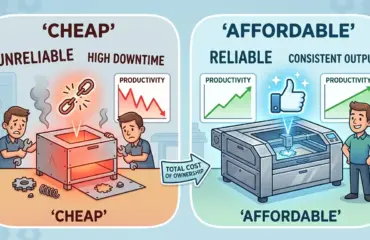
The headline speed problem shows up in throughput calculations that only count processing time. A machine that engraves 20 percent faster but requires 30 percent more setup time and produces 5 percent more rejects will deliver fewer usable parts per shift. The full cycle includes loading, referencing, processing, unloading, cleaning, and inspection. Measure the complete cycle, not just the engraving pass.
Practical Selection Logic
An engraving machine should be chosen by application, material behavior, finish expectations, and production flow, not by the broad label alone. For wood, acrylic, and similar non-metallic decorative work, laser engraving is commonly a strong fit. For metal identification or metal-focused engraving, evaluate that requirement as a separate industrial process. For deeper routed work or controlled material removal, mechanical or CNC engraving is often the better direction. For stone and other hard materials, a dedicated stone-machining workflow is usually the practical answer.
The safest buying logic is straightforward: define the output, match the process, test with real parts, and measure usable output across the full cycle. That approach leads to a better machine decision than any generic claim about the best engraving machine for every industrial application.
When the application is clearly in the non-metallic decorative category, the decision narrows to selecting the right laser system for the specific material mix and production volume. Consider the work area size relative to the largest parts that will be processed regularly. A machine with a larger work area than needed adds cost and floor space without adding value. Conversely, a machine that barely accommodates the largest part will create handling difficulties and may limit future opportunities.
For shops that process a mix of wood and acrylic, evaluate how the machine handles the transition between material types. Some materials require different focus settings, power levels, or speed parameters. The software should make these adjustments straightforward and repeatable. If the machine requires extensive manual tuning for each material change, the setup time will reduce the practical throughput advantage.
When the application includes both cutting and engraving, verify that the machine handles both operations without compromising either. Some laser systems are optimized for one function and perform the other only marginally. A machine that cuts cleanly but produces inconsistent engraving depth will create quality problems on the engraving side. Test both operations with the materials that will run in production.
For stone work, the decision logic changes fundamentally. The machine must be robust enough to handle the vibration and abrasive load of hard-material processing. The tooling must be appropriate for the specific stone type, and the handling system must accommodate the weight and fragility of stone slabs. A stone engraving cell is a production system, not a standalone machine. Evaluate the entire workflow, including material transport, positioning, and waste management.
The final consideration is growth. The machine that fits today’s production may need to handle different materials or larger volumes in the future. Choose a machine that leaves reasonable headroom in work area, power, or tooling options without paying for capability that will not be used in the foreseeable future. The right machine is the one that matches the defined output specification, performs reliably across the full production cycle, and fits the shop’s workflow without creating new bottlenecks.