Pandaxis

  • Products
    • CNC Nesting Machines
    • Panel Saws (Beam Saws)
    • Sliding Table Saws
    • Edgebanders
    • Boring & Drilling Machines
    • Wide Belt Sanders
    • Laser Cutters and Engravers
    • Stone CNC Machines
  • About Us
  • Contact Us
  • EnglishEnglish
    • Español Español
    • Italiano Italiano
    • Deutsch Deutsch
    • Français Français
    • Português Português
    • العربية العربية
    • Türkçe Türkçe
    • Русский Русский
    • Tiếng Việt Tiếng Việt
    • 한국어 한국어
    • 日本語 日本語
    • 简体中文 简体中文
  • Home
  • Blog
  • Blog
  • How To Choose the Right CO2 Laser Machine for Non-Metal Processing

How To Choose the Right CO2 Laser Machine for Non-Metal Processing

by pandaxis / Wednesday, 22 April 2026 / Published in Blog
How To Choose the Right CO2 Laser Machine for Non-Metal Processing

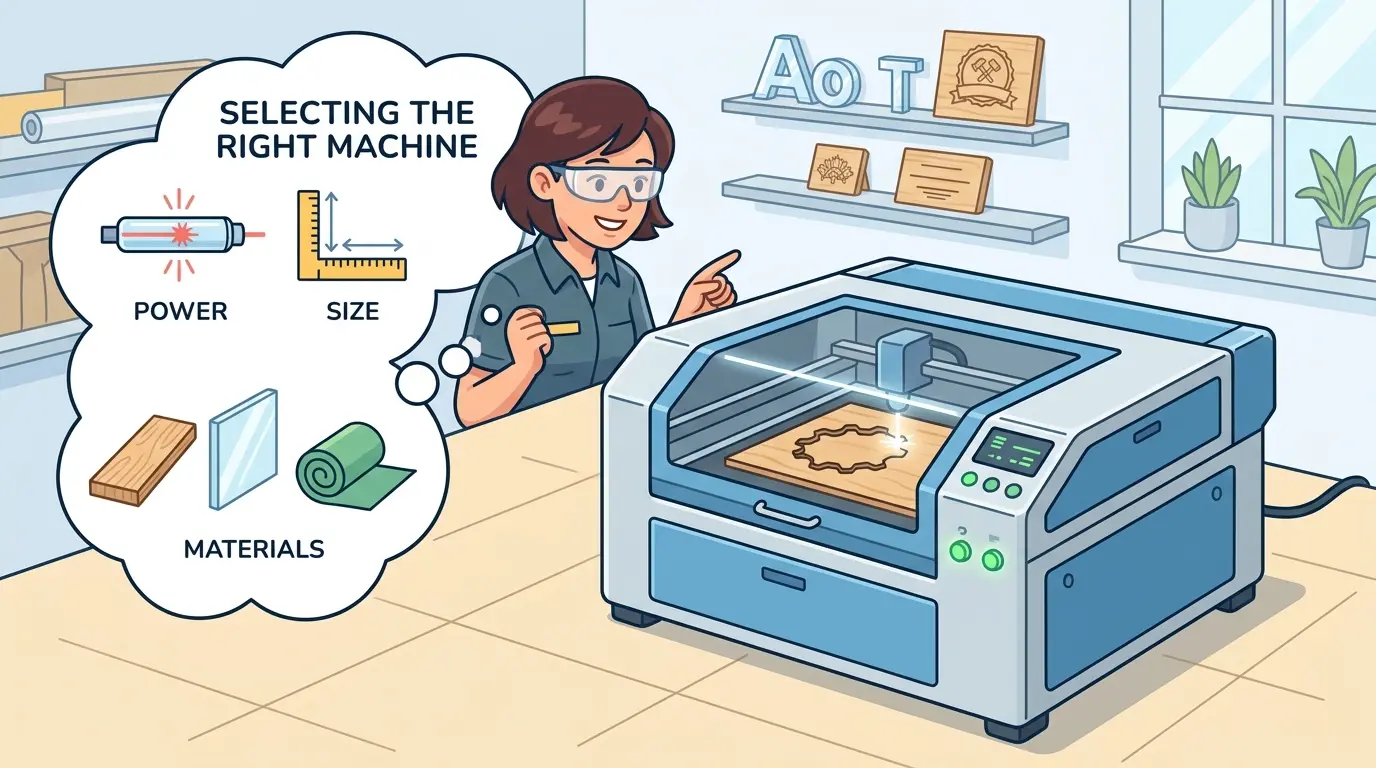
Selecting a CO2 laser for non-metal work fails when the decision rests on a polished demo sample instead of the weekly production queue. Acrylic display parts, engraved wood panels, and plywood components each impose different demands on focus stability, extraction capacity, air assist, and motion control, so a machine that excels on one material often degrades on the next. Before comparing quotes, you must match power, bed size, and setup repeatability to the thicknesses and finish standards that actually consume machine hours, because the cost of a wrong choice shows up daily as scrap, slower changeovers, and operator intervention.

Start With the Jobs That Actually Consume Machine Hours

A CO2 laser machine can look excellent in a controlled demo. A clean acrylic sample, a crisp engraving on a maple panel, a tight contour on a piece of plywood. The sample proves the beam can do the work. It does not prove the machine can do the work profitably across a real production queue.

The decision gets complicated when that same machine has to handle a mixed non-metal workload. Acrylic display parts one shift, engraved wood panels the next, plywood components after that. Each material places different demands on the beam, the motion system, the extraction, and the operator. The buying question shifts from “Can this machine cut non-metal materials?” to “Which configuration will keep quality and throughput stable across the jobs that actually consume machine hours?”

For shops evaluating laser cutters and engravers for wood, acrylic, and similar non-metallic work, the practical approach is to match the machine to the recurring production mix rather than to an impressive one-off sample.

Why Non-Metal Materials Do Not Behave the Same Way Under the Beam

Non-metal materials share a category label, but they do not behave the same way under a CO2 beam. Acrylic typically rewards cleaner edges and consistent visual finish, which puts pressure on focus stability and air assist. Wood-based materials introduce resin, glue lines, grain variation, and darker edge appearance, which shifts the priority toward extraction and process control. Softer materials may place more pressure on hold-down and motion stability than on raw cutting force.

That is why the evaluation should start with the production goal, not with a generic machine label. A shop making decorative acrylic parts, wood signage, product displays, packaging components, or custom non-metal shapes is balancing four priorities simultaneously:

  • Edge quality
  • Throughput
  • Material flexibility
  • Setup repeatability

If any one of those is treated as secondary during machine selection, it typically surfaces later as scrap, slower changeovers, extra cleanup, or more operator intervention than planned.

Consider a shop that cuts 3 mm acrylic display stands in the morning and switches to 12 mm plywood jigs in the afternoon. The acrylic job demands a clean, flame-polished edge with no hazing. The plywood job demands full cut-through with minimal charring on the bottom face. These are not the same process. The acrylic job is won or lost on focus stability and air assist pressure. The plywood job is won or lost on extraction capacity and the ability to maintain a consistent focal point through a thicker, less homogeneous material. A machine that handles one beautifully and struggles with the other will force the operator to compromise on one job every single day.

Evaluate the Real Material Mix, Not the Best Demo Sample

Supplier demos are useful for verifying basic capability, but they rarely reflect a full production queue. Most disappointing machine purchases happen because the buying team evaluates a CO2 laser on one ideal sample while daily production includes several materials, several thicknesses, and very different finish expectations.

Material or Job Type What Buyers Usually Need What Commonly Creates Trouble
Acrylic parts Cleaner edges, stable contour accuracy, visually acceptable finish Heat buildup, edge inconsistency, cosmetic rejects
Decorative wood panels Fine detail, controlled burning, repeatable engraving or cutting Darker edges, face-quality variation, smoke effects
Plywood or engineered board components Reliable cut-through, stable throughput, manageable cleanup Glue-line variation, residue, heavier smoke load
Mixed small-batch non-metal jobs Fast setup changes and repeatable job recipes Time lost between jobs rather than during the cut
Engraving-heavy work Fine motion control and visual consistency Inconsistent depth, uneven appearance, operator-dependent output

The right CO2 machine for non-metal processing is not necessarily the one that looks strongest on a single thick sample. It is the one that performs predictably across the jobs that actually consume machine hours every week.

To evaluate this properly, bring your own material samples to the demo. Do not rely on the supplier’s prepared pieces. Cut the exact thicknesses you run daily. Engrave the same wood species you use for your highest-volume product. Run the machine long enough to see whether the edge quality drifts after fifteen or twenty minutes of continuous operation. A machine that produces a beautiful first part and degrades by the twentieth part is not a production machine; it is a demonstration machine.

Machine Factors That Protect Output Over a Full Shift

Industrial buyers often spend too much time on headline speed claims and not enough on the features that protect good output over an entire shift. For non-metal production, the following factors usually matter more than a one-time speed impression.

Buying Factor Why It Matters in Production Most Important When
Power matched to routine work Affects how easily the machine handles the materials and thicknesses that show up every day The queue includes thicker acrylic, wood parts, or a need for faster cycle times
Motion stability Helps preserve detail, contour accuracy, and repeatable geometry Small parts, intricate shapes, and engraving quality matter
Work area and sheet handling Reduces wasted time before and after cutting The shop runs larger sheets or nests multiple parts per run
Focus stability Supports cleaner cutting and more consistent engraving across repeated jobs Jobs vary in thickness or appearance standards are strict
Air assist and extraction Helps control residue, smoke, and cut-zone contamination Acrylic appearance and wood edge quality both matter
Cooling and runtime stability Supports longer, steadier production rather than short demonstration use The machine runs for repeated shifts or longer batches
Job setup and recipe management Improves repeatability between operators and material changes The shop switches jobs frequently
Maintenance access Makes it easier to keep optics and surrounding components in production condition The machine is expected to run daily, not occasionally

These factors matter because buyers do not ship machine specifications. They ship finished parts. A CO2 machine that is easier to keep stable often produces more saleable output than a machine that only looks impressive in short trials.

Let us examine each factor more closely, because the differences between machines in these areas are often subtle but decisive over a year of production.

Power matched to routine work. A 60 W tube and a 100 W tube may both cut 6 mm acrylic, but they do so at different speeds and with different thermal loads on the material. If your daily work is 3 mm to 6 mm acrylic and thin wood veneers, a smaller tube may be entirely adequate and cheaper to operate. If you regularly cut 10 mm to 20 mm acrylic or thick plywood, the larger tube will reduce cycle time and may produce cleaner edges because the beam spends less time in the cut zone. The mistake is buying power for the occasional 25 mm job that appears twice a year. That job will take longer on a smaller machine, but the extra cost of a larger tube, higher electrical draw, and more demanding cooling system is paid every day, not just on those two days.

Motion stability. The motion system determines how accurately the beam follows the programmed path. For engraving, this translates directly into line quality and depth consistency. For cutting, it affects whether corners stay sharp and whether small features hold their intended dimensions. A machine with a rigid gantry and quality linear guides will hold tolerances across the full work area. A lighter machine may produce acceptable results in the center of the bed and drift toward the edges. If your parts have tight fit requirements or your engraving includes fine text and detailed graphics, motion stability is not a luxury; it is a production requirement.

Work area and sheet handling. The bed size determines how many parts you can nest per run and whether you can process full sheets without pre-cutting. A 600 x 900 mm bed forces you to break down larger sheets before processing. A 1300 x 2500 mm bed lets you run full sheets and nest aggressively. The larger bed costs more, but it may eliminate a separate pre-cutting step and reduce material handling labor. Consider also how parts are held in place. Honeycomb beds support thin materials well but can mark the back of acrylic. Knife-edge or pin beds reduce contact marks but may not support flexible materials adequately. The right support system depends on your material mix and finish requirements.

Focus stability. The focal length of the lens determines the depth of field and the kerf width. A shorter focal length lens produces a finer beam and better detail but has a shallower depth of field, meaning the focus position is more critical. A longer focal length lens gives more tolerance for material thickness variation but produces a wider kerf and slightly less detail. Some machines offer auto-focus or adjustable focus systems that help maintain consistency when material thickness changes. If your shop runs multiple thicknesses in a single shift, focus stability and ease of adjustment directly affect changeover time and part quality.

Air assist and extraction. Air assist blows a stream of compressed air or gas at the cut zone. This serves two purposes: it clears vaporized material from the kerf, which improves cut quality, and it cools the material around the cut, which reduces heat-affected zones. For acrylic, good air assist is essential for producing a clean, polished edge. Without it, the edge may appear cloudy or rough. For wood, air assist helps control charring and reduces the risk of ignition. Extraction is equally important. Wood produces significant smoke and particulate. Acrylic produces fumes that can condense on optics and machine surfaces. A machine with inadequate extraction will require more frequent cleaning, may have shorter optics life, and will create a less safe working environment.

Cooling and runtime stability. CO2 laser tubes generate significant heat. The cooling system must maintain a stable tube temperature to keep power output consistent. A machine with an undersized chiller may start strong and then lose power as the tube heats up during a long run. This shows up as inconsistent cut depth or engraving darkness across a batch. If you run long batches or multiple shifts, verify that the cooling system is sized for continuous operation, not just for short demonstration runs. Also consider the ambient temperature of your facility. A shop that gets hot in summer will stress the cooling system more than a climate-controlled environment.

Job setup and recipe management. Modern CO2 laser machines offer software control over power, speed, frequency, and other parameters. The ability to save and recall job recipes is critical for mixed production. An operator should be able to load a saved recipe for a specific material and thickness, verify the focus position, and start cutting without re-entering all parameters from scratch. This reduces setup time and, more importantly, reduces the risk of operator error. If different operators run the same machine, standardized recipes ensure that the same job produces the same result regardless of who is running it.

Maintenance access. CO2 laser machines require regular maintenance: cleaning lenses and mirrors, checking alignment, cleaning the bed and extraction system, and replacing consumables. A machine that is difficult to access for maintenance will be maintained less frequently, and performance will degrade. Look for machines with accessible optics, easy-to-clean beds, and straightforward procedures for replacing the laser tube and other consumables. Consider the cost and availability of replacement parts, including the laser tube itself, which has a finite lifespan measured in operating hours.

Treat Power as a Throughput Decision, Not a Marketing Number

CO2 laser power should be matched to the thickest routine material, the target cycle time, and the expected finish quality. That is different from buying based on an occasional maximum job.

Higher power can help raise throughput on thicker non-metal materials and can widen the workable process window for some cutting applications. But higher power alone does not guarantee cleaner edges, better engraving quality, or easier operation. If motion control, extraction, focus stability, and recipe discipline are weak, more power can simply expose process problems faster.

In practice, buyers should think about power in this order:

  • The materials that consume the most machine hours
  • The thickness range used repeatedly, not rarely
  • Whether the priority is cutting speed, edge appearance, engraving quality, or a balance of all three
  • How much changeover the machine must handle between different jobs

This approach reduces two common mistakes: underbuying for everyday production demands and overbuying for rare jobs that do not define the machine’s real return on investment.

There is also a practical relationship between power and speed that buyers should understand. Cutting speed scales roughly with power for a given material and thickness, but not linearly. Doubling the power does not double the cutting speed. The beam must still interact with the material for a minimum time to achieve a clean cut. Beyond a certain point, additional power mainly increases the risk of charring or melting the edges, especially on thinner materials. The goal is to find the power level that gives you the speed you need for your thickest routine material without compromising edge quality on your thinner materials.

Engraving is a different consideration. Engraving quality depends more on beam mode and focus control than on raw power. A machine with excellent beam quality and precise focus control will produce finer engraving detail than a machine with higher power but poorer beam characteristics. If engraving is a significant part of your workload, evaluate the machine’s engraving performance specifically, not just its cutting capability.

Bed Size, Material Handling, and Changeovers Deserve More Attention

If a shop routinely works from full sheets or nests many smaller parts together, bed size becomes a productivity issue, not just a dimensional specification. A machine that forces extra pre-cutting, awkward material staging, or frequent repositioning adds labor even when the beam itself performs well.

The same logic applies to part removal and job changes. In non-metal production, many hours are lost between jobs rather than during cutting. Shops that frequently switch between acrylic display parts, engraved wood panels, and functional wood-based components should pay close attention to how quickly operators can return the machine to a stable condition.

Signs that changeover discipline will matter a lot include:

  • Frequent material switching
  • Different appearance standards between jobs
  • Multiple operators sharing the same machine
  • Short-run or custom orders mixed with repeated production parts

When these conditions apply, repeatable setup workflow is often as valuable as raw beam capability.

Consider the actual workflow in a typical mixed-production shop. The operator loads a sheet of 3 mm acrylic, runs a job that produces forty display stands, unloads the parts, cleans the bed, loads a sheet of 6 mm plywood, adjusts the focus, changes the air assist pressure, and runs a different job. The cutting time for the acrylic job might be twelve minutes. The changeover might take eight minutes. If the shop runs ten jobs per day, that is eighty minutes of changeover time. A machine with faster setup features, such as auto-focus, quick-change bed supports, and saved recipes, might reduce that to four minutes per changeover, saving forty minutes per day. Over a month, that is more than sixteen hours of additional cutting time. That is the kind of productivity gain that matters more than a 10% difference in cutting speed.

Material handling also includes the loading and unloading process itself. For large sheets, consider whether the machine has adequate clearance around the bed, whether the bed height is comfortable for loading, and whether there are features such as roller tables or lift assists that reduce physical strain on operators. These factors affect labor cost and operator fatigue, which in turn affect quality and safety.

When CO2 Laser Is the Right Fit and When Another Process May Fit Better

CO2 laser is commonly well suited to non-metal work that benefits from clean contours, fine detail, non-contact processing, and flexible cut-and-engrave workflows. But it is not the best answer to every sheet-processing problem.

Production Need CO2 Laser Fit Better Alternative When Applicable
Acrylic display parts and signage Strong fit Not usually necessary unless another process already fits the full workflow better
Decorative wood panels and detailed shapes Strong fit Application dependent
Engraving plus contour cutting in one workflow Strong fit Often less efficient with purely mechanical processing
Mixed small-batch non-metal production Strong fit Application dependent
Heavy panel breakdown for furniture lines Application dependent Mechanical panel processing may fit better
Full-sheet parts that also need routing and drilling Limited CNC nesting machines often fit better
Primarily metal production Weak fit A different machine technology should be evaluated

This matters because some buyers try to stretch CO2 laser into jobs that are really driven by furniture-line throughput, downstream machining, or structural panel processing. In those cases, the better investment may be a different process altogether. CO2 laser earns its place when the workflow benefits from detail, flexibility, and non-contact non-metal processing.

Let us be specific about the boundaries. A furniture manufacturer cutting cabinet panels from 18 mm particle board will find a CO2 laser slow and expensive compared with a panel saw or a CNC nesting machine. The laser produces a charred edge on particle board, requires significant extraction, and cuts slowly through thick engineered boards. The same manufacturer might use a CO2 laser very effectively for cutting decorative veneer inlays, engraving logos on cabinet doors, or producing acrylic display components for showroom fixtures. The key is to match the process to the job, not to force one machine to do everything.

Similarly, a shop that primarily processes metal should not expect a CO2 laser to handle that work. CO2 lasers are not effective on reflective metals, and the wavelength is poorly absorbed by metal surfaces. For metal cutting, a fiber laser or other technology is required. If your production mix includes both non-metal and metal work, you may need two different machines, or you may need to evaluate which material family represents the larger share of your revenue and invest accordingly.

There is also a middle ground worth considering. Some shops use a CO2 laser for the non-metal portions of their work and outsource or use a separate process for metal. This is often a sensible approach, because it lets each machine operate in its optimal application range. The cost of two specialized machines may be justified by the quality and throughput gains in each process.

Questions To Resolve Before You Compare Quotes

Before comparing suppliers or final configurations, buyers should clarify the production realities that will actually decide success:

  • Which material family will use the most machine time?
  • Are customers more sensitive to edge appearance or delivery speed?
  • Will the machine spend more time cutting, engraving, or switching between both?
  • How often will operators change material type, thickness, or part family?
  • Does the shop need full-sheet handling or mostly smaller parts?
  • How much daily cleaning and maintenance can the team sustain without disrupting output?
  • Will one machine support a dedicated workflow or a shared mixed-job queue?

These questions usually reveal more than a specification sheet does. They expose whether the machine should be optimized for visual quality, throughput, mixed-job flexibility, or a narrower production niche.

Let us walk through how these answers change the machine specification. If the dominant material is 3 mm acrylic and the priority is edge quality, the machine needs excellent focus stability, precise air assist control, and a motion system that holds tight tolerances. Power can be modest. If the dominant material is 12 mm plywood and the priority is throughput, the machine needs higher power, robust extraction, and a bed that handles full sheets efficiently. If the shop runs a mix of engraving and cutting, the machine needs both fine motion control for engraving and sufficient power for cutting, which may push the specification toward a mid-range power level with a high-quality motion system.

The question about maintenance is often overlooked. A CO2 laser requires daily attention: cleaning the lens, checking the extraction system, emptying the collection tray, and inspecting the bed. If your team cannot commit to this routine, the machine will gradually lose performance. Optics that are not cleaned will absorb more energy, reducing cutting power and potentially causing thermal damage. A clogged extraction system will reduce smoke removal, affecting cut quality and creating a fire risk. The best machine in the world will not perform well if it is not maintained.

Failure Modes to Screen Before Buying the Right CO2 Laser Machine for Non-Metal Processing

Several mistakes show up repeatedly in CO2 laser purchases for non-metal processing:

  • Buying for the best-case demo instead of the weekly production mix
  • Choosing power based on rare maximum jobs instead of routine work
  • Underestimating the impact of smoke extraction and cleanup on throughput
  • Treating acrylic, wood, and engineered board as if they have the same quality priorities
  • Ignoring changeover stability in mixed-job production
  • Expecting CO2 laser to replace every mechanical cutting or panel-processing task in the plant

Most of these errors do not come from misunderstanding what a CO2 laser can do. They come from misunderstanding where CO2 laser fits best in a real production workflow.

There is also a tendency to focus on the machine price without accounting for the total cost of operation. The laser tube is a consumable with a finite lifespan, typically measured in thousands of operating hours. Replacement tubes vary significantly in cost. Optics, lenses, and mirrors also wear and require replacement. Extraction filters and consumables add to the operating cost. Electrical consumption and cooling water or chiller operation add to the utility bill. A machine with a lower purchase price but higher consumable costs may be more expensive over a five-year period. Ask suppliers for estimated consumable costs and expected lifespans, and factor those into your comparison.

Another common mistake is underestimating the learning curve. CO2 laser processing is not simply a matter of loading a file and pressing start. Operators need to understand how power, speed, frequency, and focus interact for each material. They need to know how to adjust parameters when material batches vary. They need to recognize the signs of a degrading tube or a dirty lens. If your shop does not have this expertise, budget for training and for a period of reduced throughput while operators gain experience.

Selection Focus: the Right CO2 Laser Machine for Non-Metal Processing

A good CO2 laser machine for non-metal processing is not simply the machine with the most impressive sample or the most aggressive headline claim. It is the machine that matches the real material mix, supports repeatable daily output, and stays manageable when production conditions are no longer ideal.

If your work depends on acrylic parts, wood engraving, shaped non-metal components, or mixed small-batch production where detail and flexibility matter, CO2 laser can be a practical fit. If your output is driven mainly by heavy panel breakdown, routing, drilling, or primarily metal work, another process may align better with the workflow. The strongest buying decision comes from matching the machine to recurring production reality rather than to the most attractive isolated demonstration.
Before you sign a purchase order, run your own materials through the machine you are considering. Test the thicknesses you process daily, not the thickest sample the supplier wants to show. Run a batch long enough to see whether quality drifts. Ask about consumable costs, maintenance requirements, and training support. Talk to other shops in your industry about their experience with the same machine model. The machine that performs well in your specific production environment, not the one that wins the demo competition, is the machine that will deliver the return on investment you need.

What you can read next

Edgebander 3
Edge Banding Machine Setup: How to Improve Glue Line Quality
What Is a CNC Machine Casting and Why Does Machine Structure Matter?
How to Choose the Right Laser Machine for a Modern Fabrication Shop

Recent Posts

  • CNC Machine Plans When Plans Save Money and When They Create Rework

    CNC Machine Plans: When Plans Save Money and When They Create Rework

    CNC machine plans promise a lower purchase bill...
  • CNC Simulator Tools

    CNC Simulator Tools: When Virtual Testing Saves Time and Scrap

    Every CNC program that reaches the floor with a...
  • Laser Engraver for Wood

    Laser Engraver for Wood: Best Use Cases in Commercial Production

    Commercial wood shops routinely face a bottlene...
  • What Is a CNC Slicer

    What Is a CNC Slicer? Common Meanings and Use Cases

    When a purchasing team or production engineer s...
  • Big CNC Machine vs Small CNC Machine

    Big CNC Machine vs Small CNC Machine: How Size Changes Cost and Capability

    Production teams comparing CNC platforms often ...
  • Automatic Edgebander vs. Manual Edge Banding: Which One Delivers Better ROI?

    When edge finishing becomes the bottleneck, the...
  • Wall Saw

    Wall Saw Safety, Blade Selection, And Cutting Strategy For Controlled Structural Cuts

    Wall sawing fails most often before the blade e...
  • Metal Engraving: How To Choose the Right Machine for the Job

    Metal engraving decisions fail not at the demo ...
  • What Are CNC Bushings Used For?

    When an axis develops a vague roughness or surf...
  • Root CNC, RS CNC, and PrintNC-Style Open Builds

    Root CNC, RS CNC, and PrintNC-Style Open Builds: Which DIY Community Platform Fits You?

    Community CNC names like Root CNC, RS CNC, and ...
  • Laser Glass Cutter

    Laser Glass Cutter: Where It Fits in Production and Where It Does Not

    The production question comes before comparing ...
  • CNC Stone Cutting for Quartz, Granite, and Marble: How Material Differences Shape Machine Choice

    Quartz, granite, and marble share a fabrication...
  • Small CNC Mill vs Industrial CNC Mill

    Small CNC Mill vs Industrial CNC Mill: How Capacity Changes the Decision

    Shops comparing small CNC mills against industr...
  • Sheet Metal Laser Cutter

    Sheet Metal Laser Cutter Best Practices for Clean, Accurate Cuts

    Laser-cut defects rarely surface at the cutting...
  • What Is a Spiral Milling Cutter

    What Is a Spiral Milling Cutter?

    Buying a “spiral milling cutter” by...

Search for posts

Recent Posts

  • CNC Machine Plans When Plans Save Money and When They Create Rework

    CNC Machine Plans: When Plans Save Money and When They Create Rework

    0 comments
  • CNC Simulator Tools

    CNC Simulator Tools: When Virtual Testing Saves Time and Scrap

    0 comments
  • Laser Engraver for Wood

    Laser Engraver for Wood: Best Use Cases in Commercial Production

    0 comments

Recent Comments

    Support

    • About Us
    • Contact Us
    • Company Blog
    • Terms of Service
    • Privacy Policy
    • Sitemap

    Newsletter

    Subscribe for Pandaxis product updates, application insights, and practical news on CNC woodworking, stone fabrication, and laser processing solutions.

    GET IN TOUCH

    Email: info@pandaxis.com

    Whether you are looking to integrate a high-speed CNC woodworking line or deploy a heavy-duty stone cutting center, our technical engineers are ready to optimize your production. Reach out today to bring precision to every axis of your facility.

    • GET SOCIAL

    © 2026 Pandaxis. All Right Reserved.

    TOP