Pandaxis

  • Products
    • CNC Nesting Machines
    • Panel Saws (Beam Saws)
    • Sliding Table Saws
    • Edgebanders
    • Boring & Drilling Machines
    • Wide Belt Sanders
    • Laser Cutters and Engravers
    • Stone CNC Machines
  • About Us
  • Contact Us
  • EnglishEnglish
    • Español Español
    • Italiano Italiano
    • Deutsch Deutsch
    • Français Français
    • Português Português
    • العربية العربية
    • Türkçe Türkçe
    • Русский Русский
    • Tiếng Việt Tiếng Việt
    • 한국어 한국어
    • 日本語 日本語
    • 简体中文 简体中文
  • Home
  • Blog
  • Blog
  • How To Choose the Right Laser Engraver for Small Shops and Industrial Users

How To Choose the Right Laser Engraver for Small Shops and Industrial Users

by pandaxis / Wednesday, 15 April 2026 / Published in Blog
How To Choose the Right Laser Engraver for Small Shops and Industrial Users

Most laser engraver purchases fail not because the machine cannot mark a sample, but because the buyer matched advertised speed to a demonstration instead of matching workflow reality to daily production. A cabinet shop discovers the bed cannot hold full-size drawer fronts; a sign maker fights inconsistent depth across acrylic suppliers; a production cell watches power drift after two hours of a shift. Before comparing models, define the material mix, part sizes, order pattern, and operator skill level. The machine that fits the workflow earns its cost daily; the one that only impresses on paper generates rework and downtime until replacement.

Why Laser Engraver Purchases Fail After Installation

The demonstration always looks good. The operator places a sample panel in the machine, the beam traces a clean logo, and the finished piece comes out with crisp contrast and sharp edges. The sales literature promised high speed, and the machine delivered. Then the unit lands on the shop floor and meets the actual production schedule, and the problems begin.

A cabinet shop discovers the work area cannot handle the full-size drawer fronts that arrive in every batch. A sign maker finds that acrylic sheets from different suppliers produce inconsistent engraving depth, forcing constant power adjustments. A production cell realizes that the laser holds tolerance for the first two hours of a shift but drifts afterward, and the operator has to babysit settings to keep parts acceptable. None of these failures showed up during the demonstration because the demonstration tested a single material, a single part size, and a single operator under ideal conditions.

The root cause is usually the same: the buyer selected a machine based on advertised speed or one impressive sample instead of the production reality it would have to handle daily. For wood, acrylic, and similar non-metallic materials, the right choice comes from workflow fit first and machine format second. Speed matters, but only after the machine fits the job mix, the part sizes, the shift pattern, and the people who will run it.

Define the Workload Before Comparing Models

Before looking at specifications, define what the machine will be asked to do every day. Four questions clarify the decision faster than any spec sheet:

  • What materials will the machine process most often? Plywood, MDF, hardwood, acrylic sheet, and cast acrylic all behave differently under the beam. A machine that engraves one material cleanly may struggle with another. Plywood has grain variation and glue lines that affect contrast. MDF engraves uniformly but produces more residue. Cast acrylic yields a frosted white mark, while extruded acrylic can produce a clearer or more variable result depending on the batch.
  • Are most jobs engraving-only, or do they also need contour cutting? Engraving-only work puts less demand on power stability and focus control. Cut-and-engrave jobs require the machine to hold quality across two different process modes in the same cycle. The transition between engraving and cutting introduces variables: focus height changes, power settings shift, and the material may move slightly between operations if fixturing is not secure.
  • Does the schedule lean toward short custom runs or repeated production batches? Custom work rewards fast setup and flexible job handling. Batch work rewards repeatability and stable process recall. A shop that runs forty different jobs per week needs different machine behavior than a factory that runs the same panel design for three days straight.
  • Will the laser be a standalone workstation or part of a larger production flow? A standalone unit only needs to fit its own operator. A production cell needs to match upstream part flow and downstream quality standards. If the laser feeds an edgebander or a finishing line, the output rhythm and part orientation must align with those downstream operations.

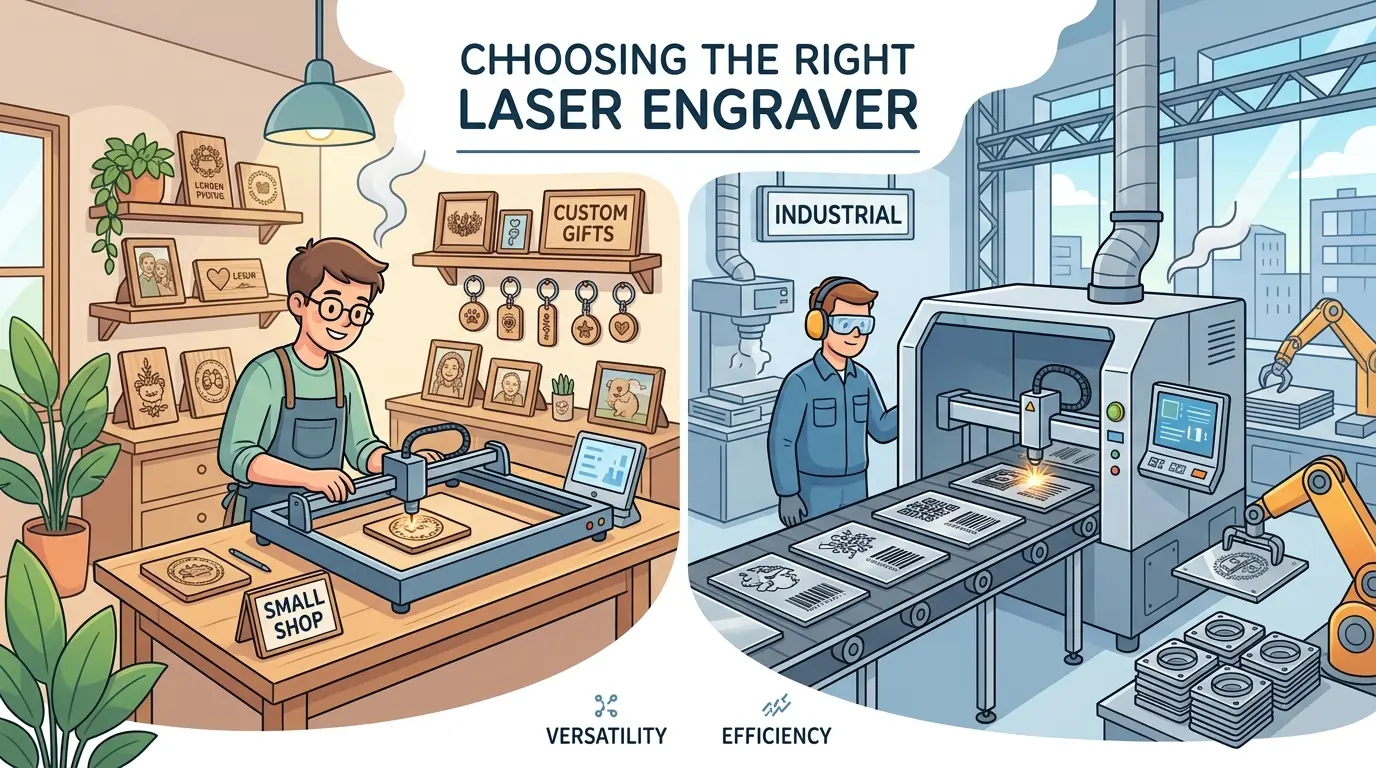
For a small shop, those answers usually reveal whether flexibility and quick changeovers matter more than steady-volume efficiency. For an industrial buyer, the same answers point to loading discipline, repeatability, and how well the laser fits surrounding operations.

If the application extends into metal marking or metal cutting, treat that as a separate equipment decision. The evaluation logic for metal processing differs substantially from non-metal laser work and should not be folded into the same purchase. Fiber lasers, protective gas requirements, and different safety considerations change the cost structure and the operational demands entirely.

Small-Shop Priorities vs Industrial Priorities

The term “laser engraver” covers very different buying environments. Both small shops and industrial users need clean detail and dependable operation, but they usually value different things first. A one-person sign shop and a production cabinet factory are not solving the same problem, and they should not evaluate machines the same way.

Buying Factor Small-Shop Focus Industrial Focus Why It Matters
Job Mix Flexibility across different orders Stability across repeated production patterns A machine that fits one environment may slow the other
Setup Rhythm Fast changeovers and easy operator control Standardized process control and fewer variable adjustments Setup time becomes either a daily bottleneck or a repeatability risk
Part Size and Work Area Enough range for mixed jobs without overspending on capacity Layout that matches part flow and batch handling Oversized capacity wastes capital; undersized capacity creates workarounds
Duty Expectations Reliable performance without complex support demands Consistent output across long shifts and multiple operators The real buying issue is stable production, not one successful sample
Loading and Unloading Simple handling for low-volume work Reduced manual intervention and better cell rhythm Material handling often decides actual throughput
Quality Standard Clean visual results across varied jobs Repeatable output with fewer cosmetic rejects Appearance quality matters in both cases, but inspection pressure rises in production lines
Maintenance Burden Easy cleaning and service access Predictable maintenance without schedule disruption Downtime hurts margins differently, but it hurts both buyers

This is the core tradeoff. Small shops that buy like factories pay for complexity they never fully use. They end up with a machine that requires more training, more maintenance planning, and more process documentation than the operation can sustain. Industrial users that buy like custom shops create hidden labor and quality problems. They get a machine that handles variety well but cannot hold the repeatability standard that a production line demands.

Consider a small shop that produces custom wooden signs, trophies, and small acrylic displays. The job mix changes daily. The operator is often the owner. That shop needs a machine with intuitive software, quick material changeovers, and forgiving focus requirements. A production-grade system with complex fixturing requirements and multi-step calibration procedures would slow the shop down even if its raw speed is higher.

Now consider a factory that engraves brand logos onto cabinet panels as part of a continuous production line. The same panel design runs for days. The operator runs the machine for eight hours straight. That factory needs repeatable positioning, stable power output across the shift, and minimal operator intervention. A flexible machine designed for job-shop variety would introduce too many adjustment points and too much variation between operators.

When the Machine Should Also Cut

Some buyers do not actually need a pure engraving workflow. They need one machine to engrave artwork, logos, labels, or decorative details and then cut the finished shape in the same cycle. In that case, evaluating laser cutters and engravers for wood, acrylic, and similar non-metal materials makes more operational sense than treating engraving as a separate step.

This approach suits several common applications:

  • Acrylic signage and display components where the engraved face and the cut profile are part of the same part. The engraving defines the visual content, and the cut defines the physical boundary. Doing both on one machine eliminates a transfer step and a second fixturing setup.
  • Engraved wooden panels and decorative pieces that need shape accuracy and surface detail. A decorative wall panel with an engraved pattern and a routed profile can be completed in one handling cycle if the laser handles both operations.
  • Short-run parts that require both shape accuracy and surface detail. Prototype enclosures, small-batch product housings, and custom packaging inserts often need both engraving and cutting in the same cycle.
  • Shops trying to reduce manual transfers between separate engraving and cutting processes. Every transfer introduces alignment risk and labor cost. Combining operations on one machine removes that risk.

The combined approach is less compelling when engraving and cutting compete for the same machine time in a way that disrupts scheduling. If engraving demand is steady and cutting demand is also steady, combining both functions on one system improves flexibility but weakens throughput control. The machine becomes a scheduling bottleneck because two process streams share one resource.

A shop that engraves fifty small acrylic nameplates per day and also cuts fifty larger acrylic panels per day may find that one machine cannot keep up with both demands during peak periods. The engraving jobs wait while the cutting jobs run, or vice versa. In that situation, two dedicated machines may serve the operation better than one combined unit, even though the combined unit looks more economical on paper.

The decision depends on the actual ratio of engraving to cutting work and the tolerance for scheduling conflicts. If the two process types arrive in predictable, separate batches, one machine can handle both with careful scheduling. If they arrive interleaved throughout the day, the combined machine creates constant changeover pressure.

Buying Criteria That Change Real Output

Most engraving buyers do not lose money because they misunderstand laser processing. They lose money because they chose a machine that looked capable in theory but did not hold up inside a real workflow. These criteria matter most:

  • Engraving quality and visual consistency. The relevant question is not whether the machine can mark the sample. It is whether the machine can maintain readable detail, consistent contrast, and acceptable finish quality across the parts that actually make up the schedule. Wood grain variation, acrylic cast differences, and material thickness changes all affect the result. A machine that produces a perfect mark on a flat, uniform sample may produce uneven results on a panel with grain variation or a slightly warped acrylic sheet.
  • Work envelope and part fit. A larger work area is only useful when it matches the real part range. If most jobs are smaller, unused capacity becomes cost without benefit. If parts regularly need awkward repositioning, the machine becomes inefficient even when the nominal bed size looks acceptable. Measure the actual largest part that will run through the machine regularly, not the occasional oversized job that appears twice a year.
  • Changeover speed. Shops with varied orders need quick job switching. Production users need fewer adjustment points and more stable process recall. In both cases, changeover discipline affects output more than buyers often expect. A machine that takes twenty minutes to switch between material types will consume hours of productive time every week in a job shop.
  • Repeatability and fixturing. Consistent placement matters when branding panels, engraving repeated parts, or aligning graphics with cut geometry. Stable referencing reduces rework and protects cosmetic quality across batches. If the machine cannot return to the same position reliably, every batch requires new alignment work and inspection effort.
  • Extraction and housekeeping. Smoke, residue, and general contamination do not just affect cleanliness. They affect inspection results, lens-cleaning intervals, operator time, and how stable the process remains over a full shift. A machine with weak extraction will deposit residue on the lens, which degrades beam quality and forces more frequent cleaning stops. The operator spends time cleaning instead of producing parts.
  • Duty cycle expectations. A machine selected for occasional use behaves differently from one expected to support steady production. The buying decision should reflect actual utilization, not optimistic future assumptions. A machine rated for intermittent use will overheat or drift if pressed into continuous service.
  • Serviceability and training. Easy maintenance access and realistic operator training requirements matter because a technically capable machine still underperforms if routine upkeep or job setup depends on one highly experienced person. If the only person who can calibrate the machine is the one who installed it, the shop carries a hidden risk.

Material Behavior and Process Stability

The material mix drives more purchasing decisions than any other factor, yet it is often the least examined during the buying process. Wood and acrylic are not uniform inputs. They vary by species, manufacturing process, moisture content, and batch.

Plywood presents grain direction, glue lines, and surface voids. The laser beam interacts differently with each layer, producing variable contrast and depth. A machine with stable power output and good focus control handles this variation better than one that drifts. MDF engraves more uniformly but produces fine dust and residue that must be extracted effectively. Hardwood species vary in density and resin content, which affects how much power is needed for a given depth of engraving.

Acrylic comes in two main forms: cast and extruded. Cast acrylic produces a frosted white engraving that is popular for signage and displays. Extruded acrylic can produce a clearer mark but may be more sensitive to power settings. The difference matters when a shop switches between suppliers or material grades. A machine that cannot hold consistent output across material variations will produce parts that fail inspection.

Material thickness also affects focus. A machine with manual focus requires the operator to adjust for every material change. A machine with auto-focus or a fixed focus height matched to the most common material thickness reduces setup time and operator error. For a shop that runs the same material thickness most of the time, a fixed focus setup may be simpler and more reliable. For a shop with varied thicknesses, auto-focus saves significant time.

Choosing by Workflow, Not by Spec Sheet

The simplest way to simplify the decision is to match the machine to the role it will play in production. The workflow profile determines which features matter and which are optional.

Workflow Profile Best-Fit Buying Logic Why
Custom shop with varied orders Prioritize flexible job handling and fast setup Mixed order flow usually rewards adaptability more than maximum theoretical throughput
Prototype and short-run workshop Look for a system that shifts cleanly between materials and designs Frequent changes make process control and operator usability more important than one headline metric
Repeated batch engraving on wood or acrylic parts Prioritize repeatability, fixturing stability, and clean inspection results Batch work magnifies small variation into meaningful rework
Industrial production cell adding branding or decorative detail Evaluate how the laser fits material handling, scheduling, and downstream quality standards The laser succeeds when it strengthens the larger workflow rather than interrupting it
Multi-process plant comparing several equipment categories Assess the laser inside a broader Pandaxis product catalog review The correct choice often depends on how engraving supports the full production route, not just the engraving station

Honest tradeoffs matter here. One flexible machine may be enough for a small business with changing order patterns. A larger operation may get better output by narrowing the laser’s role and making the surrounding workflow easier to control.

Consider a shop that produces branded wooden boxes for corporate gifts. The order sizes vary from five pieces to five hundred. The designs change frequently. That shop needs a machine that switches between designs quickly and holds quality across different wood species. The operator needs to load a new file, place the material, and start the job without extensive recalibration.

Now consider a factory that engraves serial numbers and logos onto acrylic control panels for medical equipment. The panel design is fixed. The production volume is steady. The quality standard is strict because the panels face regulatory inspection. That factory needs a machine with stable positioning, consistent power output, and minimal operator intervention. The operator should be able to load a panel, press start, and trust the result.

Failure Modes to Screen Before Buying the Right Laser Engraver for Small Shops and Industrial Users

Laser engraver projects usually go off track for predictable reasons. Recognizing these patterns before purchase prevents expensive corrections after installation.

  • Buying for maximum advertised capability instead of the weekly job mix. A machine that engraves at high speed on a flat sample may not hold that speed or quality on the materials and part geometries that actually run through the shop.
  • Treating engraving and cut-and-engrave work as if they have the same scheduling impact. Combined operations change the machine’s role in the workflow and create different bottleneck risks.
  • Ignoring smoke management, cleanup pressure, and daily maintenance reality. A machine that produces beautiful parts but requires constant cleaning will not sustain production throughput.
  • Assuming a machine suited to custom work will scale smoothly into production duty. The flexibility that serves a job shop becomes a liability in a production environment where repeatability matters more than adaptability.
  • Assuming a production-oriented setup will stay efficient in a small shop with frequent changes. The process controls and standardization that help a factory will slow down a small shop that needs quick changeovers.
  • Focusing on the machine alone instead of the full operator and material flow around it. The laser is one station in a larger process. Its performance depends on how parts arrive, how they are loaded, and how they move to the next operation.

None of these mistakes look dramatic during the quotation stage. They become expensive after installation, when the real workload reveals where the process does not fit.

Operator Skill and Training Realities

The operator is part of the machine system. A laser engraver that requires advanced skills to run well will underperform in a shop that cannot provide those skills consistently. The training burden varies significantly between machines, and that difference matters more than most buyers expect.

For a small shop, the operator may be the owner or a generalist who also runs other equipment. The machine must be learnable within a few days. Software that is intuitive, presets that are easy to save and recall, and focus systems that do not require manual measurement all reduce the training burden. A machine that requires a specialist to operate creates a single point of failure for the business.

For an industrial user, the operator may be one of several people running the machine across shifts. The machine must behave identically regardless of who operates it. Standardized process files, locked settings, and minimal adjustment points all support this requirement. If each operator develops their own way of setting up the machine, output variation will follow.

The training question also affects maintenance. Some machines require regular calibration that only a trained technician can perform. Others have user-serviceable components that a shop-floor operator can handle. The right choice depends on whether the shop has access to technical support and how quickly that support can respond.

Throughput Calculation and Realistic Expectations

Advertised engraving speeds rarely translate directly into production throughput. The actual output depends on loading time, job setup, material handling, and inspection. A machine that engraves a part in thirty seconds may still produce only forty parts per hour because loading and unloading take a minute per part.

Calculate the real throughput before purchase. Estimate the average cycle time per part, including loading, positioning, engraving, unloading, and inspection. Multiply by the number of parts per batch and the number of batches per day. Compare that result with the production requirement. If the machine cannot meet the requirement with realistic assumptions, no amount of advertised speed will fix the gap.

For batch production, consider how the machine handles repeated jobs. Does it save process files with all settings intact? Can the operator recall a previous job and start it without re-entering parameters? Does the fixturing allow consistent placement without measurement? These factors determine whether the second batch runs as smoothly as the first.

For custom work, consider the changeover time between jobs. A machine that requires fifteen minutes of setup between each job will consume hours of productive time in a day of varied orders. The cost of that lost time may exceed the price difference between machines.

A Practical Decision Path

To buy well rather than buy quickly, follow this sequence:

  1. Define the core material mix and separate frequent work from occasional work. The machine must handle the frequent work excellently and the occasional work acceptably.
  2. Decide whether the main need is surface engraving, combined cutting and engraving, or a mix that must be scheduled carefully. This decision determines the machine format and the operational expectations.
  3. Map the real order pattern: custom, short-run, batch, or continuous production support. Each pattern rewards different machine characteristics.
  4. Evaluate how parts will be loaded, referenced, inspected, and unloaded instead of looking only at the machine table. The material handling around the machine often determines actual throughput more than the machine’s raw speed.
  5. Choose the setup that protects quality and workflow stability, even if it looks less impressive on a spec sheet. The machine that fits the workflow will produce better parts and lower operating costs than the machine with the highest advertised speed.

That sequence prevents two common failures: overbuying for flexibility that never generates return, and underbuying for production demands that the machine will be asked to carry every day.

Selection Focus: the Right Laser Engraver for Small Shops and Industrial Users

The right laser engraver for a small shop handles varied jobs cleanly, changes over without friction, and delivers dependable quality without creating a maintenance burden that overwhelms the team. The right laser engraver for an industrial user supports repeatable output, stable scheduling, controlled handling, and lower intervention across production runs.

In both cases, the best buying decision comes from matching the machine to the real workflow instead of the broadest possible promise. If the operation works mainly with wood, acrylic, and similar non-metal materials, and if engraving must fit into a larger manufacturing process, the strongest purchase is the one that makes quality easier to hold and production easier to manage. The machine that fits the workflow will earn its cost every day. The machine that only looks good on paper will generate rework, downtime, and frustration until it is replaced.
What you can read next

Panel Saw vs. CNC Nesting Machine
Panel Saw vs. CNC Nesting Machine: Which One Fits Panel Furniture Factories Better?
What Is a CNC Writing Machine?
Laser Engraver for Metal
Laser Engraver for Metal: How To Match Power to Material and Marking Goals

Recent Posts

  • CNC Machine Plans When Plans Save Money and When They Create Rework

    CNC Machine Plans: When Plans Save Money and When They Create Rework

    CNC machine plans promise a lower purchase bill...
  • CNC Simulator Tools

    CNC Simulator Tools: When Virtual Testing Saves Time and Scrap

    Every CNC program that reaches the floor with a...
  • Laser Engraver for Wood

    Laser Engraver for Wood: Best Use Cases in Commercial Production

    Commercial wood shops routinely face a bottlene...
  • What Is a CNC Slicer

    What Is a CNC Slicer? Common Meanings and Use Cases

    When a purchasing team or production engineer s...
  • Big CNC Machine vs Small CNC Machine

    Big CNC Machine vs Small CNC Machine: How Size Changes Cost and Capability

    Production teams comparing CNC platforms often ...
  • Automatic Edgebander vs. Manual Edge Banding: Which One Delivers Better ROI?

    When edge finishing becomes the bottleneck, the...
  • Wall Saw

    Wall Saw Safety, Blade Selection, And Cutting Strategy For Controlled Structural Cuts

    Wall sawing fails most often before the blade e...
  • Metal Engraving: How To Choose the Right Machine for the Job

    Metal engraving decisions fail not at the demo ...
  • What Are CNC Bushings Used For?

    When an axis develops a vague roughness or surf...
  • Root CNC, RS CNC, and PrintNC-Style Open Builds

    Root CNC, RS CNC, and PrintNC-Style Open Builds: Which DIY Community Platform Fits You?

    Community CNC names like Root CNC, RS CNC, and ...
  • Laser Glass Cutter

    Laser Glass Cutter: Where It Fits in Production and Where It Does Not

    The production question comes before comparing ...
  • CNC Stone Cutting for Quartz, Granite, and Marble: How Material Differences Shape Machine Choice

    Quartz, granite, and marble share a fabrication...
  • Small CNC Mill vs Industrial CNC Mill

    Small CNC Mill vs Industrial CNC Mill: How Capacity Changes the Decision

    Shops comparing small CNC mills against industr...
  • Sheet Metal Laser Cutter

    Sheet Metal Laser Cutter Best Practices for Clean, Accurate Cuts

    Laser-cut defects rarely surface at the cutting...
  • What Is a Spiral Milling Cutter

    What Is a Spiral Milling Cutter?

    Buying a “spiral milling cutter” by...

Support

  • About Us
  • Contact Us
  • Company Blog
  • Terms of Service
  • Privacy Policy
  • Sitemap

Newsletter

Subscribe for Pandaxis product updates, application insights, and practical news on CNC woodworking, stone fabrication, and laser processing solutions.

GET IN TOUCH

Email: info@pandaxis.com

Whether you are looking to integrate a high-speed CNC woodworking line or deploy a heavy-duty stone cutting center, our technical engineers are ready to optimize your production. Reach out today to bring precision to every axis of your facility.

  • GET SOCIAL

© 2026 Pandaxis. All Right Reserved.

TOP