Pandaxis

  • Products
    • CNC Nesting Machines
    • Panel Saws (Beam Saws)
    • Sliding Table Saws
    • Edgebanders
    • Boring & Drilling Machines
    • Wide Belt Sanders
    • Laser Cutters and Engravers
    • Stone CNC Machines
  • About Us
  • Contact Us
  • EnglishEnglish
    • Español Español
    • Italiano Italiano
    • Deutsch Deutsch
    • Français Français
    • Português Português
    • العربية العربية
    • Türkçe Türkçe
    • Русский Русский
    • Tiếng Việt Tiếng Việt
    • 한국어 한국어
    • 日本語 日本語
    • 简体中文 简体中文
  • Home
  • Blog
  • Blog
  • How To Choose the Right Laser Machine for Your Material Mix

How To Choose the Right Laser Machine for Your Material Mix

by pandaxis / Saturday, 25 April 2026 / Published in Blog
How To Choose the Right Laser Machine for Your Material Mix

Selecting a laser system by comparing machine categories first is a fast route to a costly mismatch, especially when your floor runs acrylic one shift, plywood the next, and metal marking after that. This article walks through the real decision logic: starting with your actual material list, then separating the process goal—cutting, marking, or engraving—before weighing CO2, fiber, or UV sources. It also forces you to confront changeover time, extraction demands, and maintenance realities that determine whether a technically correct machine becomes a productive one.

Start With the Material List, Not the Machine Brochure

The most common mistake in laser machine selection is starting with machine categories instead of the actual material mix. A system that produces clean acrylic display parts may be completely wrong for sheet metal cutting, and a machine that handles metal marking beautifully may struggle with wood engraving. The real question is not “Which laser is best?” but “Which laser source and configuration match the materials, finish expectations, and process goals that define our production workflow?”

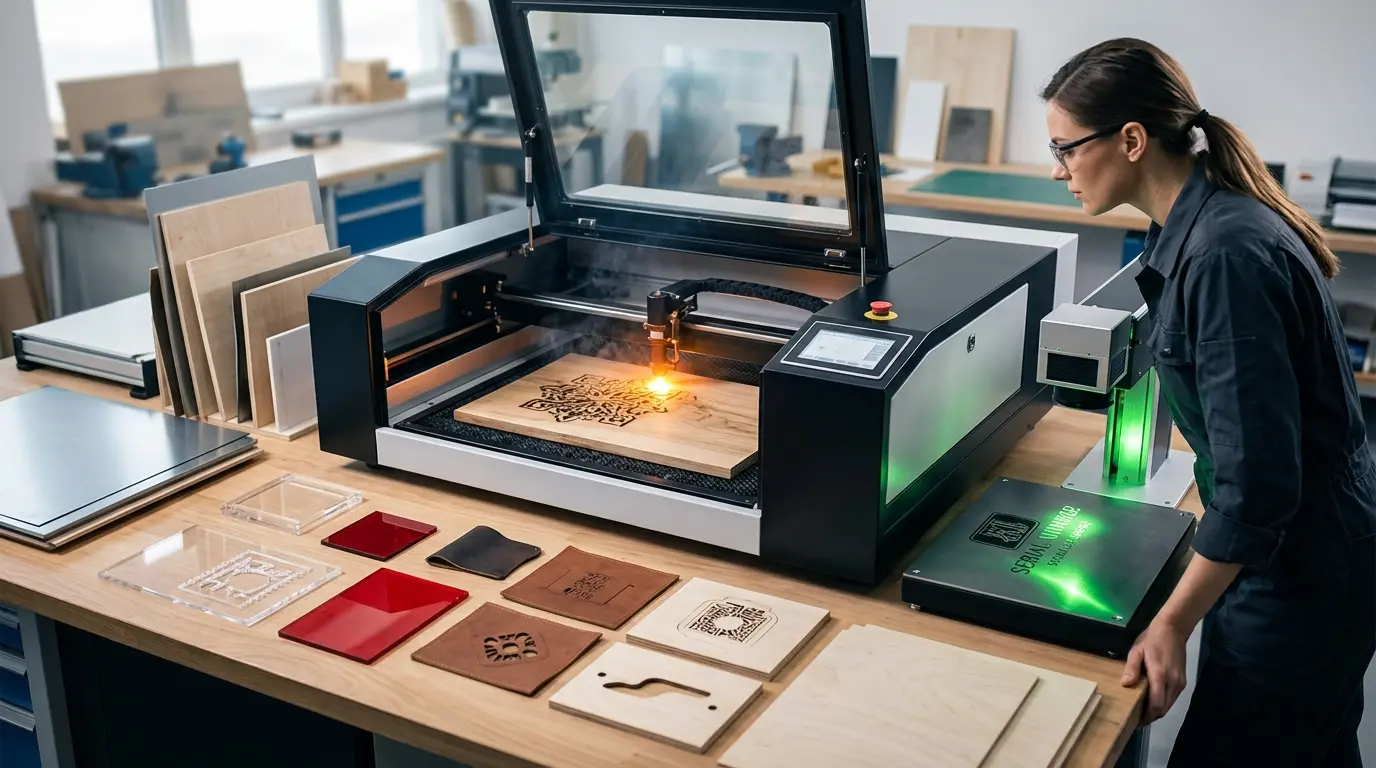
For shops processing wood, acrylic, plywood, MDF, and similar non-metallic materials, a CO2-based system is the natural starting point. Pandaxis laser cutters and engravers are built around that material family. But if your mix extends beyond that range, the selection logic must stay grounded in application fit rather than generic machine labels.

Define the Process Goal Before Comparing Machines

The same part size can place completely different demands on a laser system depending on what the finished piece must do. Three common production outcomes require different machine logic:

  • Clean contour cutting through the full material thickness
  • Fine surface marking with minimal material removal
  • Deeper engraving with visible texture or depth

A shop processing stainless steel tags, acrylic sign panels, plywood decorative inserts, and coated plastic housings is not choosing one universal laser machine. They are choosing among different laser behaviors. The first filter should be the material family, followed immediately by the production objective:

  • Is the job mainly cutting or mainly marking?
  • Is edge finish customer-facing or function-only?
  • Does the material react badly to heat buildup?
  • Will the machine run one material all day or change frequently?
  • Is throughput more important than fine visual detail?

If these questions are not answered clearly, any quote comparison will be less useful than it looks.

Match the Material and Process Goal First

The table below is a practical starting point for narrowing the machine type. It does not replace testing, but it helps eliminate the biggest early error: comparing machines designed for different process outcomes as though they compete on the same job.

Material and Goal Common Laser Fit Why It Often Fits What Buyers Should Watch
Acrylic, wood, plywood, MDF, and similar non-metal sheets for cutting or engraving CO2 laser systems Well suited to non-metal processing that values shape flexibility and detail Edge appearance, smoke control, residue, and repeatability across material batches
Carbon steel, stainless steel, aluminum, and other production metals for cutting Fiber laser systems Typically chosen where metal cutting speed, precision, and workflow efficiency matter Material thickness range, cut quality targets, assist-gas strategy, and part mix
Metal parts that need permanent identification, branding, or traceability marks Fiber laser marking systems Produce durable marks without turning the workflow into a cutting application Mark contrast, cycle time, part handling, and whether depth is actually required
Heat-sensitive plastics, coated parts, electronics-related surfaces, or fine low-damage marking work UV laser systems Selected when lower thermal impact matters more than raw cutting power Material response, mark clarity, and whether the job is marking-only rather than cutting
Mixed decorative non-metal work that combines contour cutting and engraving CO2 laser systems One workflow can handle both shape creation and surface detail Changeover time, fixture discipline, and how often settings shift between materials

The Same Material Can Still Need Different Machines

Material alone does not fully decide the purchase. The same substrate can require different machine logic depending on what the finished part must do.

For example:

  • Metal cutting and metal marking are not the same investment decision.
  • Acrylic contour cutting and acrylic surface engraving may prioritize different levels of speed and cosmetic finish.
  • Wood signage, wood inlays, and wood production components can all run on laser equipment, but they do not place the same pressure on throughput, edge quality, or extraction stability.

A useful buying review should separate the material question into three layers:

  1. What is the material?
  2. What exactly needs to happen to it?
  3. How often does that operation define the weekly workload?

If a metal buyer mainly needs serial numbers and QR codes, a cutting-focused machine may be unnecessary. If a non-metal buyer mainly needs visual contour work with occasional engraving, a flexible CO2 workflow may be more practical than a specialized marking-only setup. The machine should match the recurring job, not the rare exception.

Compare Laser Sources by Workflow Fit, Not by Hype

Industrial buyers usually get better results when they compare source types by process fit rather than by abstract performance claims.

Laser Type Best Fit in Real Production Less Suitable When Main Selection Priority
CO2 Non-metal cutting and engraving on wood, acrylic, and similar materials The plant’s main need is metal cutting or metal part marking Material compatibility, visual finish, extraction, and mixed-job flexibility
Fiber Metal cutting or permanent metal marking workflows The work is mainly acrylic, wood, or other non-metal sheet processing Throughput, precision, metal mix, and how the machine fits upstream and downstream handling
UV Fine, lower-heat marking on more sensitive surfaces The main job is high-throughput sheet cutting Mark quality, substrate sensitivity, and consistency on delicate or coated materials

This kind of comparison keeps the decision honest. No laser source is universally better. Each is stronger when the material response and process goal align with the beam characteristics and the rest of the production line.

Material Mix Usually Decides Whether One Machine Is Enough

A buyer with one stable material family can optimize more aggressively. A buyer running multiple materials has a different problem: keeping setup time, process drift, and operator confusion under control.

In a mixed-material environment, the machine choice should account for:

  • How often jobs change between material families
  • Whether operators need saved recipes for repeated materials
  • How sensitive the materials are to heat or smoke
  • Whether quality failure shows up at the edge, the surface mark, or both
  • How much time is lost between jobs rather than during the laser cycle itself

This is where some purchases go wrong. A machine may look productive on a single-material demonstration but become inefficient when real production includes acrylic one shift, plywood the next, and marking work on a different substrate after that. In those environments, stability and repeatability matter as much as headline speed.

Do Not Ignore Handling, Extraction, and Post-Process Requirements

Buyers often focus on the beam and underweight the surrounding workflow. But material fit is not only about whether the laser can interact with the surface. It is also about what happens before, during, and after the cut or mark.

For material-driven evaluation, buyers should check:

  • How the material is loaded and positioned
  • Whether smoke or dust control will affect visual quality
  • How parts are removed without damage or contamination
  • Whether the process needs secondary cleaning or deburring
  • How repeatable the setup remains across operators and batches

These factors matter because some materials are far more forgiving than others. Acrylic buyers may care immediately about edge appearance. Wood buyers may care about smoke effects and residue. Metal buyers may care about cut readiness for downstream assembly. Sensitive marking applications may care more about thermal control than raw power.

The “right machine for the material” is never only about the source. It is also about how the full workflow protects the result that customers actually see.

When Laser May Not Be the Best Process

A disciplined buying decision should also allow for the possibility that laser is not the best answer for the job in question.

If the production need is dominated by panel breakdown, routing, drilling, edge processing, or heavy mechanical shaping, laser may only solve part of the problem. Likewise, if the job requires a surface condition or downstream machining result that depends more on mechanical processing than on non-contact beam work, a different machine category may fit better.

That does not weaken the case for laser. It improves the quality of the selection process. The best capital purchase is not the one that seems most versatile in theory. It is the one that fits the recurring workflow with the least friction, rework, and process mismatch.

Questions To Resolve Before You Compare Quotes

Before asking suppliers for final configurations, buyers should answer a few practical questions clearly:

  • Which material family will consume the most machine hours?
  • Is the main goal cutting, marking, engraving, or a combination?
  • Does the workflow prioritize visual finish, throughput, or traceability?
  • How often will the machine switch between materials?
  • Which jobs create the highest scrap risk today?
  • Does the plant need one flexible system or a more dedicated setup?
  • What downstream process has to happen after the laser step?

These questions usually reveal more than a generic specification comparison ever will. They expose whether the buyer needs broad flexibility, material-specific optimization, or a more specialized machine matched to a narrow but critical process.

Selection Focus: the Right Laser Machine for Your Material Mix

Choosing the right laser machine starts with material, but it should not end there. The best decision comes from matching material behavior, process goal, finish expectations, and workload pattern to the laser source that fits them most naturally.

CO2 systems are commonly well suited to wood, acrylic, and similar non-metal applications. Fiber systems are commonly chosen for metal cutting and durable metal marking. UV systems are often evaluated when low-heat fine marking matters more than raw cutting output. None of those options is automatically better outside its use case.

The practical way forward is to identify which materials and operations consume the most machine hours, which quality risk matters most, and how much process variation the shop has to manage every week. Once those answers are clear, the machine choice becomes far more defensible and far less dependent on marketing language or one-off demo results.
Failure Modes That Should Shape Your Shortlist

Every laser purchase eventually gets judged by what happens when things go wrong. Instead of comparing only ideal-case performance, walk through the failure modes that matter for your material mix and see which machine design actually reduces their frequency and severity.

For non-metal cutting on CO2 systems, the most common production failures are charring on wood edges, melt-back on acrylic, and inconsistent engraving depth across a large sheet. Each of these traces back to a different root cause. Charring usually comes from excessive power density or slow feed rates that let heat accumulate faster than the material can shed it. Melt-back on acrylic is often a focus or gas-assist problem, where the beam does not stay tight through the cut zone or the airflow cannot clear vaporized material fast enough. Inconsistent engraving depth across a sheet is frequently a focus or material-flatness issue, not a power problem.

For metal cutting on fiber systems, the failure modes shift. Dross on the bottom edge, taper in the cut wall, and heat-affected zone discoloration are the usual suspects. Dross points to assist-gas pressure or focus position issues. Taper often indicates the focal point is not set for the material thickness. Discoloration usually means the cutting parameters are running too hot for the alloy being processed. These are not machine defects; they are setup and parameter problems. But the machine’s design determines how quickly an operator can diagnose and correct them.

The buying lesson is straightforward: ask how the machine supports troubleshooting. Does the control software log parameters per job? Can an operator recall a proven recipe for a specific material batch? Is the focus adjustment repeatable and documented? Machines that make setup drift visible and correctable will always outperform machines that hide the variables behind a glossy interface.

Workflow Effects That Change the Real Cost of Ownership

The purchase price of a laser machine is only the entry ticket. The real cost of ownership is spread across setup time, operator attention, extraction maintenance, consumables, and the rework that happens when a job does not come out right the first time.

Consider a shop that switches between acrylic and plywood several times a day. Every changeover carries a hidden cost: purging the previous material’s settings, running test cuts, adjusting focus, and cleaning any residue that accumulated on the lens or nozzle. A machine with saved job recipes and quick-change assist components can cut that changeover time by a meaningful margin. A machine that requires manual parameter entry and physical adjustments for every job will quietly consume hours every week that never appear on the production report.

Extraction is another cost driver that gets underestimated. Wood produces fine dust and smoke residue. Acrylic produces vapor that can condense on optics and interior surfaces. Metal cutting produces fine particulate that can be abrasive to extraction components. The filtration and extraction system has to match the dirtiest material in your mix, not the cleanest one. If you process wood and acrylic on the same machine, budget for more frequent filter changes and lens cleaning than a single-material shop would need.

Operator skill is the third cost factor. A machine that requires a laser specialist to run effectively is a different investment than a machine that a competent production operator can learn in a few days. For mixed-material shops, the practical question is whether your existing workforce can handle the parameter adjustments, or whether you will need to hire or train for that skill. This is not about the machine being “easy” or “hard” in the abstract. It is about whether the control interface and documentation match the skill level you can realistically maintain.

Maintenance Realities for Mixed-Material Production

Laser machines are not fit-and-forget equipment. The maintenance rhythm depends heavily on what you process and how often you change materials.

For CO2 systems, the optics train is the critical maintenance path. Lenses and mirrors accumulate residue from vaporized materials. Acrylic vapor is particularly aggressive because it can deposit a film that absorbs beam energy instead of transmitting it. Wood processing generates smoke that can coat optics if extraction is not pulling enough volume at the cutting surface. A disciplined cleaning schedule is not optional; it is the difference between consistent edge quality and a slow decline that operators may not notice until parts start failing inspection.

For fiber systems, the maintenance profile is different. The laser source itself typically requires less frequent intervention, but the cutting head, nozzle, and focus optics still need regular attention. Assist-gas quality and pressure consistency matter more than many buyers expect. A contaminated gas supply or a leaking line can produce the same symptoms as a misaligned beam, and troubleshooting those issues takes time.

The maintenance question to ask before purchase is simple: what does the routine schedule look like, and can your team handle it? If the answer involves specialized service visits for every cleaning cycle, factor that into the operating cost. If the machine is designed for operator-level maintenance on the consumable items, that is a real advantage in a busy shop.

Buying Logic for Shops That Are Still Deciding Between Laser and Mechanical Processing

Some buyers are not choosing between laser machines at all. They are choosing between laser and a mechanical process that already exists in the shop. This comparison deserves its own logic.

Laser cutting and engraving are non-contact processes. There is no tool wear in the traditional sense, no cutter deflection, and no mechanical force that can distort thin or delicate parts. That makes laser attractive for materials that are difficult to clamp, prone to deformation, or require intricate internal features that would be awkward with a router or saw.

But laser has real limitations. It is a thermal process, so it always leaves some heat signature on the material. It is generally slower than mechanical cutting for simple straight-line work on thick material. And it cannot produce the same kind of machined edge finish that a router can achieve on certain materials.

The practical decision rule is to look at the part geometry and the production volume. If the parts are flat, intricate, and relatively thin, laser is often the better fit. If the parts are thick, simple, and produced in high volume, mechanical processing may be more efficient. If the shop already has mechanical equipment and the laser would only handle a small percentage of the work, the utilization argument becomes critical. A laser machine that sits idle most of the week is a poor investment no matter how well it handles the occasional job.

Final Selection Criteria for a Mixed-Material Shop

When the material mix is genuinely varied, the selection criteria should be weighted differently than for a single-material operation. The following checklist captures the priorities that matter most in that environment:

  • Parameter storage and recall: Can the machine save and reload proven recipes for each material and thickness?
  • Changeover speed: How long does it take to switch between material families, including focus adjustment and assist-gas changes?
  • Extraction capacity: Does the extraction system handle the dirtiest material in your mix without frequent filter changes?
  • Optics access: How easy is it to clean or replace lenses and mirrors, and does the design minimize contamination exposure?
  • Operator skill fit: Can your existing team run the machine effectively, or does it require specialized training?
  • Service response: What is the realistic lead time for service visits, and does the supplier stock the consumables you will need?
  • Growth path: Will the machine handle the material mix you expect in two years, or are you buying for today’s workload only?

These criteria do not replace the material-by-material analysis covered earlier. They add a layer of operational realism that prevents a technically correct choice from becoming a poor production decision. A machine that is perfectly matched to one material but awkward for the rest of the mix will create friction every week. A machine that handles the full mix with acceptable performance and manageable changeover will earn its place on the floor.

What you can read next

CNC Workholding Fixtures Explained: How Better Fixturing Improves Accuracy
CNC Insert Tooling Explained: When Replaceable Inserts Save Time and Cost
Turret Punch vs CNC Punching Machine: What Is the Difference?

Recent Posts

  • CNC Machine Plans When Plans Save Money and When They Create Rework

    CNC Machine Plans: When Plans Save Money and When They Create Rework

    CNC machine plans promise a lower purchase bill...
  • CNC Simulator Tools

    CNC Simulator Tools: When Virtual Testing Saves Time and Scrap

    Every CNC program that reaches the floor with a...
  • Laser Engraver for Wood

    Laser Engraver for Wood: Best Use Cases in Commercial Production

    Commercial wood shops routinely face a bottlene...
  • What Is a CNC Slicer

    What Is a CNC Slicer? Common Meanings and Use Cases

    When a purchasing team or production engineer s...
  • Big CNC Machine vs Small CNC Machine

    Big CNC Machine vs Small CNC Machine: How Size Changes Cost and Capability

    Production teams comparing CNC platforms often ...
  • Automatic Edgebander vs. Manual Edge Banding: Which One Delivers Better ROI?

    When edge finishing becomes the bottleneck, the...
  • Wall Saw

    Wall Saw Safety, Blade Selection, And Cutting Strategy For Controlled Structural Cuts

    Wall sawing fails most often before the blade e...
  • Metal Engraving: How To Choose the Right Machine for the Job

    Metal engraving decisions fail not at the demo ...
  • What Are CNC Bushings Used For?

    When an axis develops a vague roughness or surf...
  • Root CNC, RS CNC, and PrintNC-Style Open Builds

    Root CNC, RS CNC, and PrintNC-Style Open Builds: Which DIY Community Platform Fits You?

    Community CNC names like Root CNC, RS CNC, and ...
  • Laser Glass Cutter

    Laser Glass Cutter: Where It Fits in Production and Where It Does Not

    The production question comes before comparing ...
  • CNC Stone Cutting for Quartz, Granite, and Marble: How Material Differences Shape Machine Choice

    Quartz, granite, and marble share a fabrication...
  • Small CNC Mill vs Industrial CNC Mill

    Small CNC Mill vs Industrial CNC Mill: How Capacity Changes the Decision

    Shops comparing small CNC mills against industr...
  • Sheet Metal Laser Cutter

    Sheet Metal Laser Cutter Best Practices for Clean, Accurate Cuts

    Laser-cut defects rarely surface at the cutting...
  • What Is a Spiral Milling Cutter

    What Is a Spiral Milling Cutter?

    Buying a “spiral milling cutter” by...

Search for posts

Recent Posts

  • CNC Machine Plans When Plans Save Money and When They Create Rework

    CNC Machine Plans: When Plans Save Money and When They Create Rework

    0 comments
  • CNC Simulator Tools

    CNC Simulator Tools: When Virtual Testing Saves Time and Scrap

    0 comments
  • Laser Engraver for Wood

    Laser Engraver for Wood: Best Use Cases in Commercial Production

    0 comments

Recent Comments

    Support

    • About Us
    • Contact Us
    • Company Blog
    • Terms of Service
    • Privacy Policy
    • Sitemap

    Newsletter

    Subscribe for Pandaxis product updates, application insights, and practical news on CNC woodworking, stone fabrication, and laser processing solutions.

    GET IN TOUCH

    Email: info@pandaxis.com

    Whether you are looking to integrate a high-speed CNC woodworking line or deploy a heavy-duty stone cutting center, our technical engineers are ready to optimize your production. Reach out today to bring precision to every axis of your facility.

    • GET SOCIAL

    © 2026 Pandaxis. All Right Reserved.

    TOP