Buying a laser cutting machine is rarely just about choosing a model with more power or a larger table size. For most factories and workshops, the real question is whether the machine matches the material, the production volume, the finish requirements, and the way jobs move through the shop.
That is why a practical buyer’s guide should start with workflow fit. A laser cutting machine that performs well in acrylic display production may be a poor match for sheet metal fabrication, while a system designed for heavy industrial throughput may be excessive for mixed-job custom work.
What a Laser Cutting Machine Actually Does
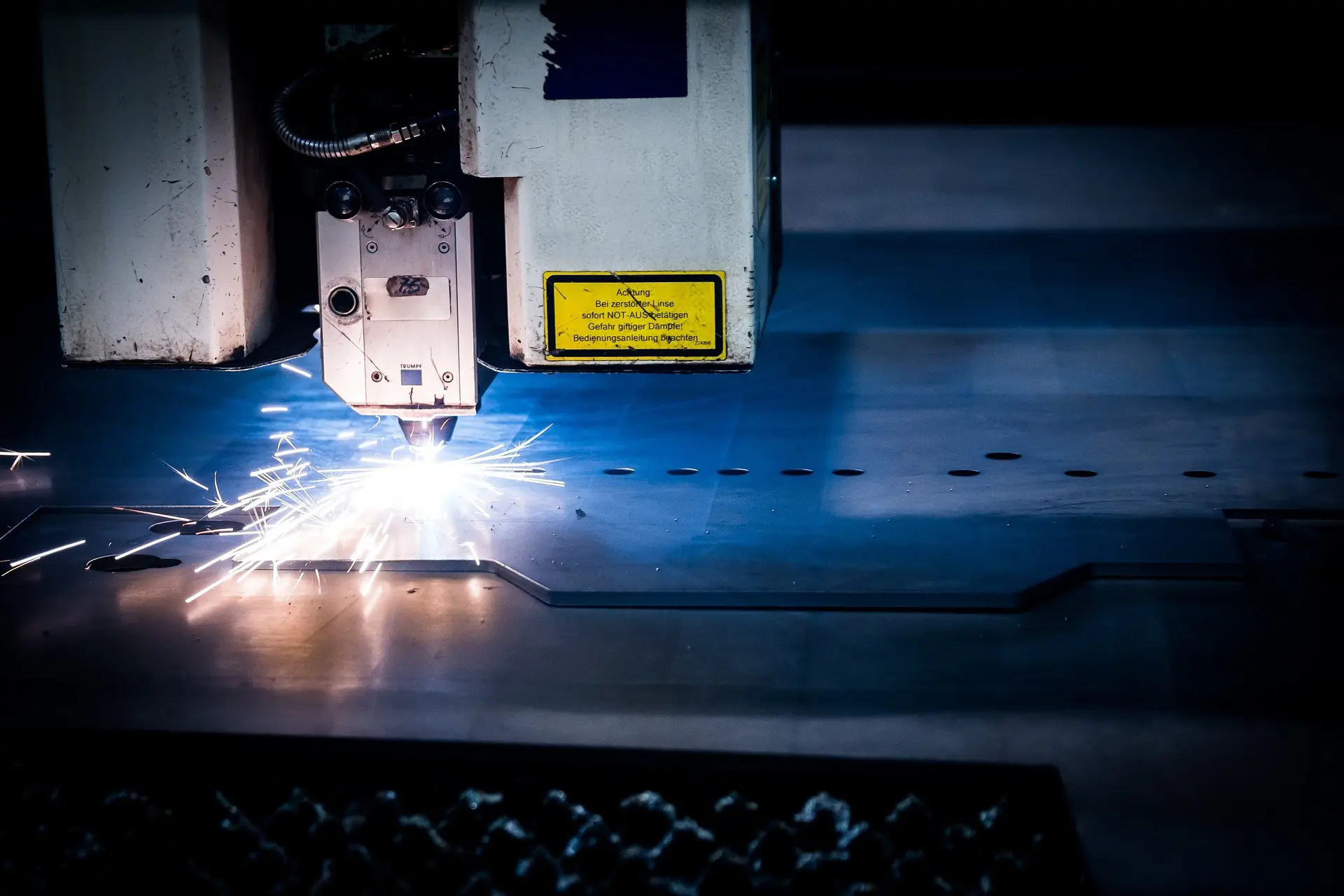
A laser cutting machine uses a concentrated beam of light to cut material along a programmed path. The beam is focused through optics and directed by a CNC-controlled motion system, allowing the machine to process shapes with a high degree of precision and repeatability.
In practical production terms, a laser cutting machine gives buyers four main benefits:
- Digital Shape Flexibility
- Non-Contact Processing
- Repeatable Part Quality
- Faster Changeovers Than Many Tool-Dependent Processes
Those benefits only matter, however, when they align with the real job requirements.
Start With the First Buying Question: What Material Are You Cutting?
This is the most important filter because laser machine selection changes quickly once the material changes.
For Wood, Acrylic, and Similar Non-Metal Materials
CO2 laser cutting machines are commonly used for:
- Acrylic Signage and Display Parts
- Wood Panels and Decorative Components
- MDF Templates and Shapes
- Leather and Fabric Work
- Engraving-Plus-Cutting Workflows
If the job centers on detail, decorative geometry, edge cleanliness on non-metal substrates, and mixed cutting-and-engraving tasks, this is usually the most relevant category. For those applications, the most natural on-site category fit is laser cutters and engravers.
For Metal Fabrication
Metal cutting is typically evaluated through a different decision framework because metal-focused laser systems have different process requirements, machine design priorities, and operating economics. Buyers in that segment usually prioritize:
- Cutting Speed
- Material Thickness Range
- Assist Gas Strategy
- Edge Quality Standards
- Throughput Under Production Load
If your workload is primarily metal, treat that as a separate industrial purchasing path rather than assuming one general laser machine fits all materials equally well.
Second Question: Are You Buying for Cutting Only or Cutting Plus Engraving?
Many buyers know they need a laser machine, but they do not separate cutting needs from engraving needs early enough.
Cutting-Focused Buyers Usually Care More About:
- Material Throughput
- Edge Quality
- Stability on Long Runs
- Table Size and Usable Work Area
- Production Consistency
Cutting-and-Engraving Buyers Usually Care More About:
- Detail Resolution
- Surface Finish Quality
- Ease of Job Switching
- Versatility Across Multiple Product Types
- Mixed Production Flexibility
If both are important, a combined cutting-and-engraving system may be the best fit, especially in shops that handle varied jobs rather than one narrow product line.
Third Question: What Kind of Production Environment Are You Running?
The same machine may look attractive on paper but perform very differently depending on the shop environment.
Custom or Mixed-Job Workshops
These shops usually need:
- Faster Design Changeovers
- Easier File Handling
- Better Flexibility Across Different Materials
- Practical Setup Rather Than Maximum Output Alone
In this environment, the best machine is often the one that reduces friction between jobs.
Batch Production Shops
These operations usually care more about:
- Repeatability Across Runs
- Consistent Cut Quality
- Stable Production Scheduling
- Lower Rework Rates
- Better Material Utilization
Here, the machine should be judged not just on raw speed, but on how consistently it performs over time.
Higher-Throughput Industrial Production
For larger-scale environments, buyers usually look beyond the basic machine and evaluate:
- Automation Level
- Labor Efficiency
- Reliability Under Long Duty Cycles
- Downtime Risk
- Integration With Other Shop Processes
A Practical Comparison Table for Buyers
| Buyer Situation | Main Priority | Best Evaluation Focus |
|---|---|---|
| Acrylic Signage or Display Work | Clean Edges and Shape Flexibility | CO2 laser fit, detail quality, ease of switching jobs |
| Decorative Wood or Mixed Non-Metal Work | Cutting Plus Engraving Versatility | Material compatibility, engraving quality, workflow flexibility |
| High-Volume Repetitive Production | Stable Output and Repeatability | Motion stability, reliability, maintenance, process consistency |
| Custom Job Shop With Frequent Design Changes | Fast Changeovers | Software usability, setup efficiency, multi-job flexibility |
| Broader Industrial Purchasing Evaluation | Long-Term ROI | Operating cost, service, downtime risk, workflow fit |
The Most Important Buying Criteria in Real-World Use
Many buyers compare only visible specs and end up missing the factors that affect daily production performance.
1. Material Compatibility
This is still the first screening step. Do not buy a machine based on generic claims. Evaluate it against the materials that actually drive revenue in your shop.
Ask:
- What Material Will Be Processed Most Often?
- What Thickness Range Matters Most?
- Is Edge Appearance Important?
- Is Burning, Charring, or Surface Marking Acceptable?
2. Output Quality
A machine may be able to cut a material and still not meet your standard for production quality.
Look at:
- Edge Smoothness
- Detail Accuracy
- Repeatability From One Part to the Next
- Amount of Secondary Cleanup Required
In many shops, lower rework is one of the strongest hidden ROI drivers.
3. Motion Stability and Machine Structure
A laser source matters, but so do the machine bed, guides, frame, drive system, and cutting head stability. These determine how well the machine maintains accuracy during real production rather than isolated demo conditions.
4. Software and Job Preparation Efficiency
The machine does not work in isolation. Buyers should also evaluate how easily the operator can move from design file to production-ready job.
This includes:
- File Compatibility
- Layout and Nesting Logic
- Ease of Parameter Management
- Speed of Repeating Common Jobs
When job preparation is slow, even a capable machine can become a bottleneck.
5. Maintenance and Operating Cost
Initial price is only one part of the total investment. Practical buyers also compare:
- Consumable Use
- Optics Cleaning and Replacement Needs
- Cooling Requirements
- Fume Extraction Demands
- Service Access
- Spare Parts Availability
Machines that look cheaper at purchase can become more expensive if maintenance, downtime, or inconsistent output creates production disruption.
6. Service and Support
For many industrial buyers, support quality matters as much as the machine itself. Even a technically strong system can become a liability if service delays interrupt production.
Ask practical questions such as:
- How Fast Can Support Respond?
- Are Spare Parts Readily Available?
- Is Training Available for Operators?
- Can the Supplier Help With Setup and Process Optimization?
7. Fit With the Rest of the Workflow
A laser cutting machine should be evaluated as part of a production chain, not as a standalone asset.
For example, the machine may improve one part of the process, but buyers should also think about:
- Upstream File Preparation
- Material Handling
- Downstream Finishing
- Assembly Requirements
- Packaging or Delivery Timelines
In some cases, a buyer exploring multiple production-equipment directions may be better served by reviewing the broader Pandaxis product catalog to compare where laser processing fits relative to other machinery categories.
Common Buying Mistakes to Avoid
Choosing Based on Power Alone
Higher power does not automatically mean better fit. If the application does not need it, extra power may add cost without improving productivity in a meaningful way.
Ignoring Material-Specific Results
Buyers often ask whether a machine can cut a material, when they should be asking how well it cuts that material under production conditions.
Overlooking Workflow Changeover Time
In mixed-job environments, slow setup and awkward file preparation can matter more than small differences in cutting speed.
Focusing Only on Purchase Price
A lower upfront price can be offset by higher maintenance, poorer reliability, more operator intervention, or more frequent rework.
Treating Every Laser Machine as Interchangeable
Laser technology categories serve different purposes. Buyers should compare machine direction by application fit, not by assuming every laser platform solves the same problem.
When a Laser Cutting Machine Is Usually a Strong Investment
A laser cutting machine often makes the most sense when the shop needs to improve one or more of the following:
- Part Accuracy
- Design Flexibility
- Changeover Speed
- Decorative Detail Quality
- Repeatability Across Batches
- Reduction of Manual Rework
That is especially true in non-metal workflows such as acrylic, wood, and mixed decorative production, where precise cutting and engraving can support both product quality and process consistency.
Final Thoughts
The best laser cutting machine is not the one with the most aggressive specifications on paper. It is the one that fits your material mix, your production rhythm, your quality requirements, and your long-term operating reality.
For practical buyers, the right evaluation order is simple: start with the material, define whether the job is cutting or cutting plus engraving, match the machine to the production environment, and compare total workflow impact rather than headline claims alone.
If your operation centers on wood, acrylic, and similar non-metal applications, laser cutting and engraving systems can be a highly practical part of a production workflow when chosen with the right buying criteria in mind.
FAQ
What Is the First Thing to Check Before Buying a Laser Cutting Machine?
Start with material compatibility. The machine has to match the materials and production outcomes that matter most in your shop.
Is a Cutting-and-Engraving Machine Better Than a Cutting-Only Machine?
It depends on the job mix. If your workflow regularly includes both processes, a combined machine may improve flexibility. If cutting is the only priority, a more focused setup may be a better fit.
Does Higher Laser Power Always Mean Better Performance?
No. Better performance depends on the application. In many cases, process fit, stability, and quality consistency matter more than raw power alone.
Why Is Service Support So Important in a Buying Decision?
Because downtime affects production schedules, labor efficiency, and delivery performance. Reliable support can have a major impact on long-term machine value.
How Should Buyers Compare Machines Beyond Price?
Compare them by material fit, output quality, software workflow, maintenance needs, reliability, support, and how well they fit the full production process.