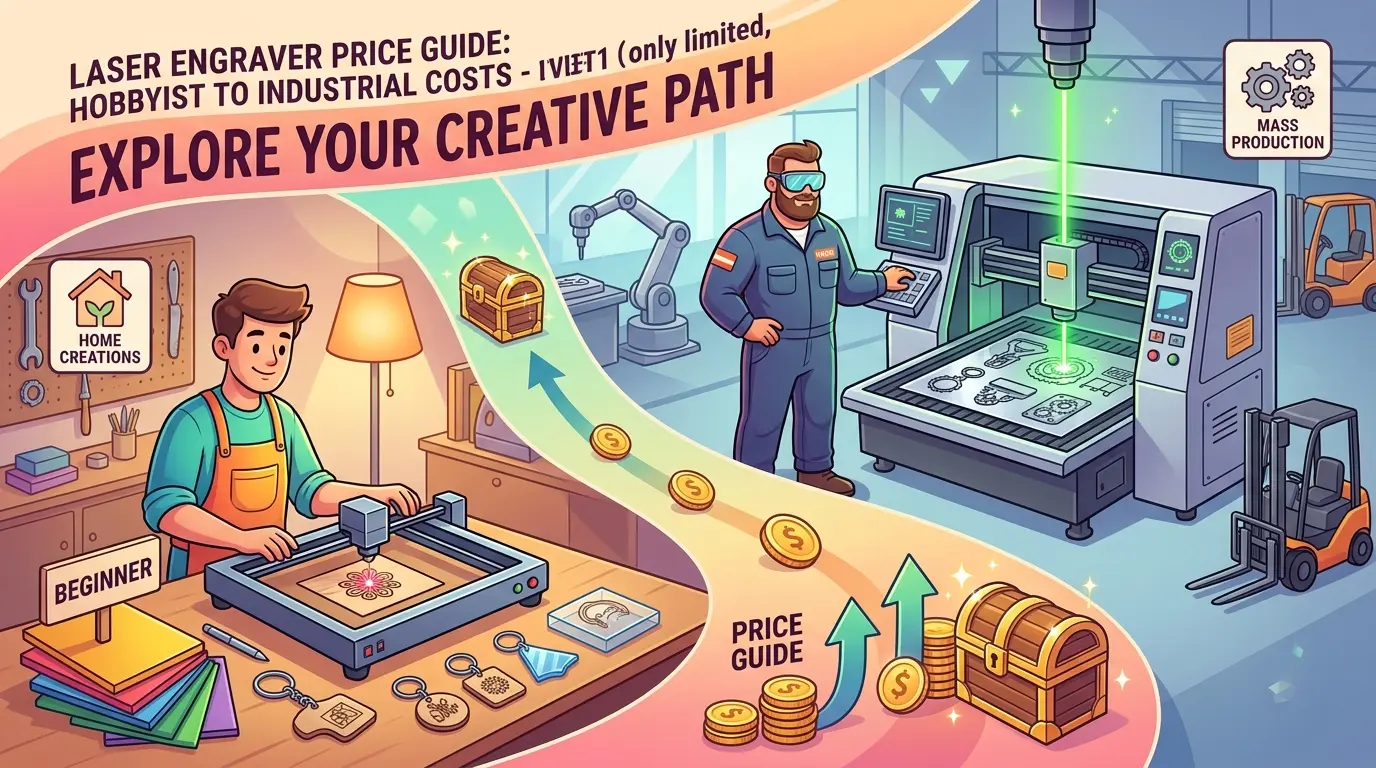
Buyers researching laser engraver pricing often see a desktop machine advertised for a few hundred dollars and then receive an industrial quote that is tens of thousands higher. Those two numbers are not really competing offers. They usually represent different materials, different duty expectations, different quality standards, and very different levels of operational support.
For manufacturers comparing laser cutters and engravers for wood, acrylic, and similar non-metal materials, the useful question is not simply, “What does a laser engraver cost?” The better question is, “What level of machine does this workflow actually require, and what total budget goes with that level?”
Why Entry-Level and Industrial Pricing Drift So Far Apart
The price gap exists because the word laser engraver covers several very different buying situations.
An entry-level buyer may only need short engraving runs, light weekly usage, and simple artwork on small parts. An industrial buyer may need repeatable output across shifts, cleaner edges on customer-visible parts, larger working areas, stable job recall, and support that reduces downtime during daily production.
That means price usually follows five operational variables:
- Material Mix
- Daily Runtime
- Part Size and Work Area Requirements
- Finish Quality Expectations
- Installation, Training, and Service Scope
If those variables change, the price band changes with them.
Typical Market Price Bands in 2026
The table below gives broad market ranges, not supplier-specific quotations. Actual quotes vary by region, machine format, bundled accessories, shipping terms, training, extraction, cooling, and after-sales support.
| Budget Tier | Typical Price Band | Common Buying Situation | What Buyers Are Usually Paying For |
|---|---|---|---|
| Entry-Level Desktop or Starter Commercial | $500 to $5,000 | Light engraving, prototypes, personalization, occasional small-batch work | Basic machine format, smaller work area, lighter-duty workflow expectations |
| Light Commercial | $5,000 to $20,000 | Sign making, gifts, branding, short-run wood or acrylic production | Better motion stability, broader work envelope, more dependable daily use |
| Production Commercial | $20,000 to $60,000 | Frequent engraving, mixed engraving-and-cutting work, customer-facing product quality | Stronger process control, cleaner repeatability, more consistent daily output |
| Industrial or Integrated Production System | $60,000 to $150,000+ | Repeated batch production, larger-format work, multi-shift use, integrated production cells | Heavier-duty construction, environmental control, commissioning, and automation-ready workflow |
Large-format systems, integrated handling, or more specialized process requirements can push industrial pricing beyond those bands.
What an Entry-Level Budget Usually Buys
Entry-level pricing is attractive because it lowers the barrier to entry. For small shops, prototyping teams, or businesses testing demand, that can be the right decision.
In most cases, the lower price reflects a simpler operating context:
- Smaller Part Sizes
- Lower Daily Utilization
- Fewer Shift Changes
- Less Demanding Positioning Repeatability
- More Operator Involvement Per Job
That is not automatically a problem. If the workload is light and the job mix is forgiving, a lower-cost system may be fully adequate.
The mistake happens when buyers expect entry-level pricing to support industrial discipline. Once the machine is asked to run longer hours, maintain cleaner consistency, or switch quickly between repeated production jobs, the apparent savings can disappear through slower setup, more cleanup, more operator attention, and more rejected parts.
What Pushes a Machine Into Industrial Pricing
Industrial pricing usually rises because the machine is being asked to reduce production risk rather than simply create an engraved sample.
The biggest cost drivers are usually practical, not cosmetic:
| Cost Driver | Why It Raises the Budget | Where It Pays Back |
|---|---|---|
| Larger Work Area | Supports larger parts, panel layouts, or multi-part nesting | Better throughput and fewer part repositioning workarounds |
| Higher Motion Stability | Helps protect fine detail, placement accuracy, and visual consistency | Lower rework on customer-visible products |
| Cleaner Process Environment | Better extraction, cooling, and airflow control support cleaner production | Less residue, more stable results, easier maintenance discipline |
| Stronger Duty Expectations | Built for more frequent or longer runtime | Better reliability in daily production |
| Better Job Control and Recall | Reduces variation between operators and repeated orders | Faster changeovers and more standardized output |
| Installation and Training Support | Shortens the ramp-up period after delivery | Faster time to stable production |
| Automation or Integrated Handling | Reduces manual loading bottlenecks and improves cell rhythm | Higher output in repeated production environments |
This is why an industrial quote often looks expensive next to a desktop quote. The buyer is not just paying for a beam source and a table. The buyer is paying for a more controlled production system.
The Base Machine Price Is Only Part of the Budget
One of the most common buying mistakes is comparing a bare machine number with a more complete installed-project quote.
Buyers should normalize quotations and check which costs are inside the number and which are outside it.
| Budget Item | Often Separate on Lower-Cost Quotes | Often Addressed More Clearly on Industrial Quotes | Why It Matters |
|---|---|---|---|
| Extraction and Fume Management | Yes | Yes, but more often specified | Affects cleanliness, operator environment, and finish quality |
| Cooling or Thermal Control | Sometimes | Usually specified by application | Supports stable runtime and process consistency |
| Air Assist and Auxiliary Hardware | Sometimes | Usually better defined | Influences cut quality, residue, and process stability |
| Fixtures, Rotary Attachments, or Positioning Aids | Usually | Usually application-specific | Affects repeatability and part handling |
| Software and Job Preparation Tools | Sometimes unclear | Usually clearer in scope | Influences operator speed and repeat-order control |
| Installation and Training | Rarely included in full | More often included or itemized | Changes how quickly the machine becomes productive |
| Freight, Import Terms, and Site Prep | Usually separate | Usually separate | Can materially change the real landed cost |
| Spare Parts and Preventive Maintenance Items | Often omitted | More often planned | Helps reduce downtime risk after startup |
A buyer who ignores those extras can approve a low initial figure and still end up with a higher installed cost than expected.
When Paying Industrial Pricing Actually Makes Sense
Paying more is justified when the business is buying stability, not just capability.
Industrial-level spending usually makes sense when:
- The Machine Will Run Daily Rather Than Occasionally
- Operators Need Repeatable Results Across Shifts
- Jobs Include Larger Panels or Repeated Batch Layouts
- Surface Quality Is Customer-Visible and Rework Is Expensive
- Engraving and Cutting Need To Be Managed Inside a Predictable Production Flow
- Downtime Carries a Meaningful Scheduling or Delivery Cost
In those situations, the real comparison is not entry price versus industrial price. The real comparison is low upfront spend versus the long-term cost of friction inside production.
When Entry-Level Pricing Still Makes Sense
Lower-cost systems remain a rational choice when the workload is genuinely lighter.
That usually includes:
- Product Testing or Market Validation
- Low Weekly Runtime
- Small-Part Personalization
- Prototype Development
- Short-Run, Non-Critical Engraving Jobs
If the business does not yet depend on repeatable, all-day output, it may be smarter to preserve capital and accept more manual involvement.
The key is honesty about the actual workload. Many overspends come from buying industrial capacity too early. Many underspends come from pretending a production machine will only be used lightly.
A Separate Note on Metal Engraving and Marking Budgets
If the real application is permanent marking or engraving on metal parts, buyers should treat that as a separate equipment-selection decision rather than assuming the same budget logic applies.
The source technology, enclosure logic, process expectations, and workflow fit can differ materially from non-metal engraving on wood, acrylic, coated surfaces, or similar substrates. That usually means the quote structure also changes. In other words, a buyer comparing non-metal engraving systems should not assume the same price logic will hold once the job shifts into metal-focused industrial marking.
A Practical Budgeting Path for Buyers
Before asking for final quotations, buyers can simplify the decision by working through a short budgeting path:
- Define Whether the Main Need Is Engraving Only or Engraving Plus Cutting.
- Separate Occasional Work From the Jobs That Will Consume Most Machine Hours.
- Identify the Maximum Part Size and the Typical Daily Runtime.
- Decide How Sensitive the business Is to Rework, Cleanup Time, and Operator Variation.
- Normalize Quotes So Extraction, Cooling, Training, Freight, and Site Preparation Are Visible.
- If the laser purchase is part of a wider plant upgrade, compare it against the broader Pandaxis product catalog rather than evaluating the laser quote in isolation.
This approach keeps buyers from treating a laser engraver as a simple catalog purchase when it is really a workflow investment.
Practical Summary
Laser engraver pricing spans a wide range because entry-level and industrial systems are usually solving different production problems. Entry-level budgets are often appropriate for light use, prototypes, and simple short-run work. Industrial budgets are usually paying for repeatability, cleaner process control, longer runtime expectations, and lower production risk.
The most useful price guide is not a single number. It is a clear match between workload and machine tier. If buyers define the job mix, duty expectations, and real installed cost before comparing quotes, the difference between entry-level and industrial pricing becomes much easier to judge and much harder to misunderstand.