Pandaxis

  • Products
    • CNC Nesting Machines
    • Panel Saws (Beam Saws)
    • Sliding Table Saws
    • Edgebanders
    • Boring & Drilling Machines
    • Wide Belt Sanders
    • Laser Cutters and Engravers
    • Stone CNC Machines
  • About Us
  • Contact Us
  • EnglishEnglish
    • Español Español
    • Italiano Italiano
    • Deutsch Deutsch
    • Français Français
    • Português Português
    • العربية العربية
    • Türkçe Türkçe
    • Русский Русский
    • Tiếng Việt Tiếng Việt
    • 한국어 한국어
    • 日本語 日本語
    • 简体中文 简体中文
  • Home
  • Blog
  • Blog
  • Laser Wood Cutting Machines: How to Get Cleaner Edges and Better Throughput

Laser Wood Cutting Machines: How to Get Cleaner Edges and Better Throughput

by pandaxis / Wednesday, 15 April 2026 / Published in Blog
Laser Wood Cutting Machines

Wood laser cutting shops often treat edge quality and throughput as opposing targets, but the article makes clear they are the same production variable: a dark or rough edge forces slower unloading, manual sanding, or outright rework, while an aggressive speed setting produces incomplete separation and thermal staining that sends jobs backward. Before tuning any recipe, production teams must recognize that material consistency, focus stability, air assist, extraction, and workflow bottlenecks determine net good parts per shift more than instantaneous head speed. The decision to stabilize these variables first is what separates profitable, repeatable output from constant operator compensation and hidden labor costs.

Why Edge Quality and Throughput Are the Same Production Problem

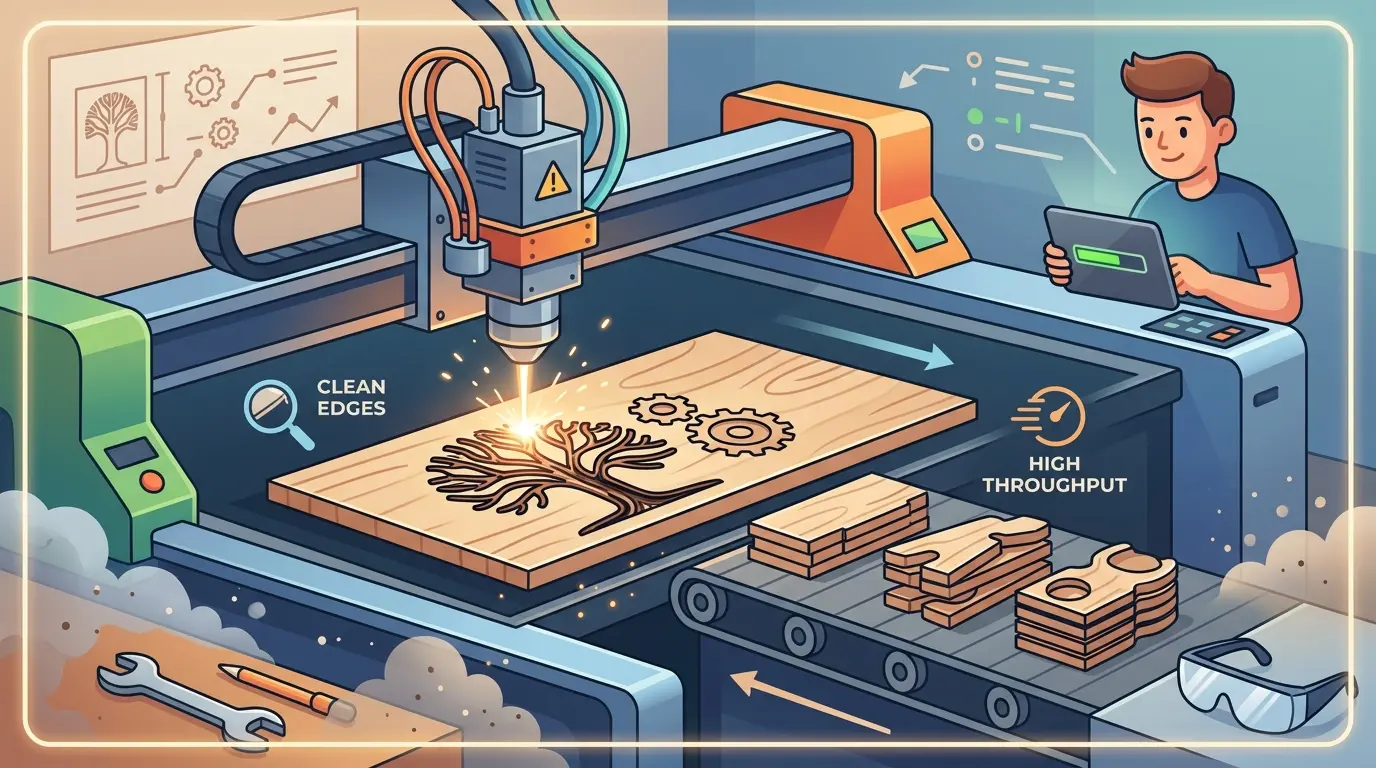
On a wood laser cutting machine, edge quality and output rate are not competing priorities. They are the same variable viewed from two angles. A shop that pushes cutting speed alone will see darker edges, more rejected parts, and longer cleanup times. A shop that chases appearance at any cost will run overly cautious settings that quietly choke capacity. The practical goal for any production floor is a stable process window: edges that meet the product standard and cycle times that hold across a full shift without constant operator intervention.

Edge defects almost always cost throughput somewhere else in the workflow. A dark or uneven cut forces slower unloading, extra inspection, or manual finishing before parts move to assembly. A recipe pushed too hard for speed can produce incomplete separation, thermal staining, or an inconsistent kerf, which sends the job backward instead of forward. In short, the same operating conditions control both outcomes.

Six variables dominate the relationship between edge quality and net output:

  • Material consistency across the batch
  • Stable focus position across the entire work area
  • Clean optics and nozzle condition
  • Effective air assist at the cut zone
  • Strong smoke extraction from the machine enclosure
  • Efficient job layout and part handling around the machine

When these variables are controlled, a wood laser cutting machine runs at a productive, repeatable pace. When they drift, operators compensate by slowing the job down, and that is where net output disappears. The machine may still show a high instantaneous speed on the controller, but the number that matters is good parts per shift.

Start With Material Before You Touch the Recipe

Many edge-quality complaints are traced to material variation rather than machine settings. Wood-based substrates do not respond uniformly under heat. Plywood, MDF, veneered panels, laminated sheets, and solid wood all cut differently even when nominal thickness looks the same. Operators who assume one recipe will hold across mixed material queues are building rework into the schedule before the first part is cut.

The reasons are straightforward. Glue lines in plywood can carbonize unevenly across a sheet, producing dark streaks that appear only after the part is removed. MDF generates heavy smoke and fine residue that can settle on the surface and recoat the optics over time. Veneers and decorative faces show heat effects more clearly than core materials, so a cut that looks acceptable on the back side may be visibly scorched on the face. Solid wood varies by density, grain direction, and moisture content. A recipe that works on one batch may produce darker edges or incomplete separation on the next.

If cleaner edges are a priority, grouping jobs by material family and thickness is often the fastest way to stabilize output. Mixed-material scheduling may look flexible on paper, but it increases setup drift, operator decisions, and inspection time. Standardizing recipes by material group rather than tuning every job from scratch reduces the variables that cause edge defects in the first place. In practice, this means maintaining a small library of proven recipes per material type and thickness, then applying them consistently rather than letting each operator adjust parameters on the fly.

Moisture content deserves particular attention. Wood that has been stored in a humid environment absorbs moisture unevenly, and that moisture flashes to steam under the laser beam. The result is rougher edges, more charring, and occasional popping or sputtering during the cut. Shops that store sheet stock in a climate-controlled area and allow material to acclimate before cutting typically see more consistent edge quality than shops that pull material straight from an unheated warehouse. This is not a machine adjustment; it is a material-handling decision that shows up directly in cut quality.

What Actually Causes Rough, Dark, or Inconsistent Edges

Most edge defects come from process imbalance rather than a single obvious fault. When an operator reports that edges have gotten worse, the cause is rarely one dramatic failure. It is usually a combination of small drifts that accumulate over time. Common causes include:

  • Excessive heat dwell from slow travel speed, which darkens the cut face and widens the heat-affected zone
  • Insufficient energy for full separation, leaving fibers attached or causing secondary burning as the beam dwells on partially cut material
  • Poor focus position, which widens the kerf or increases taper through the material thickness
  • Weak air assist, allowing smoke and debris to remain in the cut zone and re-deposit on the cut face
  • Inadequate extraction, which recirculates soot onto the surface and reduces visibility for the operator
  • Dirty lenses, mirrors, or nozzles that reduce process stability over time
  • Poor sheet support or flatness, which changes the effective focus distance across the work area

These issues matter beyond appearance. If parts stick in the sheet, edges need hand cleanup, or the operator cannot trust first-pass separation, the line loses time at every downstream step. A part that comes off the machine with a dark edge may still be dimensionally correct, but it requires sanding, scraping, or edge banding before it can move forward. That labor is invisible in the machine cycle time but very visible in the cost per finished part.

Thermal damage is not always visible immediately. On veneered panels, the heat from the cut can continue to affect the adhesive bond between the veneer and the core for a short period after the cut. Parts that look acceptable at the machine may show edge lifting or delamination hours later. This is why edge quality cannot be judged only at the moment of cutting; it has to be evaluated against the downstream assembly process and the final product standard.

Process Adjustments That Improve Edge Quality Without Killing Output

The objective is not to run the slowest possible recipe. It is to find the fastest stable recipe that still achieves full separation and acceptable edge appearance for the application. The following adjustments address the most common sources of drift and can be implemented without a major capital investment.

Adjustment Typical Effect on Edge Quality Typical Effect on Throughput Best Used When
Improve sheet flatness and support Maintains a more consistent cut condition across the work area Reduces unplanned stops and recipe drift Large sheets or inconsistent panel stock cause variation
Recheck focus position Reduces taper, roughness, and excessive edge darkening Improves first-pass reliability The cut looks wider, dirtier, or less consistent than expected
Strengthen air assist and extraction Clears smoke and debris from the cut path Supports higher repeatability over long runs Smoke staining or residue builds up during production
Clean optics and nozzle components on schedule Restores process stability and cut consistency Prevents gradual quality loss across the shift Quality starts strong but fades over time
Group jobs by material and thickness Reduces the need for constant recipe changes Shortens changeovers and lowers operator intervention The queue contains several wood types or thicknesses
Balance speed and power for full separation Reduces rework from incomplete cuts or excessive burning Often improves net output more than chasing peak speed Parts fail at unloading or need second-pass handling

The common mistake is treating visible cut speed as the primary productivity number. Net throughput depends more on how many good parts leave the station without rework than on how fast the head moves during the best ten seconds of the job. A slightly more conservative recipe can outperform an aggressive one if it reduces stops, rejects, and hand-finishing labor.

Consider a typical production scenario. A shop runs a decorative panel job with fine contours. The operator pushes speed up by 15 percent to improve cycle time. The edges come out darker, and about 8 percent of parts need manual sanding before they can be assembled. The sanding adds roughly four minutes per part across a batch of fifty parts. That is over three hours of unplanned labor, plus the inspection time to identify which parts need work. The original speed gain saved perhaps twenty minutes of machine time. The net result is a significant loss, and the operator has to decide whether to rework the parts or scrap them and rerun the job.

Now consider the same job run at a slightly lower speed with a balanced power setting. The edges come out clean enough to skip manual finishing. The machine runs a bit longer, but the parts move straight to assembly. The total time from job start to finished, shippable parts is shorter, and the labor cost is lower. This is the core logic of process stability over headline speed.

Focus Position and the Geometry of the Cut

Focus position is one of the most underappreciated variables in wood laser cutting. The laser beam is not a uniform column of energy; it converges to a focal point and then diverges beyond it. The position of that focal point relative to the material surface determines the kerf width, the taper through the material, and the amount of heat delivered to the cut face.

If the focus is too high above the material, the beam spreads before it reaches the surface. The kerf widens, the cut becomes less efficient, and more heat is delivered to a larger area. The result is a wider, darker cut with more charring on the top edge. If the focus is too low, the beam is still converging when it hits the material. The kerf is narrower at the top but may widen as the beam passes through the material, producing a tapered cut that is difficult to predict.

For wood materials, the ideal focus position depends on the thickness and density of the material. Thicker materials generally benefit from a focus position slightly below the surface, so the beam remains concentrated through more of the material thickness. Thinner materials may cut cleaner with the focus at or slightly above the surface. The correct setting is not a universal number; it is a value that must be verified for each material family and thickness combination.

Sheet flatness interacts directly with focus position. If a large sheet bows or curls across the work area, the distance between the lens and the material changes from one point to another. A recipe that cuts cleanly at the center of the sheet may produce rough edges near the edges of the sheet where the material sits higher or lower. This is why sheet support and hold-down systems matter. A machine with a well-maintained support table and proper hold-down will hold focus more consistently than a machine with a worn or uneven support surface.

Air Assist and Extraction: The Invisible Process Variables

Air assist and smoke extraction are often treated as secondary concerns, but they directly control the environment at the cut zone. When the laser beam vaporizes wood, it creates a plume of smoke, gas, and fine particles. If that plume stays in the cut path, it absorbs and scatters the beam energy before it reaches the material. The result is a weaker cut, more heat buildup, and darker edges.

Air assist serves two purposes. First, it pushes the plume away from the cut zone so the beam reaches the material with full energy. Second, it helps cool the cut edge slightly, reducing the thermal damage that causes darkening and charring. The air pressure and nozzle alignment must be matched to the material and the cutting speed. Too little air leaves the plume in place. Too much air can blow loose fibers around or create turbulence that affects cut quality.

Extraction is the other half of the equation. The machine enclosure needs to pull smoke and fumes out of the work area continuously. If extraction is weak or the filters are clogged, smoke recirculates inside the enclosure. That smoke settles on the material surface, the optics, and the machine frame. Over time, it forms a sticky residue that degrades optical performance and requires more frequent cleaning. Shops that notice gradual quality loss across a shift often find that extraction maintenance is the root cause.

A practical maintenance schedule should include checking the extraction system before each production day, verifying that airflow is adequate, and cleaning or replacing filters on a fixed interval rather than waiting for a visible drop in performance. The same logic applies to the optics. Lenses and mirrors should be inspected and cleaned on a schedule based on hours of operation, not on the appearance of quality problems. By the time edge quality visibly degrades, the optics have already been accumulating contamination for some time.

Throughput Lives in the Workflow, Not Just in the Cut Path

Many factories try to improve laser throughput by changing only the cutting recipe. That can help, but the bigger gains often come from the workflow around the machine. The laser head may be cutting for only a fraction of the total job time. The rest is loading, unloading, sorting, inspecting, and handling. Look closely at these bottlenecks:

  • Sheet loading and alignment time
  • Recipe changes between material batches
  • Excessive travel moves in the nest or layout
  • Slow scrap removal from the work area
  • Part sorting after the cut
  • Inspection and manual edge cleanup
  • Unplanned pauses for lens, nozzle, or extraction maintenance

If output matters, measure full job cycle time rather than cut-path time alone. In many shops, throughput improves when teams take the following steps:

  • Pre-stage material so the machine is not waiting on the next sheet
  • Standardize recipes by material group to reduce changeover time
  • Separate visual-grade parts from hidden or utility parts so edge standards match the product requirement
  • Reduce unnecessary starts and long travel moves in the layout
  • Keep extraction and optics maintenance on a fixed schedule rather than a failure schedule

Part sorting deserves special attention. In a mixed job, the operator may need to separate parts by order, by material, or by quality grade. If the sorting process is slow or error-prone, it becomes a bottleneck even when the machine is cutting efficiently. Some shops address this by labeling parts during the cut or by organizing the nest so that parts from different orders are grouped in distinct areas of the sheet. This reduces the sorting effort after the cut and lowers the risk of mixing parts from different jobs.

When Laser Cutting Is the Right Fit and When Another Workflow May Be Better

A wood laser cutting machine is commonly well suited to workflows where detail, non-contact cutting, and repeatable contour quality matter more than raw material-removal rate. It often makes sense for decorative components, shaped parts, signage elements, fine contour work, and mixed cut-and-mark production. The non-contact nature of laser processing means there is no tool wear to manage, no tool changes to schedule, and no mechanical force that could deform delicate geometry.

But laser is not automatically the best answer for every wood-based job. For producers comparing laser processing with CNC nesting machines, the better choice depends on what happens before and after the cut. The two processes have different strengths, and the right selection depends on the dominant workflow in the shop.

Workflow Priority Laser Wood Cutting CNC Nesting
Fine contours and detailed shapes Strong fit Usually less efficient for very fine detail
Non-contact processing of delicate geometry Strong fit Mechanical tool force may matter more
Integrated routing and drilling in panel work Limited Strong fit
Thick panel breakdown for cabinet production Application dependent Often stronger fit
Decorative cut-and-engrave work Strong fit Limited
Parts that need mechanical edge preparation for downstream processing Application dependent Often stronger fit

If the job is driven by decorative geometry, small-feature precision, and non-contact processing, laser is often a practical fit. If the workflow is dominated by sheet breakdown, routed features, drilling integration, and panel furniture throughput, another process may carry the production load more efficiently. The decision should be based on the full production path, not just the cutting operation.

Consider a cabinet shop that produces both decorative door panels and structural cabinet boxes. The decorative panels have fine routed details and need a clean, finished appearance. The cabinet boxes are structural, hidden after assembly, and require consistent drilling patterns and square edges. Forcing both through a laser would be inefficient for the boxes, which need drilling and routing that a laser cannot provide. Forcing both through a CNC router would be inefficient for the decorative panels, which need fine detail that is difficult to achieve with a mechanical tool. The practical answer is often a mixed workflow: laser for the decorative components, CNC for the structural components.

Nesting and Layout Strategy for Edge Quality

The layout of parts on the sheet affects both edge quality and throughput. When parts are placed too close together, the heat from one cut can affect the adjacent cut. The material between two closely spaced cuts heats up, and the second cut may show darker edges or more charring than the first. This is especially noticeable on thin materials or materials with heat-sensitive surfaces.

A practical approach is to maintain a minimum spacing between parts that accounts for the heat-affected zone of the material. The exact spacing depends on the material, the laser power, and the cutting speed, but a small increase in spacing often produces a significant improvement in edge consistency. The tradeoff is slightly more material waste, which must be weighed against the cost of rework or rejected parts.

Travel time is another layout consideration. The laser head spends time moving between cuts, and that time adds to the total job cycle. A layout that minimizes travel distance will complete faster than a layout with long, inefficient moves. However, travel optimization should not come at the expense of edge quality. If the layout is packed so tightly that heat buildup becomes a problem, the faster cycle time is offset by more rework.

Some shops use a two-pass approach for thick materials. The first pass cuts most of the way through the material, and the second pass completes the separation. This can reduce edge darkening because each pass delivers less heat to the material. However, it also increases cycle time and requires careful alignment between the two passes. The decision to use a two-pass approach should be based on testing with the specific material and thickness, not on a general rule.

Operator Training and Process Ownership

The best machine settings in the world will not hold if operators do not understand why they matter. A shop that invests in operator training on the relationship between focus, air assist, extraction, and edge quality will see more consistent results than a shop that simply hands operators a recipe card and expects them to follow it blindly.

Operators should be able to recognize the early signs of process drift: a slight change in edge color, a small increase in kerf width, a subtle difference in the sound of the cut. These signs indicate that something has changed, and the operator should know which variable to check first. This is not about making every operator a process engineer; it is about giving them the knowledge to make good decisions on the shop floor.

Documentation is equally important. Each material family and thickness should have a documented recipe that includes the focus position, power setting, speed, air assist pressure, and expected edge appearance. When a recipe is changed, the change should be documented and justified. This prevents the common problem of recipes drifting over time as different operators make small adjustments without recording them.

A Practical Checklist Before You Try to Scale Output

Before chasing more throughput, ask these questions:

  • Is the material consistent enough to hold one recipe across the batch?
  • Is the edge standard truly visible to the customer, or hidden after assembly?
  • Are focus, air assist, and extraction stable across the entire working area?
  • Are operators measuring good parts per shift rather than only cutting speed?
  • Is maintenance preventive, or are quality problems triggering cleanup and adjustment?
  • Does the layout reduce unnecessary motion and handling?
  • Would some jobs be better routed to another process instead of forcing everything through laser?

These questions matter because cleaner edges are not just a laser parameter problem. They are a production-system problem. Once that is understood, throughput decisions become much easier to defend. A shop that can articulate why it runs a particular recipe, why it groups jobs by material, and why it maintains a preventive maintenance schedule is a shop that can make consistent, predictable output.

Production Takeaway: Laser Wood Cutting Machines

Cleaner edges and better throughput come from the same discipline: stable material input, stable process conditions, and a workflow that measures finished output instead of headline speed. In wood laser cutting, the fastest recipe is not always the most productive one. A slightly more controlled process often delivers more saleable parts, less inspection, and less rework across the shift.

Start by auditing the material flow. Group jobs by material family and thickness, allow stock to acclimate, and verify that sheet flatness is consistent. Then audit the process variables: focus position, air assist, extraction, and optics condition. Establish a preventive maintenance schedule that addresses these variables before they cause quality problems. Finally, audit the workflow around the machine. Measure full job cycle time, not just cut time, and look for bottlenecks in loading, unloading, sorting, and inspection.

If your work depends on fine contours, decorative detail, or non-contact processing on wood and similar non-metallic materials, laser can be a strong production tool. If your workflow is dominated by thick panel processing, routing, drilling, and furniture-line integration, the better answer may be a different machine category. The right result comes from matching the process to the job, then tightening the variables that actually control edge quality and throughput. For shops evaluating laser cutters and engravers for wood and other non-metallic work, the real objective is a stable process window: clean enough edges for the product standard, with repeatable cycle times that hold across a full shift.
What you can read next

Sliding Table Saw Maintenance Checklist for Consistent Daily Performance
QueenBee CNC vs Ultimate Bee CNC: Which DIY Router Platform Is Better?
What Is a CNC Coupler and What Does It Do?

Recent Posts

  • CNC Machine Plans When Plans Save Money and When They Create Rework

    CNC Machine Plans: When Plans Save Money and When They Create Rework

    CNC machine plans promise a lower purchase bill...
  • CNC Simulator Tools

    CNC Simulator Tools: When Virtual Testing Saves Time and Scrap

    Every CNC program that reaches the floor with a...
  • Laser Engraver for Wood

    Laser Engraver for Wood: Best Use Cases in Commercial Production

    Commercial wood shops routinely face a bottlene...
  • What Is a CNC Slicer

    What Is a CNC Slicer? Common Meanings and Use Cases

    When a purchasing team or production engineer s...
  • Big CNC Machine vs Small CNC Machine

    Big CNC Machine vs Small CNC Machine: How Size Changes Cost and Capability

    Production teams comparing CNC platforms often ...
  • Automatic Edgebander vs. Manual Edge Banding: Which One Delivers Better ROI?

    When edge finishing becomes the bottleneck, the...
  • Wall Saw

    Wall Saw Safety, Blade Selection, And Cutting Strategy For Controlled Structural Cuts

    Wall sawing fails most often before the blade e...
  • Metal Engraving: How To Choose the Right Machine for the Job

    Metal engraving decisions fail not at the demo ...
  • What Are CNC Bushings Used For?

    When an axis develops a vague roughness or surf...
  • Root CNC, RS CNC, and PrintNC-Style Open Builds

    Root CNC, RS CNC, and PrintNC-Style Open Builds: Which DIY Community Platform Fits You?

    Community CNC names like Root CNC, RS CNC, and ...
  • Laser Glass Cutter

    Laser Glass Cutter: Where It Fits in Production and Where It Does Not

    The production question comes before comparing ...
  • CNC Stone Cutting for Quartz, Granite, and Marble: How Material Differences Shape Machine Choice

    Quartz, granite, and marble share a fabrication...
  • Small CNC Mill vs Industrial CNC Mill

    Small CNC Mill vs Industrial CNC Mill: How Capacity Changes the Decision

    Shops comparing small CNC mills against industr...
  • Sheet Metal Laser Cutter

    Sheet Metal Laser Cutter Best Practices for Clean, Accurate Cuts

    Laser-cut defects rarely surface at the cutting...
  • What Is a Spiral Milling Cutter

    What Is a Spiral Milling Cutter?

    Buying a “spiral milling cutter” by...

Search for posts

Recent Posts

  • CNC Machine Plans When Plans Save Money and When They Create Rework

    CNC Machine Plans: When Plans Save Money and When They Create Rework

    0 comments
  • CNC Simulator Tools

    CNC Simulator Tools: When Virtual Testing Saves Time and Scrap

    0 comments
  • Laser Engraver for Wood

    Laser Engraver for Wood: Best Use Cases in Commercial Production

    0 comments

Recent Comments

    Support

    • About Us
    • Contact Us
    • Company Blog
    • Terms of Service
    • Privacy Policy
    • Sitemap

    Newsletter

    Subscribe for Pandaxis product updates, application insights, and practical news on CNC woodworking, stone fabrication, and laser processing solutions.

    GET IN TOUCH

    Email: info@pandaxis.com

    Whether you are looking to integrate a high-speed CNC woodworking line or deploy a heavy-duty stone cutting center, our technical engineers are ready to optimize your production. Reach out today to bring precision to every axis of your facility.

    • GET SOCIAL

    © 2026 Pandaxis. All Right Reserved.

    TOP