Pandaxis

  • Products
    • CNC Nesting Machines
    • Panel Saws (Beam Saws)
    • Sliding Table Saws
    • Edgebanders
    • Boring & Drilling Machines
    • Wide Belt Sanders
    • Laser Cutters and Engravers
    • Stone CNC Machines
  • About Us
  • Contact Us
  • EnglishEnglish
    • Español Español
    • Italiano Italiano
    • Deutsch Deutsch
    • Français Français
    • Português Português
    • العربية العربية
    • Türkçe Türkçe
    • Русский Русский
    • Tiếng Việt Tiếng Việt
    • 한국어 한국어
    • 日本語 日本語
    • 简体中文 简体中文
  • Home
  • Blog
  • Blog
  • Mini Laser Engraving Machines for Personalized Products: How To Choose the Right Compact Setup

Mini Laser Engraving Machines for Personalized Products: How To Choose the Right Compact Setup

by pandaxis / Monday, 06 April 2026 / Published in Blog
Mini Laser Engraving Machines for Personalized Products

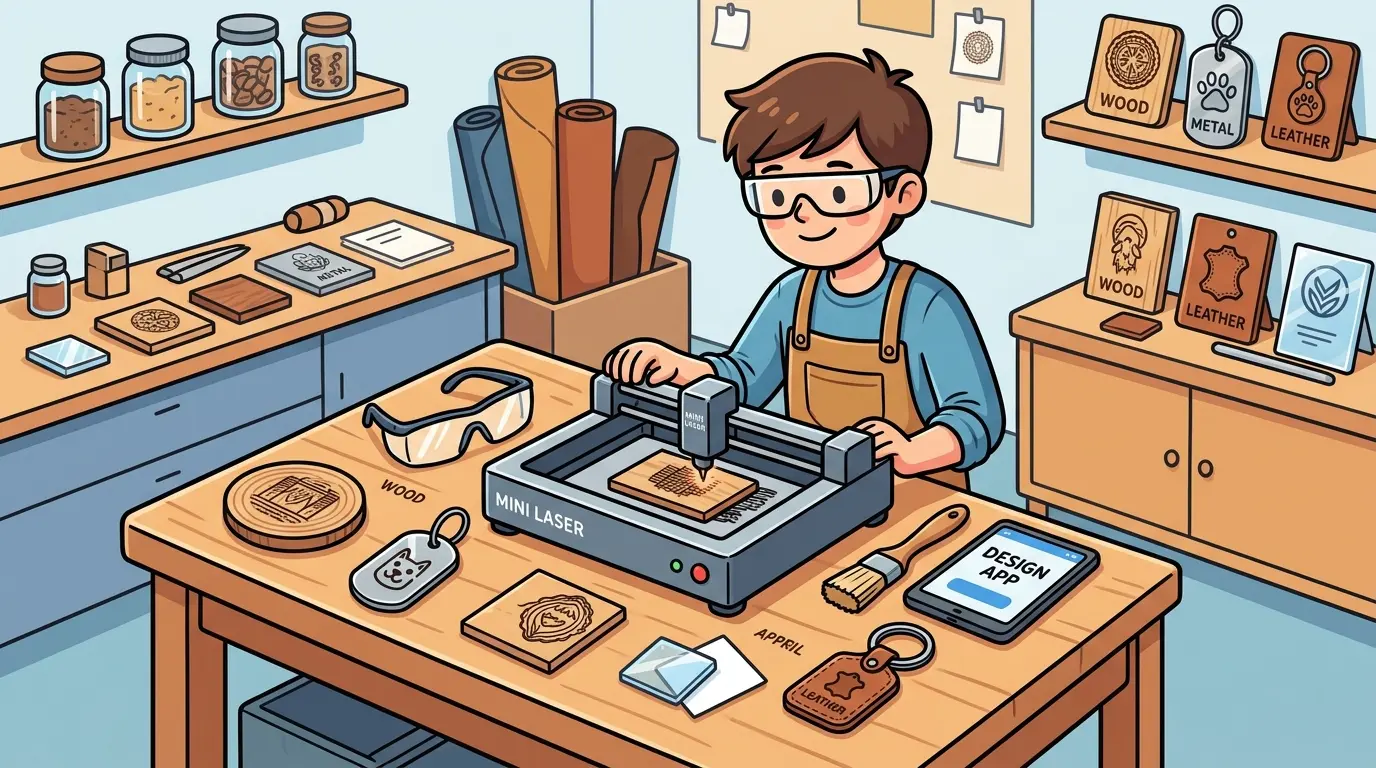
Personalized product work is a high-mix, low-volume production environment where frequent artwork changes, tight delivery windows, and visual quality standards put constant pressure on changeover speed and repeatable positioning. A compact laser engraving machine can support that workflow, but only when the buying decision matches the real order pattern rather than the appeal of a small footprint. This guide walks through the practical selection factors—material mix, usable work area, fixturing discipline, extraction demands, and scheduling risk—that determine whether a mini system reduces production friction or quietly becomes a bottleneck for your acrylic, wood, and coated-surface personalization lines.

Why Compact Laser Systems Appeal to Personalized Product Work

Personalized product work looks simple from the outside, but the production logic is not simple at all. Orders are often short-run, artwork changes constantly, delivery windows are tight, and margins disappear quickly if setup time, rework, or material handling gets out of control. That is why many buyers start looking at mini laser engraving machines.

The important point is this: in a B2B buying context, mini should describe footprint and workflow role, not low expectations. A compact laser system can be a strong fit for personalized wood, acrylic, and similar non-metal product lines when it supports fast changeovers, stable positioning, clean engraving quality, and predictable daily operation. It becomes a weak fit when the workload really needs larger nesting space, longer unattended runs, or a heavier cut-and-engrave schedule than a compact platform can carry efficiently.

Personalized products usually create a high-mix, low-to-medium-volume production pattern. One morning may include engraved acrylic tags, branded wooden gift items, short-run signage, custom packaging inserts, and sample pieces for a distributor or retail client. In that environment, oversized equipment can become underused capital rather than productive capacity.

A compact laser engraving machine is commonly attractive because it can help with:

  • Faster job switching between different designs
  • Lower floor-space pressure in small production cells
  • Easier placement near packing, inspection, or sample-making areas
  • Better control of short-run and rush personalization orders
  • Lower handling time for smaller finished parts

Those advantages matter because personalized product profitability usually depends less on one machine’s maximum theoretical output and more on how smoothly the shop can move from one order to the next without losing detail quality or operator time.

Where a Mini Laser Engraving Machine Fits Best

Compact systems are not universally better. They fit well when product size, order rhythm, and material type all support a smaller work envelope.

Workflow Type Compact Mini Setup Fit Why It Works
Short-Run Personalized Acrylic Items Strong Fit Small parts, frequent design changes, and light handling needs reward fast setup and compact layout
Engraved Wooden Gifts And Decorative Pieces Strong Fit Detail quality and quick job switching usually matter more than very large table capacity
Prototype Development And Customer Samples Strong Fit Sample work benefits from easy access, low setup friction, and flexible scheduling
Custom Branding On Small Non-Metal Parts Good Fit Repeatable positioning and short batch control are often more important than oversized throughput
Large-Format Panels Or Oversized Display Components Weak Fit Part size and repositioning demands can turn a compact machine into a bottleneck
Continuous Batch Production Across Long Shifts Conditional Fit A mini machine can support this only if part size, duty expectations, and queue stability are tightly aligned
Heavy Combined Cutting And Engraving On Many Orders Conditional Fit One compact machine may become schedule-constrained if both operations compete for the same time window

This is the practical selection rule: a mini machine makes sense when the product line is physically small, order diversity is high, and the business gains more from flexibility than from maximum sheet size.

Mini vs Larger Laser Systems for Personalized Products

Many buyers compare compact and larger-format laser platforms as if the bigger machine is simply the safer choice. In reality, the better decision depends on how the operation makes money.

Buying Factor Mini Laser Engraving Machine Larger Laser System
Floor Space Easier to place in smaller workshops or dedicated personalization cells Requires more deliberate layout planning
Order Pattern Better for frequent small batches and artwork changes Better for larger nests, longer runs, or mixed part sizes
Handling Effort Usually lower for small personalized parts Can improve throughput when part range is broader
Capital Efficiency Often stronger when most jobs are small and repetitive in size Stronger when capacity is used consistently across more output
Scheduling Risk Lower if jobs are engraving-heavy and short-run Lower if demand includes larger parts or more continuous production
Expansion Headroom More limited if product size or batch size grows quickly Better for shops planning to widen part range or scale production

The tradeoff is straightforward. A compact system protects efficiency when the workload is genuinely compact. A larger system protects flexibility when the workload is broader than the current product mix suggests.

What Buyers Should Evaluate Before Ordering

The word mini should never be the main buying criterion. The real decision should come from the operating conditions around the machine.

  • Material Mix: Personalized product buyers should define whether the real volume is concentrated in acrylic, wood, or similar non-metal materials. Material consistency affects engraving appearance, cleanup demands, and scheduling stability.
  • Usable Work Area: Buyers should think beyond nominal bed size and ask how many real parts can be positioned, referenced, and unloaded without awkward handling. A compact machine that fits the actual fixture strategy is often more productive than a larger machine used inefficiently.
  • Engraving Quality Under Repetition: Personalized work is judged visually. A system that produces one clean sample but drifts during repeated jobs will create inspection failures and rework.
  • Changeover Discipline: If the business relies on names, logos, version changes, or seasonal artwork, fast and stable job switching is a direct production variable, not a convenience feature.
  • Part Referencing And Fixturing: Position consistency matters when the same product family is engraved repeatedly. Stable alignment reduces scrap, protects cosmetic quality, and makes short batches more profitable.
  • Extraction And Housekeeping: Smoke and residue management affect not only cleanliness but also lens maintenance intervals, part appearance, and how much operator attention the process needs during the day.
  • Serviceability And Training: Compact equipment still needs realistic maintenance access and usable operator routines. If routine upkeep becomes difficult, a small machine can create a large reliability problem.

Material-Specific Considerations for Personalized Work

The material you process most often should drive several decisions that are easy to overlook when comparing compact machines side by side.

Acrylic and Other Plastics

Acrylic engraving produces a characteristic frosted white mark that is popular for signage, keychains, and display pieces. The quality of that mark depends on consistent power delivery and stable focus across the entire work area. If the machine’s gantry flexes or the focus drifts between jobs, you will see uneven depth or inconsistent frosting on parts that should look identical.

Acrylic also produces fumes and fine particles during engraving. A compact machine placed in a small cell without adequate extraction will quickly accumulate residue on the lens and optics. That residue degrades engraving quality and forces more frequent cleaning cycles. Buyers should verify that the machine’s extraction port matches their existing dust collection or fume extraction setup before installation, not after the first production run.

Wood and Wood-Based Materials

Wood engraving behaves differently from acrylic. Hardwoods and softwoods respond differently to the same laser settings, and even the same wood species can vary by moisture content and grain direction. A compact machine that works well for engraved wooden gifts may struggle with a batch of material from a different supplier.

For personalized wooden products, the key is repeatability. If the machine cannot hold consistent engraving depth across a batch of similar parts, the shop will spend time sorting, reworking, or scrapping pieces that should have been identical. Operators need a clear procedure for setting power, speed, and focus for each material type, and the machine should hold those settings reliably between jobs.

Coated or Painted Surfaces

Some personalized products arrive with a painted or coated surface that must be engraved without burning through the finish. This is common for branded wooden boxes, acrylic awards, and decorative panels. The laser settings for coated materials are more sensitive, and a compact machine with limited power adjustment range may not give operators the fine control they need.

Workflow Integration and Cell Layout

A compact laser engraving machine does not operate in isolation. It sits inside a production cell that includes material storage, part preparation, engraving, inspection, and packing. The machine’s footprint matters less than how well it fits into that cell.

Material Flow Around the Machine

Consider how parts arrive at the machine and where they go after engraving. If the shop processes small acrylic blanks that are stored in bins, the machine should be positioned so the operator can reach the input bin, load the machine, and place finished parts in an output tray without walking around the machine or reaching across the work area.

If the machine is placed against a wall, the operator may need to work from one side only, which limits how efficiently they can load and unload parts. A compact machine with front and rear access, or at least easy access from the operator’s primary position, will reduce handling time across the day.

Batch Sequencing and Queue Management

Personalized product shops often run multiple jobs in a single day. The operator may engrave a batch of acrylic keychains, switch to wooden gift tags, then process a rush order for a retail client. Each switch requires loading new material, adjusting focus if needed, and loading the correct artwork file.

A compact machine that supports quick file selection and stable material positioning will make these switches faster. Some machines store multiple job files in memory, which reduces the time spent navigating menus or connecting to a computer between jobs. Buyers should ask how the machine handles file management and whether the operator can switch between jobs without re-entering all the settings.

Inspection and Quality Control

Personalized products are judged visually, often by the end customer. A slight misalignment, uneven engraving depth, or a burned edge can turn an acceptable part into a reject. The shop needs a clear inspection point where the operator checks engraving quality before the part moves to packing.

A compact machine placed near the inspection station makes this practical. The operator can engrave a small batch, inspect the parts immediately, and adjust settings if needed before running the full order. This short feedback loop is one of the strongest arguments for a compact machine in personalized product work.

Operator Skill and Training Requirements

Compact laser engraving machines are often marketed as easy to use, but the reality depends on the operator’s experience and the machine’s interface.

Software and File Preparation

The operator needs to prepare artwork files, set engraving parameters, and position the design on the material. This requires some familiarity with vector graphics software and the machine’s control software. A shop with experienced operators can handle a more capable machine, while a shop with less experienced staff may need a simpler interface.

Buyers should ask about the software workflow before purchasing. Does the machine accept common file formats directly, or does it require conversion? Can the operator adjust power and speed settings from the machine’s control panel, or do they need to go back to the computer for every change? These details affect how quickly the shop can respond to rush orders and artwork revisions.

Training and Documentation

A compact machine still needs proper training. The operator should understand how to set focus, align material, choose the right settings for each material, and perform routine maintenance. If the supplier provides clear documentation and responsive support, the shop can get the machine running productively faster.

Maintenance and Daily Operation

Compact laser engraving machines require regular maintenance to maintain engraving quality. The most important tasks are cleaning the lens and optics, checking the focus mechanism, and verifying that the extraction system is working properly.

Lens and Optics Cleaning

Engraving produces smoke and residue that settles on the lens and mirrors. Over time, this residue reduces laser power and degrades engraving quality. The operator needs to clean the optics on a regular schedule, and the machine should be designed so that cleaning is straightforward.

A machine with easily accessible optics will get cleaned more often, which means better engraving quality and fewer rejects. A machine where the optics are difficult to reach may be neglected, leading to gradual quality degradation that is hard to diagnose.

Focus and Alignment Checks

The focus position affects engraving depth and sharpness. If the focus drifts between jobs, the operator will see inconsistent results. The machine should hold focus reliably, and the operator should have a clear procedure for checking and adjusting focus when needed.

Extraction System Maintenance

The extraction system removes smoke and fumes from the work area. If the filter or duct becomes clogged, extraction efficiency drops, and residue builds up faster on the optics and the workpiece. The shop needs a maintenance schedule for the extraction system, and the machine’s extraction port should be compatible with the shop’s existing equipment.

When a Compact Cut-And-Engrave Workflow Makes Sense

Some personalized product businesses do not need a pure engraving station. They need one compact cell that can engrave artwork, names, or branding elements and then cut the final contour in the same workflow. In that case, evaluating laser cutters and engravers can be more practical than separating the buying decision too early.

That approach is commonly well suited to:

  • Acrylic keychains, tags, and retail display pieces
  • Wooden decorative products with engraved surface detail
  • Short-run branded items that need both shape and surface personalization
  • Sample development cells where one operator handles multiple job types

It is less attractive when cutting demand and engraving demand are both high enough to compete for machine time every day. In those cases, one compact combo machine may improve layout simplicity while weakening total throughput control.

Common Buying Mistakes in Personalized Product Production

The most common errors are not technical misunderstandings. They are workflow mistakes hidden inside the purchasing decision.

  • Buying around occasional oversized jobs instead of the weekly core order mix
  • Assuming mini means entry-level rather than defining the needed production role first
  • Ignoring fixturing and referencing until after installation
  • Underestimating cleanup, smoke extraction, and daily maintenance pressure
  • Combining cutting and engraving on one compact machine without checking scheduling impact
  • Choosing a machine that fits current samples but not future batch discipline

Each of these mistakes creates the same result: a machine that looks correct on paper but becomes inefficient once real orders start moving through the cell.

Operating Discipline: Mini Laser Engraving Machines for Personalized Products

Mini laser engraving machines for personalized products make the most sense when the work is physically compact, visually demanding, and highly variable from order to order. In that situation, a smaller system can support faster changeovers, easier placement, cleaner handling, and more controlled short-run output.

They are not automatically the right answer just because the products are small. Once order volume rises, part sizes vary more widely, or cut-and-engrave demand becomes heavier, a larger platform or a more specialized workflow may protect throughput better.

The right buying decision is usually the one that matches the real order pattern, material mix, and daily production discipline. For personalized wood, acrylic, and similar non-metal product lines, a compact laser system is strongest when it reduces friction without creating a hidden capacity limit later.
What you can read next

Wall Saw
Wall Saw Safety, Blade Selection, And Cutting Strategy For Controlled Structural Cuts
Woodpecker CNC and Similar Desktop Routers: What Buyers Should Expect
Home Laser Cutter Safety Guide for New Users
Home Laser Cutter Safety Guide for New Users: What To Control Before the First Cut

Recent Posts

  • CNC Machine Plans When Plans Save Money and When They Create Rework

    CNC Machine Plans: When Plans Save Money and When They Create Rework

    CNC machine plans promise a lower purchase bill...
  • CNC Simulator Tools

    CNC Simulator Tools: When Virtual Testing Saves Time and Scrap

    Every CNC program that reaches the floor with a...
  • Laser Engraver for Wood

    Laser Engraver for Wood: Best Use Cases in Commercial Production

    Commercial wood shops routinely face a bottlene...
  • What Is a CNC Slicer

    What Is a CNC Slicer? Common Meanings and Use Cases

    When a purchasing team or production engineer s...
  • Big CNC Machine vs Small CNC Machine

    Big CNC Machine vs Small CNC Machine: How Size Changes Cost and Capability

    Production teams comparing CNC platforms often ...
  • Automatic Edgebander vs. Manual Edge Banding: Which One Delivers Better ROI?

    When edge finishing becomes the bottleneck, the...
  • Wall Saw

    Wall Saw Safety, Blade Selection, And Cutting Strategy For Controlled Structural Cuts

    Wall sawing fails most often before the blade e...
  • Metal Engraving: How To Choose the Right Machine for the Job

    Metal engraving decisions fail not at the demo ...
  • What Are CNC Bushings Used For?

    When an axis develops a vague roughness or surf...
  • Root CNC, RS CNC, and PrintNC-Style Open Builds

    Root CNC, RS CNC, and PrintNC-Style Open Builds: Which DIY Community Platform Fits You?

    Community CNC names like Root CNC, RS CNC, and ...
  • Laser Glass Cutter

    Laser Glass Cutter: Where It Fits in Production and Where It Does Not

    The production question comes before comparing ...
  • CNC Stone Cutting for Quartz, Granite, and Marble: How Material Differences Shape Machine Choice

    Quartz, granite, and marble share a fabrication...
  • Small CNC Mill vs Industrial CNC Mill

    Small CNC Mill vs Industrial CNC Mill: How Capacity Changes the Decision

    Shops comparing small CNC mills against industr...
  • Sheet Metal Laser Cutter

    Sheet Metal Laser Cutter Best Practices for Clean, Accurate Cuts

    Laser-cut defects rarely surface at the cutting...
  • What Is a Spiral Milling Cutter

    What Is a Spiral Milling Cutter?

    Buying a “spiral milling cutter” by...

Search for posts

Recent Posts

  • CNC Machine Plans When Plans Save Money and When They Create Rework

    CNC Machine Plans: When Plans Save Money and When They Create Rework

    0 comments
  • CNC Simulator Tools

    CNC Simulator Tools: When Virtual Testing Saves Time and Scrap

    0 comments
  • Laser Engraver for Wood

    Laser Engraver for Wood: Best Use Cases in Commercial Production

    0 comments

Recent Comments

    Support

    • About Us
    • Contact Us
    • Company Blog
    • Terms of Service
    • Privacy Policy
    • Sitemap

    Newsletter

    Subscribe for Pandaxis product updates, application insights, and practical news on CNC woodworking, stone fabrication, and laser processing solutions.

    GET IN TOUCH

    Email: info@pandaxis.com

    Whether you are looking to integrate a high-speed CNC woodworking line or deploy a heavy-duty stone cutting center, our technical engineers are ready to optimize your production. Reach out today to bring precision to every axis of your facility.

    • GET SOCIAL

    © 2026 Pandaxis. All Right Reserved.

    TOP