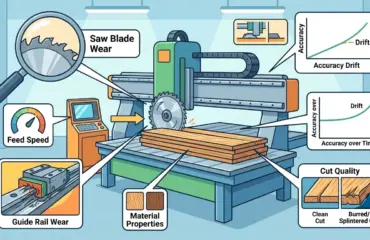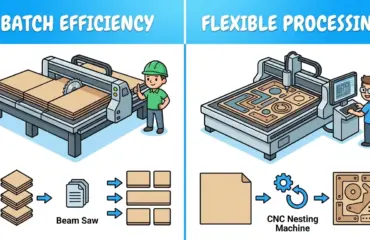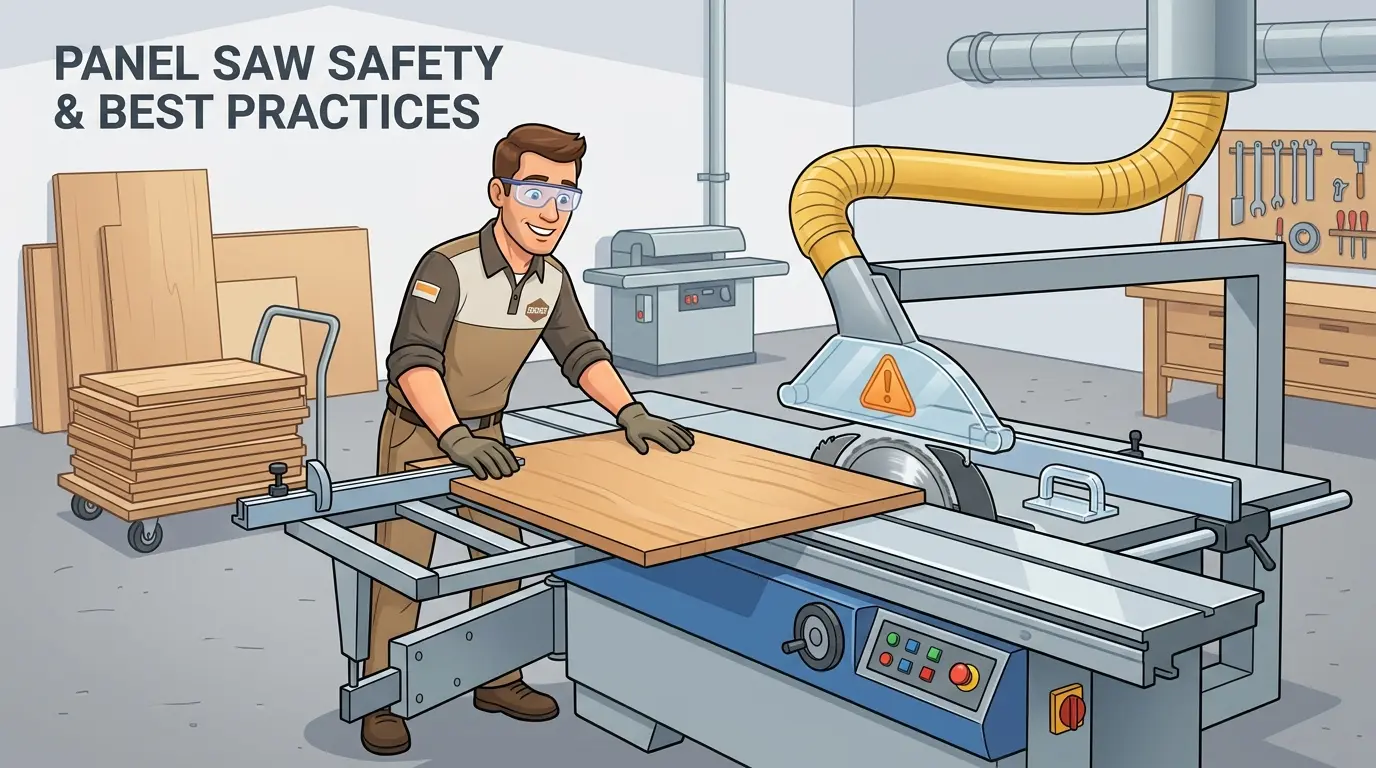
Panel saws fail in two ways that look unrelated but share one root cause: a rushed or unstable setup invites operator intervention mid-cycle, and that intervention is where both dimensional drift and serious incidents begin. This article treats safety and setup as a single production-control routine, not separate checklists, because a cutting cell that requires frequent manual correction cannot hold first-pass yield or protect operators. For shops feeding edgebanders, drilling lines, and assembly downstream, the discipline established at the saw determines whether batch-level rework or a near-miss report ends the shift.
Why Panel Saw Safety and Setup Belong in the Same Conversation
On the production floor, unsafe cutting behavior and unstable cutting results usually share the same root causes: rushed changeovers, poor preparation, and inconsistent machine setup. Treating safety and setup as separate topics creates gaps where small errors become batch-level problems. A machine that is not set up correctly invites operator intervention, and intervention during a cutting cycle is where most serious incidents occur.
For shops running dedicated panel saws at the front of a line, the cutting cell dictates everything downstream. Panels leaving the saw with size variation, chipped edges, or unclear part identification make edge processing, drilling, assembly, and packing harder to control. When operators must intervene frequently during loading or scrap removal, safety risk rises at the same time. The two problems feed each other: a poorly prepared setup creates conditions that tempt operators to take shortcuts, and those shortcuts degrade the setup further.
Strong setup practice is not just a maintenance concern or a quality concern. It is a production-control requirement that protects throughput, repeatability, and operator safety in one routine. Shops that treat setup as a five-minute formality before hitting start typically discover the cost later in rework, scrapped sheets, and near-miss reports. Shops that build setup discipline into every shift change see fewer interruptions, more consistent first-pass yield, and a calmer cutting cell overall.
Prepare the Work Area Before Power-On
The safest cut starts with the area around the machine, not the blade itself. Before the first cycle of the shift, confirm that the saw zone is organized for predictable movement. A cluttered cutting cell forces operators to make decisions about where to stand, where to place material, and how to move around the machine while it is running. Those decisions should already be made by the layout of the workspace.
Practical pre-start checks include:
- Clear infeed and outfeed paths with no obstructions
- Stable staging areas for full sheets and cut parts
- Offcut collection positioned away from the cutting path
- Functional lighting around loading, control, and unloading points
- Dust extraction ready for normal operation
- Emergency stops and safety devices accessible and unobstructed
This step reduces two common problems at once. It lowers the chance of an operator entering an unsafe position to manage material, and it reduces rushed handling that can damage panel edges or confuse part flow. Consider the typical failure mode: a stack of full sheets staged too close to the infeed side forces the operator to squeeze between the stack and the machine to position the next panel. That awkward reach is both a safety hazard and a quality risk, because the operator cannot control the sheet smoothly through the full travel path.
The same logic applies to outfeed. If cut parts accumulate where the operator cannot see them clearly, the natural response is to reach into the machine zone to pull parts clear while the blade is still spinning. A well-positioned outfeed table or roller conveyor eliminates that temptation entirely. Offcut bins should be sized for the largest scrap pieces the job will produce, and they should be emptied on a schedule rather than when they become an obstacle.
Lighting deserves more attention than most shops give it. Panel saws run in environments where ambient light varies through the day, and a shadow across the cutting line can hide a misaligned panel or a damaged edge. Dedicated task lighting at the infeed table, around the pressure beam, and at the outfeed side costs little and pays for itself in reduced operator strain and fewer misread measurements.
Check Machine Condition Before the First Cut
A panel saw can only run safely when the machine condition matches the job. Daily setup should include a disciplined inspection of the components that affect both cut quality and operator protection. This is not a full maintenance inspection; it is a focused pre-flight check that catches the most common causes of mid-shift failures.
Key checks typically include:
- Blade condition, cleanliness, and secure installation
- Correct guarding and protective covers in place
- Smooth travel of moving elements without abnormal noise or resistance
- Reliable clamping or pressure-hold function
- Clean reference surfaces, tables, and support areas
- Accurate positioning of stops, guides, and measurement references
Blade condition is the most frequently underestimated factor. A blade that appears usable but has dulled carbide tips, missing teeth, or resin buildup will not cut cleanly, and the operator will feel the resistance through the feed. That resistance often leads to pushing harder, which is exactly the wrong response. A dull blade also generates more heat, which can burn the panel edge and create dust that clogs extraction lines. Checking the blade visually at the start of each shift, and replacing it on a schedule based on running hours rather than when it stops cutting, prevents most of these problems.
If the machine uses a scoring unit, confirm that setup before production begins. Poor scoring alignment may not look like a safety issue at first, but it often increases manual intervention, re-cuts, and operator attempts to correct the process while the machine is still in use. The scoring blade should be set so that it creates a clean groove slightly wider than the main blade’s kerf, preventing the main blade from tearing the bottom face of coated panels. When the scoring unit drifts out of alignment, the symptom is chipping on the underside of the panel, which operators often try to fix by slowing the feed or adjusting the pressure beam mid-cycle. Neither approach is safe or effective.
Clamping and pressure-hold systems deserve the same attention. If the machine uses pneumatic clamps or a pressure beam, verify that the system builds and holds pressure consistently across the full width of the sheet. A clamp that loses pressure intermittently will allow the panel to shift during the cut, producing a dimensional error that may not appear until the part reaches the edgebander. Operators who notice the shift often try to hold the panel by hand, which is a serious safety violation. The correct response is to stop and investigate the clamping system.
Match the Saw Setup to the Material and Job
Many panel saw problems happen because the machine is ready to cut, but not ready to cut that specific job. Material type, panel thickness, surface finish, sheet condition, and cut sequence all affect how stable the cycle will be. A setup that works for one material can fail on the next, and the failure mode is not always obvious at the start.
Before loading material, production teams should confirm:
- The correct material has been identified against the job release
- The cutting list or program matches the job documentation
- Face orientation, grain direction, and finished surfaces are understood
- Blade selection is suitable for the material being processed
- Clamp pressure or holding settings are appropriate for the sheet condition
- Saw projection, cutting depth, and related parameters are set conservatively and correctly
This is especially important in shops that switch between melamine-faced board, MDF, plywood, particleboard, and similar sheet materials during the same shift. A setup that is acceptable for one panel type may create edge damage, instability, or unnecessary operator handling on another. Melamine-faced board, for example, is unforgiving with a dull blade or excessive feed rate; the coating chips easily, and the damage is visible on every finished part. MDF, by contrast, produces fine dust that can clog extraction if the system is not sized for it, and the material’s density can cause the blade to heat up faster than expected.
Blade selection is a decision that should be made at the job-planning level, not improvised at the machine. A blade with a higher tooth count generally produces a cleaner cut on coated panels but may run slower and generate more heat on thicker material. A lower tooth count cuts faster but leaves a rougher edge. Shops that process a wide range of materials should maintain a small inventory of blades matched to common material groups, and the setup sheet for each job should specify which blade to install. This removes the guesswork and prevents operators from running a blade that is technically installed but wrong for the job.
Saw projection and cutting depth are equally important. The blade should project through the material only as far as necessary to complete the cut cleanly. Excessive projection increases the exposed blade area, raises the risk of kickback, and creates more dust. Insufficient projection causes the blade to struggle through the material, producing burn marks and rough edges. The correct setting depends on material thickness and blade diameter, and it should be verified during setup rather than assumed from the previous job.
Load, Support, and Clamp Panels Correctly
Large sheets create risk long before the blade engages. Poor loading technique can twist the panel, shift reference points, strain operators, and introduce cut error into the whole batch. The loading phase is where most ergonomic injuries occur, and it is also where many dimensional errors originate.
Good practice usually means:
- Using appropriate handling aids or team lifts for large or heavy panels
- Keeping hands clear of pinch points during positioning and clamping
- Supporting the sheet fully so it does not sag or rotate unexpectedly
- Confirming the panel is seated properly against the intended reference
- Avoiding forced positioning of warped or damaged sheets into a cycle that will not hold them reliably
The weight and size of typical sheet goods make manual handling a genuine risk. A 4×8-foot sheet of 18mm particleboard weighs roughly 50 to 60 pounds, and larger formats weigh more. Lifting that weight repeatedly through a shift, especially at an awkward angle, leads to fatigue and compromised technique. Shops that process large sheets should invest in lift tables, panel feeders, or at minimum a two-person lifting procedure for the heaviest formats. The cost of handling equipment is small compared with the cost of a back injury or a dropped panel that damages the material and the machine.
Once the panel is on the table, the reference system matters more than most operators realize. The panel must be seated firmly against the fence or stops before clamping engages. If the operator positions the panel by eye and relies on the clamp to pull it into place, the result is often a slight rotation that produces a parallelogram instead of a rectangle. The error may be only a millimeter at the far end of the sheet, but that millimeter becomes a visible gap at the assembly stage. The correct procedure is to slide the panel against the reference, confirm contact along the full length, and then engage the clamp.
Warped or damaged sheets are a special case. A sheet that has absorbed moisture, been dropped, or sat in a poorly supported stack may not lie flat on the table. Forcing it into the clamp creates uneven pressure and can cause the sheet to spring during the cut. The safe response is to reject the sheet at the staging area, not at the machine. If the shop has a process for reclaiming or reconditioning damaged sheets, that process should happen away from the saw.
Control Operator Actions During Cutting
Once the cutting cycle starts, safety depends heavily on role clarity. A panel saw should not become a machine that multiple people adjust informally while it is running. In a busy shop, the saw cell often has a loader, an operator, and an unloader, and each person needs to know exactly where they can stand and what they can touch during a cycle.
Best practice is to keep operating discipline simple:
- One responsible operator controls the cycle
- Helpers support material handling only within defined safe zones
- No one reaches into the cutting area to correct a part mid-cycle
- Scrap and offcuts are removed only when the machine has fully stopped and the procedure allows it
- Interlocks, guards, and safety functions are never bypassed for speed
- Communication between loader, operator, and unloader is clear during every batch
This type of discipline matters in busy factories because most unsafe behavior is not intentional. It usually appears when the line is trying to recover time, rescue a bad setup, or keep output moving despite a preventable problem. The operator who reaches in to pull a scrap piece clear while the blade is still spinning is not being reckless; they are responding to a process that has not given them a safe way to handle that scrap. The fix is not just a warning; it is a change to the process that makes the unsafe action unnecessary.
Communication protocols are part of this discipline. Before starting a cycle, the operator should confirm that the loader and unloader are clear of the machine. During the cycle, no one should enter the cutting zone for any reason. If a part shifts or a clamp fails, the operator stops the machine, waits for all motion to cease, and then addresses the problem. The few seconds lost by stopping are trivial compared with the consequences of an interaction with a moving blade.
Use First-Cut Approval to Protect the Whole Batch
One of the most effective setup habits is also one of the simplest: do not trust a new setup until the first verified cut proves it. The first-cut approval step is the difference between catching an error on one panel and discovering it after fifty panels have been cut with the same mistake.
After a changeover, blade replacement, parameter adjustment, or new material introduction, the first cut should be treated as an approval step rather than the beginning of full-speed production. The team should confirm:
- Final dimensions against the cutting list
- Squareness and reference accuracy
- Surface and edge quality
- Panel stability during the cycle
- Correct labeling, sorting, or part identification method
This prevents a small setup error from becoming a batch-level problem. In practical terms, a five-minute verification step can save hours of downstream rework. Consider a shop that cuts a batch of cabinet components with a fence that is 1.5mm out of position. The error is invisible on the first cut, especially if the operator is focused on getting the batch started. By the time the parts reach the edgebander or the assembly station, the entire batch is compromised. The rework cost, the material cost, and the schedule disruption are all avoidable with a single measurement at the start.
The first-cut approval should include a squareness check, not just a dimension check. A panel that is the correct width and length but slightly out of square will cause problems at every downstream station. The quickest way to check squareness is to measure the diagonals; if they differ by more than the tolerance, the setup needs correction. This check takes seconds and should be part of the standard approval routine.
Part identification is another element of first-cut approval that is often overlooked. If the job requires labels, barcode stickers, or a specific stacking order, the first cut should confirm that the identification method works before the batch runs. A labeling error discovered halfway through a batch is as costly as a dimensional error, and it is harder to trace.
Build a Shift-Based Checklist Instead of Relying on Memory
The most reliable shops do not depend on experienced operators remembering every setup detail under production pressure. They standardize checks by shift stage. A checklist is not a substitute for operator judgment; it is a way to ensure that the routine checks happen consistently even when the shop is busy, short-staffed, or running a job that the operator has not seen before.
| Shift Stage | Primary Check Focus | Problem It Helps Prevent |
|---|---|---|
| Pre-Start | Work area condition, emergency access, machine cleanliness, guard status | Unsafe movement around the saw and rushed start-up |
| First Job Setup | Material match, program or cutting list, blade condition, references | Wrong-job cutting and first-batch dimensional error |
| First-Cut Approval | Size, squareness, edge quality, panel stability | Batch rework caused by a bad initial setup |
| During Production | Clamp consistency, unusual noise, part flow, offcut handling | Gradual drift, operator intervention, and unstable running |
| Changeover | New material review, new orientation, parameter confirmation | Carryover mistakes from the previous job |
| Maintenance or Adjustment | Isolation procedure, safe access, controlled restart | Injury risk during blade changes, cleaning, or internal adjustment |
This kind of checklist turns safety from a reminder into a system. It also makes operator training easier because expectations are tied to repeatable stages of work rather than individual memory. A new operator can learn the checklist structure quickly and then build experience within that structure. An experienced operator can use the checklist as a backstop, catching the occasional lapse that would otherwise go unnoticed.
The checklist should be specific to the machine and the shop. A generic safety poster is not enough. The checklist should name the actual components to check, the actual locations of emergency stops, and the actual procedures for common changeovers. It should be reviewed whenever the machine configuration changes or when a near-miss reveals a gap in the existing routine.
Treat Maintenance and Adjustment Work as Isolated Tasks
Operating checks and maintenance work should never blur together. If the job requires blade changes, internal cleaning, alignment work, jam removal, or access near moving elements, the machine should be isolated according to the shop’s approved safety procedure. The distinction between “checking the machine” and “working on the machine” is critical, and it is often blurred in practice.
In practice, that means maintenance and internal adjustments should be handled by trained personnel under proper lockout, power isolation, and restart control. Trying to save a few minutes during a production delay often creates the highest-risk situations in the day. A blade change performed while the machine is still connected to power, with the operator reaching into the blade housing, is a serious incident waiting to happen. The correct procedure is to isolate the machine, wait for all stored energy to dissipate, and then perform the work with the proper tools and access.
The same rule applies to troubleshooting. If the machine is showing abnormal vibration, unreliable clamping, unusual sound, poor repeatability, or inconsistent panel movement, those symptoms should be treated as setup or maintenance faults to resolve safely, not as conditions to work around informally. An operator who notices a vibration and decides to “keep an eye on it” is accepting a risk that will only grow. The correct response is to stop the machine, document the symptom, and involve the maintenance team.
Restart control is the final element of safe maintenance. After a maintenance task is complete, the machine should not be restarted until the person who performed the work confirms that all guards are back in place, all tools are removed, and the area is clear. A controlled restart includes a slow test cycle before returning to production speed. This prevents the common scenario where a maintenance task is completed, the machine is restarted, and a forgotten tool or unsecured guard causes damage or injury.
Watch for Warning Signs That the Setup Is No Longer Stable
Even a well-prepared shift can drift out of control if the team ignores early signs of instability. Production managers and operators should treat the following symptoms as signals to stop and re-check the process:
- Repeated small size deviations
- Chipped or broken decorative surfaces
- Panels creeping or shifting during the cycle
- More frequent manual correction by operators
- Unusual blade noise or burn marks
- Offcuts falling in an uncontrolled way
- Increased sorting confusion after cutting
These are not only quality warnings. They often indicate that the current operating condition is asking people to compensate manually for a process that is no longer safe or repeatable. A size deviation that appears on every tenth panel suggests a mechanical issue, such as a loose stop or a worn guide, not a random error. Chipped edges that appear only on one side of the panel point to a blade or scoring alignment problem. Panels that creep during the cycle indicate a clamping issue that will only get worse.
The response to these warning signs should be systematic. Stop the machine, document what was observed, and run through the setup checklist to identify the likely cause. If the cause is not obvious, involve maintenance before resuming production. The cost of a short stoppage is far lower than the cost of a batch of defective parts or an injury.
Burn marks on the panel edge are a particularly useful diagnostic. They indicate that the blade is generating excessive heat, which can come from a dull blade, excessive feed rate, insufficient blade projection, or a combination of these factors. Burn marks are also a safety signal, because a blade that is overheating can warp or fail catastrophically. Treating burn marks as a quality issue alone misses the safety dimension.
Operating Discipline: Panel Saw Machine Safety and Setup Best Practices for Consistent
Good panel saw safety is not built on warnings alone. It comes from stable preparation, correct material handling, disciplined first-cut approval, and clear separation between production operation and maintenance work. Each of these elements reinforces the others. A clean, well-organized work area makes setup checks faster and safer. A proper setup reduces the need for operator intervention during cutting. First-cut approval catches errors before they become batch problems. Isolated maintenance prevents the highest-risk situations.
For most factories, the best practices are straightforward: control the work area, verify machine condition, match the setup to the material, keep operator roles clear, and stop early when the process begins to drift. When those habits are built into daily routines, the result is not only a safer saw cell, but also cleaner cuts, fewer re-cuts, and more dependable panel flow through the rest of production. The panel saw is often the first machine in the line, and the discipline established there sets the tone for the entire factory. Shops that invest in setup and safety routines at the saw see the benefits downstream in edgebanding, drilling, assembly, and final packing. The saw is where production control begins, and it deserves the same attention as any other critical process.