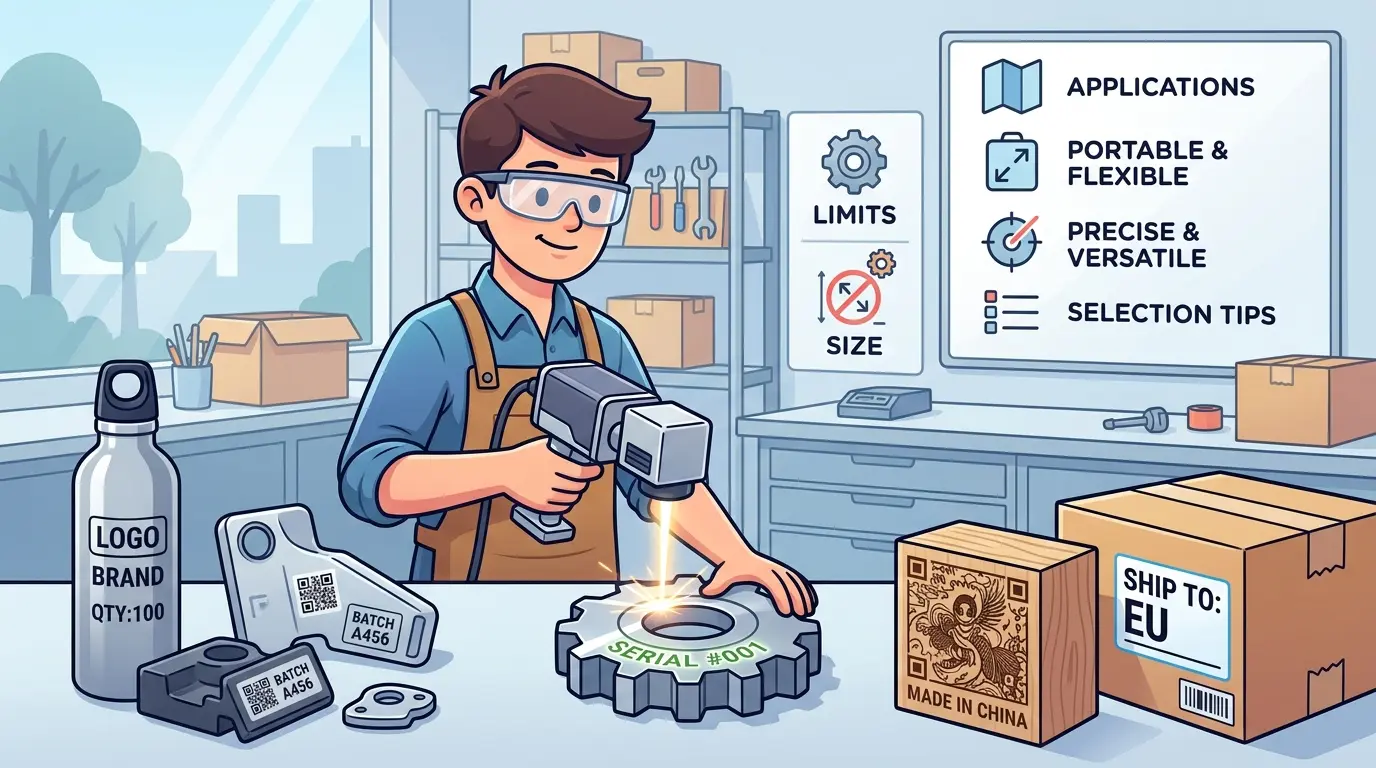
Many buyers focus on portability too early. They ask whether a portable laser marking machine is the better choice before they define what problem the marking step is actually supposed to solve. In real production, portability only creates value when moving the part to a fixed station is slower, riskier, or less practical than moving the marking head to the part.
That is why portable laser marking should be evaluated as a workflow decision, not as a convenience feature. It can be a practical fit for large assemblies, installed equipment, maintenance assets, oversized panels, and low-volume work that does not justify a dedicated enclosed cell. It can also become the wrong choice if the real requirement is repeatability, scanner reliability, cosmetic consistency, or line-speed throughput. For teams comparing portable marking against broader equipment planning, the Pandaxis product catalog is a useful starting point for looking at process-fit decisions across machine categories.
What Portability Really Solves
Portable marking is most valuable when the part is difficult to move, not when the machine is simply easier to carry.
In practice, portable systems are usually considered because one or more of these conditions apply:
- The Workpiece Is Too Large Or Heavy To Move Efficiently
- The Part Is Already Installed In A Fixture, Machine, Or Assembly
- The Marking Need Is Intermittent Rather Than Continuous
- Several Departments Need Occasional Marking Without Dedicating Floor Space To A Permanent Cell
- The Cost Of Repositioning The Workpiece Is Higher Than The Cost Of Repositioning The Marking Head
That logic matters because portability does not automatically improve marking quality. It changes part handling. If part handling is the real bottleneck, portability can help. If process stability is the bottleneck, portability can make the problem more visible.
Common Portable Marking Formats and Where They Fit
Not every portable marking setup behaves the same way. Buyers should separate truly handheld use from compact movable systems.
| Portable Format | Best-Fit Situation | Main Strength | Main Watchpoint |
|---|---|---|---|
| Handheld Or Free-Positioning Head | Large assemblies, machine frames, maintenance assets, awkward installed parts | Brings the mark to the part with minimal part handling | Operator stability and positioning discipline strongly affect consistency |
| Compact Wheeled Unit | Shared factory use, larger work zones, mixed departments | Easier to move between work areas without fully reinstalling a cell | Still needs safe operating space, extraction, and predictable setup |
| Small Movable Benchtop System | Short runs, low-volume product marking, flexible workstations | More stable than fully handheld use while keeping a smaller footprint | Not truly ideal for very large or installed workpieces |
The practical difference is simple: some portable machines are chosen because the workpiece is oversized, while others are chosen because the factory needs a smaller, more flexible marking station. Those are related needs, but they are not the same purchasing decision.
Best-Fit Use Cases for Portable Laser Marking Machines
Portable laser marking usually makes the most sense where the workpiece geometry, handling burden, or work environment makes a fixed station inefficient.
| Use Case | Why Portable Marking Helps | Main Limit To Watch |
|---|---|---|
| Large Fabricated Assemblies | Avoids lifting or re-fixturing bulky parts just to create identification marks | Repeatable mark placement becomes harder without disciplined referencing |
| Maintenance Tools And Factory Assets | Supports in-place identification of jigs, fixtures, holders, and maintenance-critical items | Asset-control work can become inconsistent if templates and naming rules are weak |
| Installed Equipment Or On-Site Identification | Useful when the item cannot easily leave the work area | Safety control and fume management are more complex outside a dedicated enclosure |
| Oversized Panels, Housings, Or Covers | Reduces material handling for awkward parts that are easy to scratch or misalign | Cosmetic consistency may vary if surface flatness and focus are not controlled |
| Low-Volume High-Mix Production | Supports occasional marking across many part types without dedicating a full fixed cell | Changeover flexibility does not guarantee fast throughput |
| Secondary Marking After Assembly | Makes it easier to add final IDs, logos, or reference marks late in the process | Late-stage marking can create rework if surrounding finishes are already sensitive |
The common thread is that portable marking creates operational value when it reduces unnecessary motion, lifting, waiting, or duplicate handling. It is less compelling when the factory already has stable part presentation and a predictable queue of similar jobs.
Where Fixed Marking Systems Usually Win
Portable systems often look more flexible on first review, but fixed systems usually outperform them when the factory depends on stable daily output.
| Decision Factor | Portable System | Fixed Marking Station |
|---|---|---|
| Large Or Installed Parts | Usually Stronger Fit | Often Requires More Part Handling |
| High Throughput | Often Limited By Setup And Operator Motion | Usually Better For Repeated Cycle Work |
| Position Repeatability | More Dependent On Referencing And Operator Control | Usually More Stable With Dedicated Fixturing |
| Small Codes And Tight Placement Tolerance | Can Be More Difficult To Hold Consistently | Typically Easier To Control |
| Safety Enclosure And Extraction | Harder To Standardize Across Open Areas | Easier To Integrate Into One Controlled Cell |
| Scanner Verification Integration | Possible, But More Variable By Setup | Usually Simpler In A Dedicated Workflow |
| Shared Use Across Departments | Strong Advantage | Less Flexible Once Installed |
This is where buyers need to be direct with themselves. If the plant needs hundreds or thousands of similar parts marked with consistent alignment every shift, a portable unit may solve the wrong problem. The machine may be mobile, but the process becomes more dependent on operators, work discipline, and local setup conditions.
The Limits Buyers Often Underestimate
Portable laser marking machines are often evaluated on sample quality alone. That can hide the real operating constraints.
One common issue is part referencing. A fixed station often uses predictable fixtures, stops, or nests. A portable setup may rely more heavily on visual alignment, temporary positioning, or improvised support. That can be acceptable for larger marks or low-volume work, but it becomes a risk when code size shrinks or placement tolerance matters.
Another limit is focus and surface consistency. Real parts are not always flat, clean, or easy to approach from one angle. Curved housings, uneven surfaces, coated parts, and assembled products can all make marking quality less predictable when the machine is moved frequently from one job to another.
Safety is also more demanding than many buyers expect. A portable unit does not remove the need for shielding, access control, or extraction. It simply means those controls may have to work in more than one area. If the shop treats portability as a shortcut around process discipline, the equipment decision will create more operational risk instead of more flexibility.
Throughput is another frequent misunderstanding. Portable systems may reduce transport time, but they can lose that advantage if operators spend extra time positioning the head, confirming the mark area, checking focus, or reworking poor placement. The right metric is not whether the machine moves easily. It is whether usable marks per hour actually improve.
Selection Questions That Matter More Than Demo Samples
The safest buying decision usually comes from asking process questions before comparing brands or machine size.
| Selection Question | Why It Matters |
|---|---|
| What Is The Primary Goal: Traceability, Asset Control, Branding, Or Late-Stage Product Identification? | The marking purpose drives how much precision, permanence, and verification discipline are required |
| Are The Parts Large, Installed, Or Simply Inconvenient To Move? | True portability value comes from eliminating wasteful handling, not from owning a smaller machine |
| How Often Will The Machine Be Repositioned? | Frequent movement can increase setup variability if the workflow is not standardized |
| How Will Parts Be Referenced For Consistent Placement? | Portability without positioning logic usually reduces repeatability |
| Is The Job High-Mix Low-Volume Or Stable Repetition? | Flexible equipment and high-throughput equipment are not always the same thing |
| What Safety And Extraction Controls Will Follow The Machine? | A mobile unit still needs a controlled operating method, not an informal one |
| How Will Job Files, Templates, And Variable Data Be Managed? | Poor software discipline can turn a flexible machine into an error source |
| What Happens After Marking: Scanning, Inspection, Assembly, Or Shipment? | The marking step should support downstream control, not only produce a visible result |
These questions usually reveal whether the buyer needs a primary production solution or a supplemental marking tool.
When a Portable Unit Should Supplement, Not Replace, a Fixed Cell
In many factories, the best answer is not portable versus fixed. It is portable plus fixed, with each process used where it makes sense.
A fixed station is commonly the stronger choice for repeated serialized work, tighter placement control, scanner-based traceability, and high daily output. A portable unit often makes more sense for oversized workpieces, maintenance assets, occasional in-place marking, or late-stage jobs that do not justify moving the part back through a dedicated cell.
That kind of split prevents a common mistake: asking one marking setup to solve two different production problems. If the factory wants both stable daily throughput and occasional flexibility for awkward parts, separating those functions often produces a cleaner workflow than forcing one portable unit to carry the entire marking burden.
Practical Summary
Portable laser marking machines are most useful when the workpiece is difficult to move, the marking task is intermittent, or the shop needs to bring the process to the part rather than the part to the process. They are commonly well suited to large assemblies, installed equipment, maintenance assets, oversized housings, and high-mix low-volume marking needs.
Their limits are equally important. Portable systems usually give up some repeatability, throughput stability, and process control compared with a dedicated fixed marking station. That tradeoff becomes more serious when the factory depends on small code quality, stable part presentation, integrated verification, or repeatable line-speed output.
The practical buying logic is straightforward: start with the workpiece, the marking purpose, and the handling problem. If portability removes real production friction, it can be the right choice. If the real requirement is controlled, repeatable, high-volume marking, a fixed solution usually deserves the stronger look.