Pandaxis

  • Products
    • CNC Nesting Machines
    • Panel Saws (Beam Saws)
    • Sliding Table Saws
    • Edgebanders
    • Boring & Drilling Machines
    • Wide Belt Sanders
    • Laser Cutters and Engravers
    • Stone CNC Machines
  • About Us
  • Contact Us
  • EnglishEnglish
    • Español Español
    • Italiano Italiano
    • Deutsch Deutsch
    • Français Français
    • Português Português
    • العربية العربية
    • Türkçe Türkçe
    • Русский Русский
    • Tiếng Việt Tiếng Việt
    • 한국어 한국어
    • 日本語 日本語
    • 简体中文 简体中文
  • Home
  • Blog
  • Blog
  • Small Laser Cutters for Light Commercial Work: Where They Fit and What to Evaluate

Small Laser Cutters for Light Commercial Work: Where They Fit and What to Evaluate

by pandaxis / Tuesday, 21 April 2026 / Published in Blog
Small Laser Cutters for Light Commercial Work

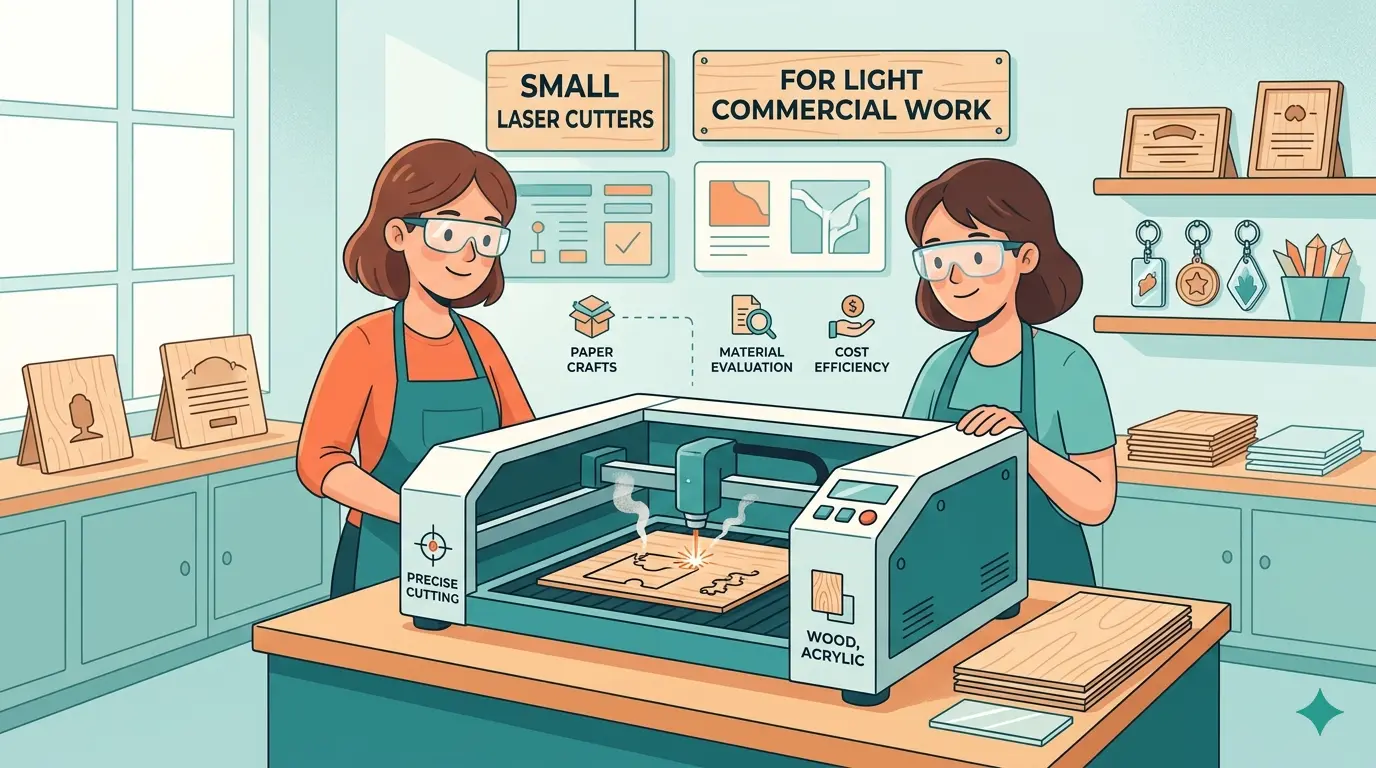
Compact laser systems fail in light commercial shops when buyers prioritize footprint or sticker price over the actual order pattern. This article addresses that mismatch directly, walking through where a small-format cutter earns its keep—short runs, frequent file changes, engraving-heavy work on wood and acrylic under roughly 600 x 400 mm—and where it becomes a bottleneck through constant re-nesting, rehandling, and extended cycles. The decision hinges on workflow friction, not wattage or bed size. Before you commit capital, evaluate your last 20 paid jobs against the machine’s practical limits, material fit, and daily output rhythm, because a mismatched purchase erodes margins through labor hours and missed deadlines.

Why a Small Laser Cutter Earns Its Place in a Light Commercial Shop

A compact laser system becomes a legitimate production asset when the job mix rewards flexibility over raw throughput. Sign shops, gift-product businesses, small-batch decor manufacturers, packaging prototyping teams, and custom workshops all run work that fits this pattern: paid orders, real deadlines, and repeatability that directly affects margin. The machine footprint matters less than whether the format can deliver consistent results across frequent design changes and short runs.

The common mistake is choosing a machine by footprint or entry price first, then trying to force production around its limits. Buyers get better results when they evaluate workflow first and machine size second. A small laser cutter can handle short runs, detailed engraving, and clean cutting on wood, acrylic, and similar non-metallic materials. It becomes a poor fit when the business expects it to behave like a higher-throughput production cell.

What Light Commercial Work Actually Demands

Light commercial work sits between hobby use and full industrial production. The work is paid, deadlines matter, and repeatability affects margins, but production volumes remain moderate enough that a smaller machine footprint can make sense. The operator is no longer experimenting; they are quoting, scheduling, and delivering against customer expectations.

Typical examples include:

  • Custom acrylic signage and display parts for retail clients
  • Wood engraving for branded gifts, awards, and decorative items
  • Short-run packaging inserts and presentation components for product launches
  • Personalized products with frequent artwork changes, such as wedding favors or corporate gifts
  • Prototype parts for retail displays, trade show booths, or product presentation mockups

In these environments, a small laser cutter earns its place through flexibility. It helps a business move quickly from artwork to finished part, reduces tooling changes, and handles mixed short-run jobs more efficiently than manual cutting methods. The machine becomes a production tool because it shortens the path between customer request and delivered product. That speed-to-part is often the difference between winning a repeat order and losing it to a competitor with faster turnaround.

Where a Compact Format Fits Best

A smaller-format machine usually makes the most sense when the business depends on detail, customization, and quick job turnover rather than maximum sheet throughput. It is commonly well suited to:

  • Short production runs with frequent file changes, where setup time dominates cycle time
  • Engraving-heavy workflows where visual finish and depth consistency matter more than raw speed
  • Small and medium part sizes that do not require oversized beds, typically parts under 600 x 400 mm
  • Shops with limited floor space but real commercial output, where every square meter carries rent
  • Product lines built around acrylic, wood, and similar non-metallic materials

For buyers comparing available laser cutters and engravers, the main decision point is whether the machine supports the way work enters and leaves the shop. A compact system that fits the order pattern will outperform a larger machine that creates workflow friction. The machine should reduce setup time, not add handling steps. Consider a sign shop that runs ten different acrylic jobs per day. Each job requires a different file, a different material thickness, and a different cutting sequence. A small machine with a straightforward control interface and quick material registration will let the operator move from job to job in minutes. A larger machine with complex fixturing or a lengthy warm-up routine will eat into the same day’s productive hours.

Where Small Machines Hit Their Limit

The biggest mistake in this category is expecting a small commercial laser cutter to solve every production need. A compact system can improve output in the right workflow, but it still has limits. Those limits usually show up when:

  • Part size regularly exceeds the practical working area, forcing parts to be split, tiled, or re-nested
  • Jobs require long unattended cutting cycles across many identical parts, where a larger bed would allow more parts per cycle
  • Material thickness or edge-quality expectations push the process beyond its efficient range, such as cutting thick hardwood or demanding perfectly vertical acrylic edges
  • The shop needs faster loading, unloading, and batching than a small machine layout can support, especially when material sheets are heavy or awkward
  • Demand grows faster than the machine’s practical daily output, creating a backlog that erodes the flexibility advantage

At that point, the issue is not simply speed. It is overall workflow friction. Operators spend more time nesting around size constraints, splitting jobs into extra cycles, rehandling material, or waiting for the next batch window. A machine that once felt efficient starts to slow down quoting, scheduling, and delivery. The cost of that friction shows up in labor hours, missed deadlines, and eventually lost customers. A shop that promises 48-hour turnaround on custom acrylic parts will quickly lose credibility if the machine bed can only fit half the parts in a single cycle, doubling the production time for every order.

What Buyers Should Evaluate Before They Buy

Small laser cutter selection becomes much clearer when the machine is judged against actual work patterns instead of generic marketing language. The following factors separate a good fit from a costly mismatch.

Evaluation Factor Why It Matters In Light Commercial Work What Buyers Should Watch For
Job mix Cut-heavy and engrave-heavy shops place different demands on the machine, including power requirements and optics Whether most revenue comes from cutting, engraving, or mixed jobs, and whether the machine’s rated power matches that split
Material range Results depend heavily on material fit, not just machine size. Acrylic, plywood, MDF, and coated materials each behave differently under the beam Whether the planned materials align with the machine’s intended non-metal processing role, and whether the supplier can confirm performance on those specific substrates
Part size Even profitable short-run work can become inefficient if parts must be split across setups, adding handling and alignment time Whether the usable work area fits the real product range, not just the occasional large piece
Changeover frequency Frequent artwork and order changes reward simple workflow and reliable setup routines, especially when the same operator handles multiple jobs per day How quickly operators can move from one order to the next, including file import, material placement, and focus adjustment
Ventilation and fume control Commercial use raises the cost of poor extraction and contaminated optics. Fumes from acrylic and coated woods can deposit on lenses and mirrors, degrading cut quality over time Whether the shop is ready for proper exhaust and maintenance discipline, including ducting, filtration, and scheduled cleaning
Output expectations Revenue depends on repeatable delivery, not just one-off success. A machine that produces inconsistent edge quality will generate rework and customer complaints Whether daily workload matches realistic machine utilization, accounting for setup, cleaning, and material handling time
Operator workflow A machine that looks simple on paper can still create unnecessary handling steps, especially if the control software is unintuitive or the bed is difficult to access How files are prepared, loaded, checked, and finished in daily use, and whether the machine’s software integrates with the shop’s existing design tools

Light commercial buyers often focus too early on the headline specification and too late on the order pattern. In practice, a smaller machine that fits the workflow well can outperform a larger but mismatched purchase. The evaluation should start with the jobs that generate revenue today, not the hypothetical jobs that might appear next year. A shop that currently runs 80 percent engraving work should not buy a machine optimized for high-speed cutting of thin acrylic, even if that machine has a larger bed and a more impressive specification sheet.

Material Fit Matters More Than Labels

For this segment, material compatibility is usually more important than whether a machine is labeled “small” or “commercial.” Many light commercial laser applications center on wood, acrylic, coated decorative materials, and similar substrates where edge cleanliness, engraving detail, and repeatability affect product value. A laser that produces a clean, polished edge on cast acrylic may leave a rough, frosted edge on extruded acrylic. A machine that engraves birch plywood cleanly may char the surface of MDF or produce inconsistent depth on oak.

That is why buyers should evaluate the machine around their dominant applications, not around the widest possible list of hypothetical future jobs. A sign-focused shop has different priorities from a gift-product workshop. A business producing small decorative wood components will judge success differently from a shop making acrylic display pieces. The sign shop needs clean, vertical edges on acrylic letters and panels, with minimal flame polishing required afterward. The gift shop needs consistent engraving depth on curved or irregular surfaces, with minimal scorching on light-colored woods. The decorative wood component shop needs the ability to cut intricate shapes without excessive charring on the edges, which would require additional sanding or finishing labor.

Good buying decisions usually come from questions like these:

  • Which materials generate the highest-margin work today? If acrylic signage drives 70 percent of revenue, the machine must excel at acrylic cutting, not merely handle it occasionally.
  • Is the business mostly cutting, mostly engraving, or switching constantly between both? A machine that handles both well will reduce changeover time and improve utilization.
  • Are customers paying for detail, speed, customization, or all three? A shop that wins orders on intricate engraving detail needs a machine with fine resolution and stable beam control, not just high wattage.
  • Will the machine support the current order pattern for the next stage of growth? If the business expects to move into larger parts or higher volumes within 18 months, the compact machine may become a bottleneck sooner than expected.

The answers determine whether a compact laser system is the right production tool or just a convenient purchase. A machine that handles the dominant material well will deliver better results than one that tries to cover every possible substrate and does none of them consistently. It is better to have a machine that produces excellent results on three materials than a machine that produces mediocre results on ten.

Workflow Issues That Often Get Underestimated

Small commercial laser systems are often purchased for their compact footprint, but the surrounding workflow determines whether they stay profitable. Buyers commonly underestimate:

  • File preparation time for customized orders. Each job requires artwork cleanup, vector conversion, nesting, and parameter selection. A shop running 15 custom jobs per day may spend two to three hours just preparing files, before the laser ever fires.
  • Material loading and unloading frequency on short-run jobs. A small bed means more cycles per order, which means more time spent placing sheets, removing finished parts, and clearing scrap.
  • Cleaning and routine optical maintenance. Lenses and mirrors accumulate residue from cutting acrylic and coated woods. A shop that does not schedule regular cleaning will see cut quality degrade, leading to rework and customer complaints.
  • Fume extraction requirements for regular commercial use. A hobby-grade exhaust setup will not handle daily production volumes. Poor extraction leads to contaminated optics, inconsistent beam delivery, and an unsafe working environment.
  • Post-process sorting, masking removal, and packing labor. Laser-cut acrylic parts often arrive with protective film that must be peeled. Engraved wood pieces may need light sanding or oiling. These steps add labor that is easy to overlook when calculating the cost per part.

None of these points are glamorous, but all of them affect real output. If a shop wins business through fast custom turnaround, then operator flow, maintenance discipline, and material handling can matter just as much as the cutting process itself. A machine that requires constant cleaning or produces inconsistent edge quality will eat into the labor savings it was supposed to create. Consider a shop that quotes a 100-piece acrylic sign order at three days. If the machine requires 30 minutes of cleaning after every two hours of cutting, and the operator spends another 30 minutes per cycle loading and unloading material, the actual production time may stretch to five days. The quote was based on machine speed, but the reality is governed by workflow friction.

When a Different Equipment Path Makes More Sense

A small laser cutter is not always the right next step. If the work is moving toward larger panel formats, higher-volume batching, or more aggressive throughput targets, a buyer may need to think beyond a compact laser platform. Likewise, if the process requires thicker-part machining, more structural shaping, or workflow integration that depends on routing and drilling in the same cycle, another equipment path may be more appropriate.

The wrong move is not buying a small system. The wrong move is buying one because it feels safer, then forcing production around its limits. A shop that regularly cuts large sheet goods or runs high-volume identical parts will find a compact laser creates bottlenecks rather than removing them. In those cases, a larger format machine or a different process altogether will serve the business better. For example, a shop that produces 500 identical acrylic display stands per week will find that a small laser bed requires constant reloading, nesting compromises, and extended cycle times. A larger-format machine or a CNC router with a vacuum table would process the same volume in a fraction of the time, with less operator intervention.

Similarly, a shop that needs to cut 18 mm plywood for furniture components will find that a small laser cutter struggles with edge quality and speed at that thickness. A CNC router with a suitable spindle would produce cleaner edges, faster cycles, and better dimensional accuracy. The laser is not a bad tool; it is simply the wrong tool for that specific job mix.

The Practical Benchmark for Buying

Small laser cutters for light commercial work make sense when the business depends on short runs, customization, clean detail, and manageable part sizes in wood, acrylic, and similar non-metallic materials. They are strongest when they reduce setup friction, support frequent job changes, and help deliver consistent results without demanding a large production footprint.

They become a weaker investment when order sizes, part dimensions, or throughput expectations start pushing the machine into constant rehandling and scheduling pressure. The best buying decision usually comes from matching the machine to the real workflow, not the broadest possible wish list.

For light commercial buyers, that is the practical benchmark: choose the small laser cutter that fits the work you actually run, the materials you actually sell, and the output rhythm your shop can realistically maintain. Start with a list of the last 20 paid jobs you completed. Note the material, the part size, the quantity, and the turnaround time required. If most of those jobs fit within a compact working area, involve frequent design changes, and demand clean detail work, a small laser cutter is a sound investment. If the list shows a pattern of large parts, high volumes, or thick materials, the machine will become a bottleneck rather than a solution.
The machine that wins is the one that fits the order pattern, not the one with the most impressive specification sheet. Evaluate the workflow, confirm the material fit, and choose the format that supports the way your shop actually produces work. That approach will deliver a machine that pays for itself through consistent output, satisfied customers, and repeat orders.

What you can read next

Stone CNC Machine vs. Wall Saw
Stone CNC Machine vs. Wall Saw: Which One Fits Fabrication vs. On-Site Cutting?
OX CNC, Maker CNC, and MP CNC: Comparing Popular DIY Router Platforms
What Are CNC Measuring Instruments Used For?

Recent Posts

  • CNC Machine Plans When Plans Save Money and When They Create Rework

    CNC Machine Plans: When Plans Save Money and When They Create Rework

    CNC machine plans promise a lower purchase bill...
  • CNC Simulator Tools

    CNC Simulator Tools: When Virtual Testing Saves Time and Scrap

    Every CNC program that reaches the floor with a...
  • Laser Engraver for Wood

    Laser Engraver for Wood: Best Use Cases in Commercial Production

    Commercial wood shops routinely face a bottlene...
  • What Is a CNC Slicer

    What Is a CNC Slicer? Common Meanings and Use Cases

    When a purchasing team or production engineer s...
  • Big CNC Machine vs Small CNC Machine

    Big CNC Machine vs Small CNC Machine: How Size Changes Cost and Capability

    Production teams comparing CNC platforms often ...
  • Automatic Edgebander vs. Manual Edge Banding: Which One Delivers Better ROI?

    When edge finishing becomes the bottleneck, the...
  • Wall Saw

    Wall Saw Safety, Blade Selection, And Cutting Strategy For Controlled Structural Cuts

    Wall sawing fails most often before the blade e...
  • Metal Engraving: How To Choose the Right Machine for the Job

    Metal engraving decisions fail not at the demo ...
  • What Are CNC Bushings Used For?

    When an axis develops a vague roughness or surf...
  • Root CNC, RS CNC, and PrintNC-Style Open Builds

    Root CNC, RS CNC, and PrintNC-Style Open Builds: Which DIY Community Platform Fits You?

    Community CNC names like Root CNC, RS CNC, and ...
  • Laser Glass Cutter

    Laser Glass Cutter: Where It Fits in Production and Where It Does Not

    The production question comes before comparing ...
  • CNC Stone Cutting for Quartz, Granite, and Marble: How Material Differences Shape Machine Choice

    Quartz, granite, and marble share a fabrication...
  • Small CNC Mill vs Industrial CNC Mill

    Small CNC Mill vs Industrial CNC Mill: How Capacity Changes the Decision

    Shops comparing small CNC mills against industr...
  • Sheet Metal Laser Cutter

    Sheet Metal Laser Cutter Best Practices for Clean, Accurate Cuts

    Laser-cut defects rarely surface at the cutting...
  • What Is a Spiral Milling Cutter

    What Is a Spiral Milling Cutter?

    Buying a “spiral milling cutter” by...

Search for posts

Recent Posts

  • CNC Machine Plans When Plans Save Money and When They Create Rework

    CNC Machine Plans: When Plans Save Money and When They Create Rework

    0 comments
  • CNC Simulator Tools

    CNC Simulator Tools: When Virtual Testing Saves Time and Scrap

    0 comments
  • Laser Engraver for Wood

    Laser Engraver for Wood: Best Use Cases in Commercial Production

    0 comments

Recent Comments

    Support

    • About Us
    • Contact Us
    • Company Blog
    • Terms of Service
    • Privacy Policy
    • Sitemap

    Newsletter

    Subscribe for Pandaxis product updates, application insights, and practical news on CNC woodworking, stone fabrication, and laser processing solutions.

    GET IN TOUCH

    Email: info@pandaxis.com

    Whether you are looking to integrate a high-speed CNC woodworking line or deploy a heavy-duty stone cutting center, our technical engineers are ready to optimize your production. Reach out today to bring precision to every axis of your facility.

    • GET SOCIAL

    © 2026 Pandaxis. All Right Reserved.

    TOP